Best AI Website Builder 2026: Complete Comparison Guide
The AI website builder market has exploded. In 2026, you have more options than ever, and choosing the right one can mean the difference between a site you're proud of in an hour and a frustrating week of tweaking.
I spent the last month testing every major AI website builder. I built real sites on each platform, evaluated the AI output quality, tested customization options, and compared pricing. This guide covers everything I found.
Disclosure: I work with lindoai, and it's included in this comparison. But I've tested it against competitors honestly, including where it falls short. My goal is to help you find the right platform for your specific needs, whether that's lindoai or something else.
The search for "best ai website builder" gets 4,400 monthly searches in the US alone, and that number is climbing fast. Here's what you need to know to make the right choice.
What Makes an AI Website Builder "Best" in 2026?
Before we jump into the rankings, let's establish what we're looking for.
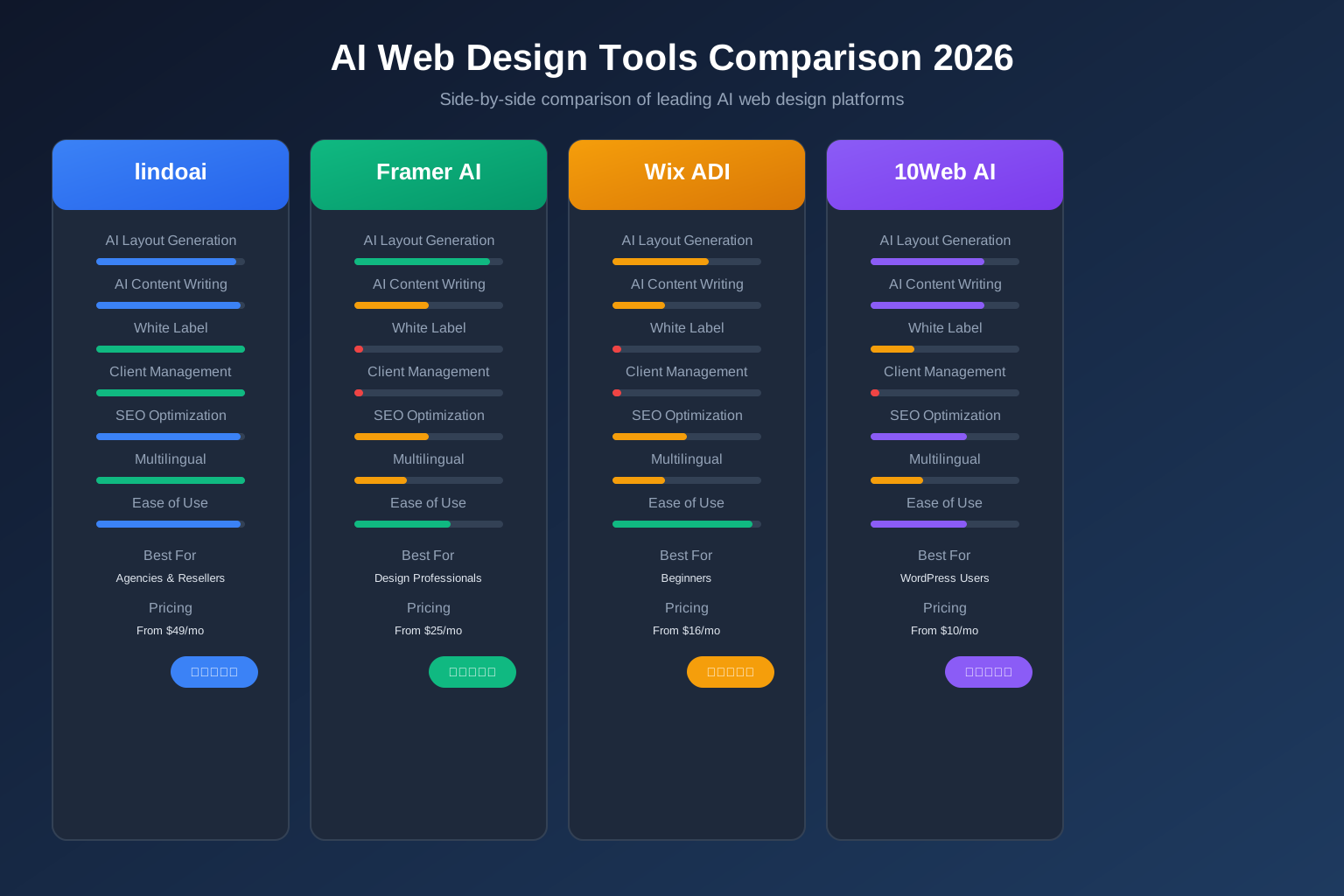
Key Evaluation Criteria
I evaluated each platform on these dimensions:
- AI generation quality: Does the platform create something genuinely useful from a business description, or just spit out a generic template?
- Customization depth: Can you refine the AI's output, or are you locked into what it generates?
- White label support: Can you remove the platform's branding and present sites as your own?
- Multilingual capabilities: Does it support creating sites in multiple languages?
- Ease of use: How quickly can a non-technical person create a professional site?
- Value for money: What do you get for the price, and are there hidden costs?
- Performance and SEO: Does the platform generate fast, search-engine-friendly sites?
Who This Guide Is For
This comparison covers three primary use cases:
- Agencies and freelancers building sites for clients (white label and multi-site management are critical)
- Small business owners creating their own site (ease of use and value matter most)
- Designers and developers looking for AI assistance in their workflow (customization and flexibility are key)
Each section calls out which platforms work best for which audience.
How We Tested and Compared AI Website Builders
Testing Methodology
I created a real business profile and used it to generate a site on each platform:
- A service business: "Austin Pet Care, a dog walking and pet sitting service in Austin, Texas"
- Same business description for every platform
- I evaluated the full workflow: signup, generation, customization, and preview
Scoring Criteria
Each platform was scored on a 1-10 scale in each category:
- AI Quality: Did the generated site look professional and relevant?
- Customization: How much control did I have over the final design?
- White Label: Could I completely remove platform branding?
- Multilingual: Was native multilingual support available?
- Ease of Use: How intuitive was the entire process?
- Value: Did the pricing match the features offered?
The Top AI Website Builders Compared
Here are the 7 platforms I tested, ranked by overall value for different use cases.
1. Lindo.ai: Best for Agencies and White Label
Overall Score: 9.2/10 | Best for: Agencies, freelancers, resellers
Lindo.ai is purpose-built for agencies that want to build and manage client websites under their own brand. The AI generation is excellent, producing complete, professional sites from a simple business description.
What stands out:
- Full white label support. Your logo, your domain, your brand on every site. Clients never see lindoai branding.
- Multi-site management. One dashboard to manage all your client sites. No separate logins needed.
- Multilingual built-in. Create sites in any language without plugins or workarounds.
- AI content writing. The platform generates copy, headlines, and CTAs as part of the build process.
- Client portal. Clients can submit requests and track progress under your brand.
Where it falls short:
- Not the cheapest option for a single site. Starting at $29/month.
- Overkill if you only need one simple site for yourself.
Pricing: Starts at $29/month for Pro, $79/month for Agency (unlimited sites)
Verdict: If you're building websites for clients, this is the platform. The white label and multi-site features are best in class. If you just need one site, consider a simpler option.
Learn more about lindoai
2. Wix ADI: Best for Beginners
Overall Score: 8.0/10 | Best for: First-time website owners, simple personal sites
Wix ADI (Artificial Design Intelligence) has been around longer than most AI builders. It asks you a series of questions and generates a site based on your answers.
What stands out:
- Very easy to use. The question-based flow is intuitive.
- Large app market. Extend your site with Wix's ecosystem of apps.
- Free tier available. You can test the platform before committing.
Where it falls short:
- No white label. All Wix sites show "Wix" branding unless you pay for a premium plan, and even then, the platform is clearly Wix.
- Limited AI depth. The AI generates a decent starting point but the customization tools are the same drag-and-drop approach as regular Wix.
- Not for agencies. No multi-site management. You'd need separate accounts for each client.
Pricing: Free tier available. Paid plans start at $16/month.
Verdict: Good for a personal site or simple small business site. Not suitable for agencies or anyone who needs white label delivery.
3. Framer AI: Best for Design-Centric Sites
Overall Score: 7.8/10 | Best for: Designers who want AI assistance, portfolio sites
Framer started as a design tool and added AI capabilities. It's now a full website builder with AI-powered generation.
What stands out:
- Beautiful design output. Framer is fundamentally a design tool, and it shows. Sites look polished.
- CMS capabilities. Good for content-heavy sites and blogs.
- Designer-friendly. If you have design skills, Framer gives you more creative control.
Where it falls short:
- No white label. Framer sites show Framer branding. Can't remove it easily.
- No multi-site management. Designed for individual sites, not agency workflows.
- Learning curve. The AI helps, but Framer's design tools take time to learn.
- More expensive for what you get. The AI features are secondary to the design tools.
Pricing: Starts at $15/month. CMS plan at $25/month.
Verdict: Great for designers building their own portfolio or content site. Not ideal for client work or agencies.
4. 10Web AI Builder: Best for WordPress Users
Overall Score: 7.5/10 | Best for: Existing WordPress users, complex sites
10Web's AI builder creates WordPress sites from a prompt, then gives you full WordPress control.
What stands out:
- Full WordPress power. You get the flexibility of WordPress with AI-assisted setup.
- Plugin ecosystem. Access to thousands of WordPress plugins.
- Known environment. If you already know WordPress, there's no learning curve.
Where it falls short:
- Not truly white label. WordPress itself shows as the platform.
- More maintenance. WordPress requires ongoing updates, security management, and plugin care.
- Complex for beginners. You still need to understand WordPress to get the most out of it.
- Slower setup. The AI generates content, but you still need to configure WordPress settings.
Pricing: Starts at $13/month.
Verdict: Good if you're committed to WordPress and just want AI help with initial setup. Not the best choice for most beginners or agencies.
5. Hostinger AI Builder: Best Budget Option
Overall Score: 7.2/10 | Best for: Budget-conscious users, simple sites
Hostinger added an AI website builder to their hosting platform. It's affordable and functional.
What stands out:
- Very affordable. The cheapest option in the comparison.
- Includes hosting. No separate hosting bill.
- Simple interface. Easy to use for basic sites.
Where it falls short:
- Basic AI output. The AI generation is functional but not impressive. Sites look generic.
- No white label. Hostinger branding is present.
- Limited customization. Fewer design options than competitors.
- No multi-site management. Single site per account.
Pricing: Starts at $2.69/month (promotional, renews higher).
Verdict: Fine for a very simple site on a tight budget. Not suitable for professional or client work.
6. Bookmark AiDA: Best for Small Business
Overall Score: 7.0/10 | Best for: Micro-businesses, very simple sites
Bookmark's AiDA (Artificial Intelligence Design Assistant) is a straightforward AI builder for small business owners.
What stands out:
- Good for simple sites. Easy to set up a basic business site.
- Step-by-step guidance. The AI walks you through the process.
- Reasonable pricing.
Where it falls short:
- Limited AI quality. The generated designs are basic and don't match the quality of lindoai or Framer.
- No white label. Bookmark branding is visible.
- Small team. The platform has fewer features and slower development than competitors.
- Not scalable. Fine for one site, not suitable for multiple sites.
Pricing: Starts at $11.99/month.
Verdict: Functional but not impressive. Only recommended for the simplest sites where budget is the primary concern.
How to Evaluate AI Website Builders for Your Specific Use Case
To make the right decision, map your requirements to platform capabilities. Here's a framework:
Step 1: Define your primary use case.
- Am I building one site for myself or multiple sites for clients?
- Do I need to resell websites under my brand?
- Do I need multilingual support?
- What's my monthly budget?
Step 2: Rank features by importance. Score each feature on a scale of 1 (nice to have) to 5 (must have).
| Feature | Importance (1-5) |
|---|
| AI generation quality | |
| White label support | |
| Multi-site management | |
| Multilingual | |
| Ease of use | |
| Price | |
| Customization depth | |
| E-commerce support | |
Step 3: Match to the best platform. Compare your scores against each platform's strengths. The platform that aligns with your highest-priority features is the right choice.
This framework prevents the common mistake of choosing a platform because it's popular or cheap, rather than because it fits your needs.
7. Duda: Best for SaaS Platforms
Overall Score: 8.5/10 | Best for: White label SaaS platforms, large agencies
Duda has been a strong player in the white label website builder space for years. It's a polished platform with excellent features.
What stands out:
- Mature white label. Duda's white label features are well-developed.
- Team collaboration. Good tools for team workflows.
- Widget ecosystem. Extensive library of widgets and integrations.
Where it falls short:
- No AI generation. Duda is a traditional builder with AI widgets, not an AI-first platform. You don't get a site generated from a description.
- More expensive. Higher starting price than AI-native competitors.
- Steeper learning curve. More complex interface than AI-first builders.
- Less innovation. As a mature platform, Duda's AI features are behind newer competitors.
Pricing: Starts at $25/month.
Verdict: A solid white label platform but not an AI website builder in the same sense as the others here. Best for established agencies that don't need AI generation.
Emerging AI Website Builders to Watch
The market is moving fast. Here are a few newer platforms worth keeping an eye on:
TeleportHQ. An AI-powered collaborative website builder that generates code. Good for developers who want AI-assisted coding rather than a visual builder.
Unicorn Platform. Focused on SaaS landing pages. The AI generates targeted single-page sites for startups. Limited but excellent in its niche.
B12. AI-powered website builder for professional services. Includes AI copywriting and design generation. Strong in the legal and consulting niches.
Zyro. A simple AI builder with good copywriting tools. Excellent for beginners who want a straightforward approach.
None of these challenge the top 7 platforms for general use yet, but they're gaining traction in specific niches.
Feature Comparison Table
Here's how all seven platforms stack up side by side:
| Feature | Lindo.ai | Wix ADI | Framer AI | 10Web | Hostinger | Bookmark | Duda |
|---|
| AI Generation | Excellent | Good | Good | Good | Basic | Basic | None |
| White Label | Full | No | No | Partial | No | No | Full |
| Multilingual | Built-in | App | No | App | No | No | Built-in |
| Multi-Site Mgmt | Yes | No | No | No | No | No | Yes |
| Customization | High | Medium | High | High | Low | Low | High |
| Starting Price | $29/mo | $16/mo | $15/mo | $13/mo | $2.69/mo | $11.99/mo | $25/mo |
| Best For | Agencies | Beginners | Designers | WP Users | Budget | Simple Sites | SaaS |
AI Website Builder Pricing Comparison
Pricing matters, but it's not the whole story. Here's what each platform actually costs and what you get.
| Platform | Entry Price | What You Get | Agency/Unlimited |
|---|
| Lindo.ai | $29/mo | Pro: 3 sites, AI generation, white label | $79/mo Agency: unlimited sites |
| Wix ADI | $16/mo | Combo: 1 site, domain, no Wix ads | N/A (per-site) |
| Framer AI | $15/mo | Basic: 1 site, framer.ai domain | N/A (per-site) |
| 10Web | $13/mo | AI Builder: 1 site, hosting included | N/A (per-site) |
| Hostinger | $2.69/mo | Premium: 1 site, hosting, AI builder | N/A (per-site) |
| Bookmark | $11.99/mo | Starter: 1 site, custom domain | N/A (per-site) |
| Duda | $25/mo | Basic: 1 site, white label | Custom pricing |
Pricing alone is misleading. A $2.69/month site that looks generic and can't be customized won't serve a business well. A $29/month platform that generates professional, fully customizable sites delivers much higher value.
The real question isn't "which is cheapest?" It's "which platform enables me to build the site I need at a price that makes sense?"
Which AI Website Builder Should You Choose?
Here are my recommendations based on your specific needs.
Best for Agencies: Lindo.ai
If you're building websites for clients, lindoai is the clear winner. The combination of AI generation, full white label support, and multi-site management is unmatched. You can create client sites in hours, manage them from one dashboard, and present everything under your own brand.
Best for Beginners: Wix ADI
If you've never built a website before and want to create a simple site for yourself, Wix ADI is the most accessible option. The question-based setup is intuitive, and the free tier lets you test before committing.
Best for Designers: Framer AI
If you're a designer who wants AI assistance but needs full creative control, Framer AI gives you the best balance. The design output is beautiful, and the customization options are extensive.
Best for WordPress Users: 10Web
If you're committed to WordPress and just want AI help getting started, 10Web is a solid choice. You get the power of WordPress with AI-assisted content generation.
Best for Budget: Hostinger
If you need the absolute cheapest option for a very simple site, Hostinger's AI builder is functional. Just don't expect the same quality as premium platforms.
Best for Established Agencies: Duda
If you already have an agency workflow and don't need AI generation, Duda remains a strong white label platform. Its collaboration tools and widget ecosystem are excellent.
How to Get Started with Your Chosen AI Builder
Once you've picked a platform, here's how to get the most out of it.
Setting Up lindoai for Your First Site
- Sign up at lindo.ai and go to the dashboard
- Click "New Site" and select your site type (business, portfolio, e-commerce)
- Describe your business in detail. The more specific you are, the better the AI output
- Review the generated site. The AI creates a complete structure with pages, sections, and content
- Customize the design, colors, and content to match your brand
- Connect your domain and publish
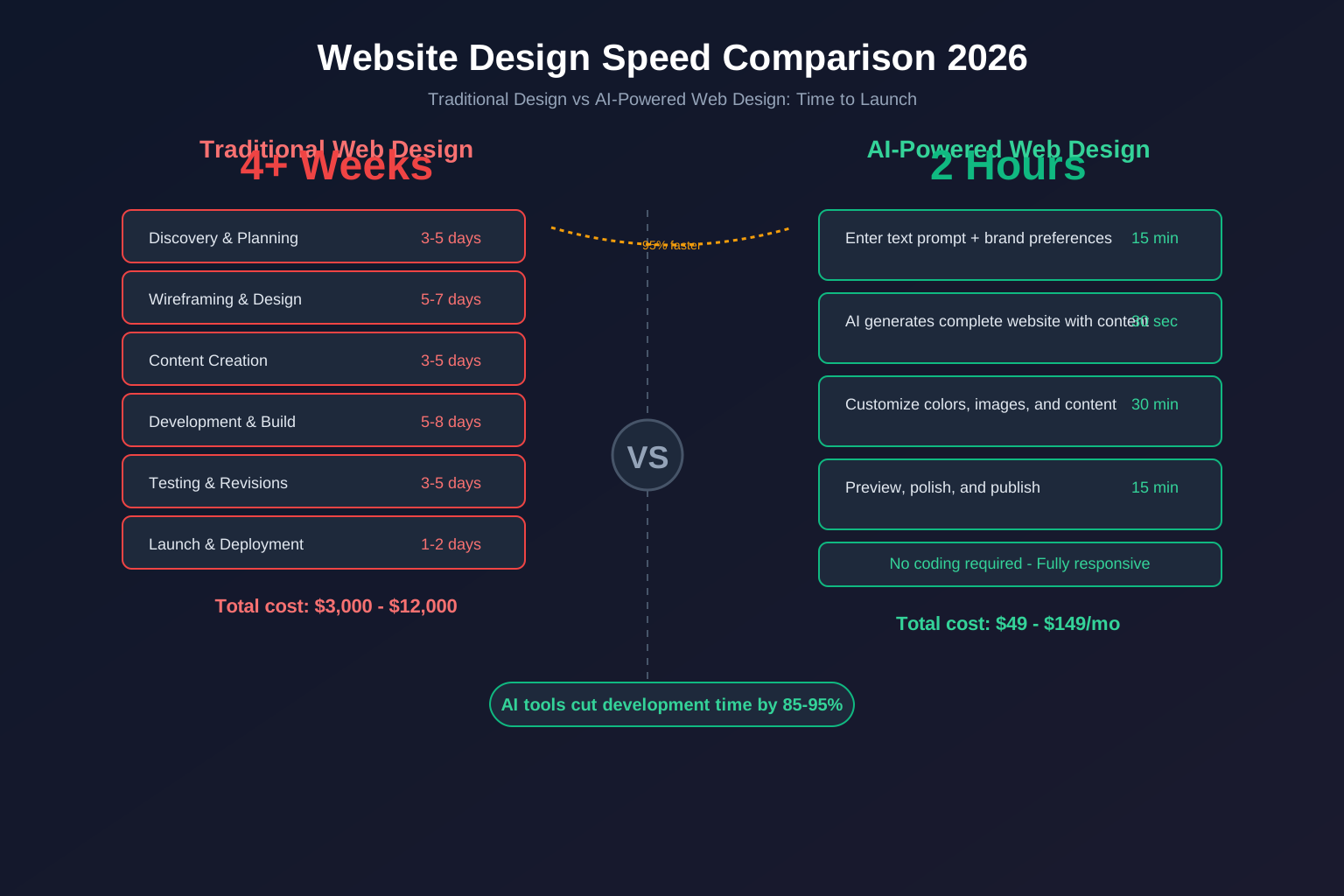
The whole process takes 30 minutes to 2 hours for a professional site.
Tips for Maximizing AI Output Quality
The quality of what you get out depends on what you put in. Here are tips that work across all platforms:
- Be specific in your description. "A bakery in Portland" generates a generic site. "Artisan sourdough bakery in Portland's Pearl District with coffee and weekend brunch" generates something much better.
- Provide design preferences. If the platform asks about style, choose something that matches your brand. Don't just accept defaults.
- Iterate. Don't settle for the first generation. Tweak, regenerate sections, and refine until it's right.
- Add your own content. AI-generated copy is a starting point. Your own words and images make the site unique.
FAQ
What is the best AI website builder for free?
Wix ADI offers the most generous free tier. You can build and preview a site without paying. However, to publish on your own domain, you'll need a paid plan. Hostinger's AI builder also has a low promotional price that feels like free.
Can AI website builders replace web designers?
For simple and even moderately complex business websites, yes. AI website builders can produce results that rival a mid-range professional designer. For highly custom, complex, or enterprise-level sites, a human designer is still needed. The sweet spot is small to medium business websites, which is the largest market segment.
Is lindoai better than Wix ADI?
For agencies and client work, yes. Lindoai's white label and multi-site capabilities are features Wix doesn't offer. For a simple personal site, Wix ADI is fine. They serve different markets.
Do AI website builders support e-commerce?
Some do. Lindoai supports e-commerce with product pages, payment processing, and shopping cart functionality. Wix ADI and Framer AI have e-commerce options. Hostinger and Bookmark are more limited. Check the specific platform's e-commerce features before committing.
Can I use my own domain with an AI website builder?
Yes. Every platform in this comparison supports custom domains. Some include a free domain for the first year, and all provide instructions for connecting your existing domain.
Which AI website builder is best for multiple sites?
Lindoai is the best choice for managing multiple sites. Its Agency plan supports unlimited sites from one dashboard with full white label. Duda is also good for multi-site management but lacks AI generation. Other platforms require separate accounts for each site.
How much does a good AI website builder cost?
Expect to pay $15 to $30 per month for a quality platform. The cheapest options work but produce generic results. The most expensive options are worth it if you need white label, multi-site, or advanced features.
What features should I look for in an AI website builder?
At minimum, look for AI generation quality, customization flexibility, mobile responsiveness, SEO tools, and reliable hosting. If you are building for clients, add white label support and multi-site management to your must-have list. If you need a multilingual site, verify that the platform supports it natively rather than through a third-party integration.
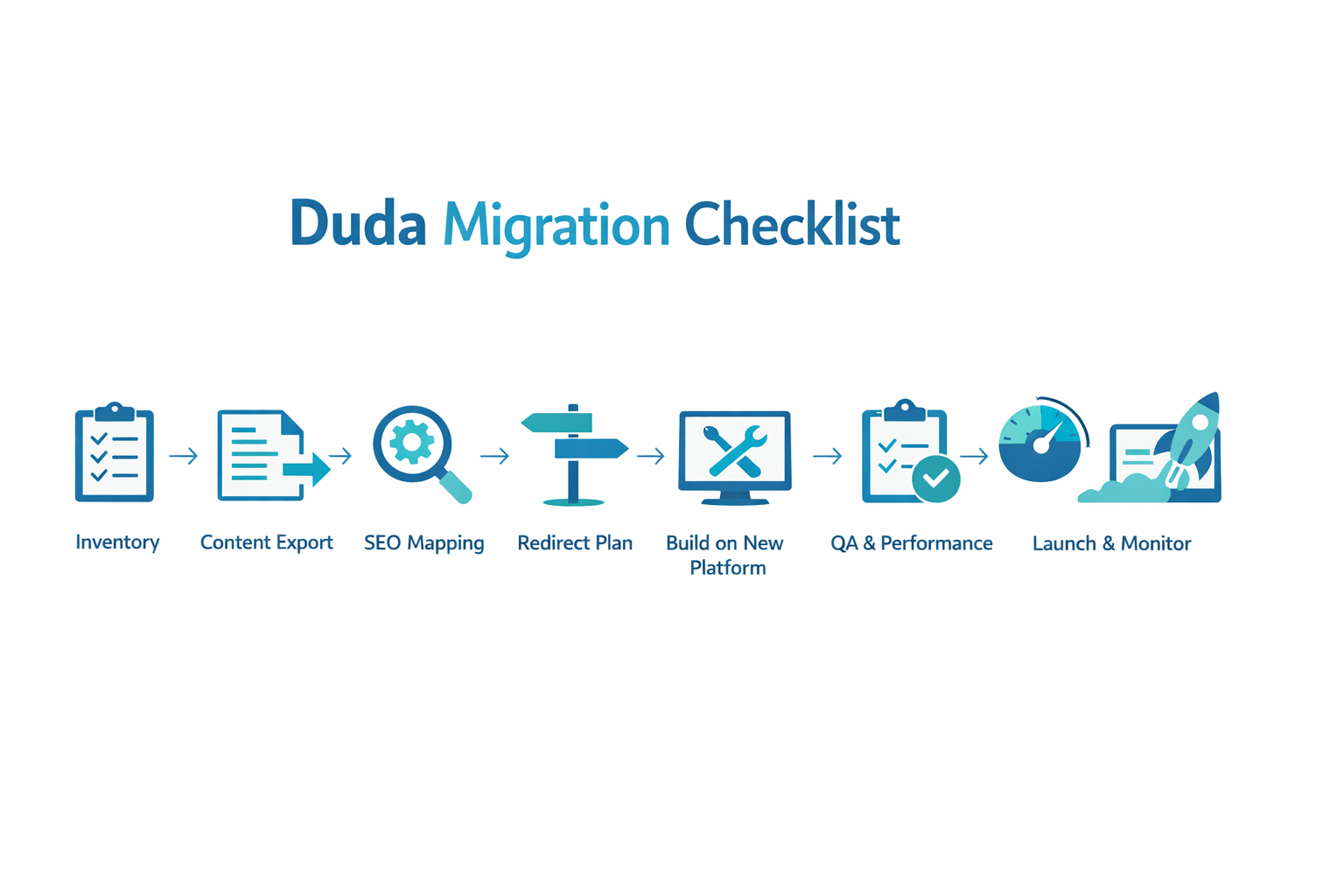
Can I migrate my existing site to an AI website builder?
It depends on the platform. Most AI builders are designed for new sites rather than migrations. You can typically rebuild your site content on the new platform and then redirect your domain. Some platforms offer import tools, but expect to spend time recreating your site's structure and content.
Do AI website builders include hosting?
Yes, every platform in this comparison includes hosting as part of the subscription. You do not need to buy separate hosting. The hosting is optimized for the platform's builder, which means better performance and fewer compatibility issues than traditional setups.
Are AI-built websites good for SEO?
In general, yes. AI website builders follow modern SEO best practices out of the box. They generate clean HTML structure, proper heading hierarchy, meta tags, and XML sitemaps automatically. However, you still need to create quality content and build backlinks to rank well. No platform can automate those entirely.
Common Mistakes When Choosing an AI Website Builder
Avoid these mistakes that I see people make over and over.
Choosing Based on Price Alone
The cheapest platform rarely delivers the best results. A $2.69/month site that looks generic and doesn't convert visitors is a waste of money at any price. Factor in the value of what you're building.
Ignoring White Label When You Need It
Many people start with a non-white label platform because it's cheaper or easier. Then they need to switch platforms later when they realize they need white label. Switching is painful. Get it right from the start.
Overestimating AI Capabilities
AI website builders are impressive, but they're not magic. You still need to:
- Provide good input to get good output
- Review and edit AI-generated content
- Think strategically about your site's goals
- Invest in driving traffic after launch
The best platform in the world won't fix a bad strategy.
Underestimating the Learning Curve
Even with AI assistance, every platform has a learning curve. Plan to spend at least a few hours learning the platform before you build your first real site.
The Future of AI Website Builders
The AI website builder market is evolving rapidly. Here's what I expect to see in the next 12 to 18 months:
Better personalization. AI will learn your preferences over time and generate sites that match your specific style preferences.
Voice and video input. Instead of typing descriptions, you'll be able to describe your business by speaking or even recording a short video.
Deeper integration. AI builders will connect more deeply with analytics, CRM, and marketing tools to create sites that adapt based on visitor behavior.
Improved design quality. The gap between AI-generated and human-designed sites will continue to narrow. Within two years, most business websites will be AI-generated.
Lower prices. Competition will drive down prices across the board, making AI website builders accessible to even the smallest businesses.
According to Gartner, they predict that by 2028, over 80% of new websites will use some form of AI assistance in their creation. We're already well on our way.
Conclusion
The best AI website builder in 2026 depends on what you need to build and who you're building it for.
If you're an agency or freelancer building sites for clients, lindoai is the clear choice. Its AI generation, white label support, and multi-site management are best in class, and the value only increases as you scale.
If you're a business owner building your own site, evaluate Wix ADI for simplicity, Framer AI for design quality, or lindoai if you want the most professional result with room to grow.
The market is moving fast. Today's best choice may be different next year. But for now, these seven platforms represent the best options available, and any of them can help you build a website faster and cheaper than traditional methods.
Ready to build something great? Start with lindoai and see what AI-powered web design can do for you.