If you run an agency, a white label website builder is not a nice-to-have tool. It is a delivery system.
It decides how fast you ship, how much margin you keep, how consistently your team executes, and how painful support becomes six months after launch.
In 2026, “we build websites” is table stakes. The agencies that win are the ones that can productize websites: repeatable packages, predictable timelines, clean handoffs, and a monthly management layer that clients do not cancel.
This buyer’s guide walks you through exactly how to choose a white label website builder as an agency. You will get:
- A plain-English definition (white label vs reseller vs affiliate)
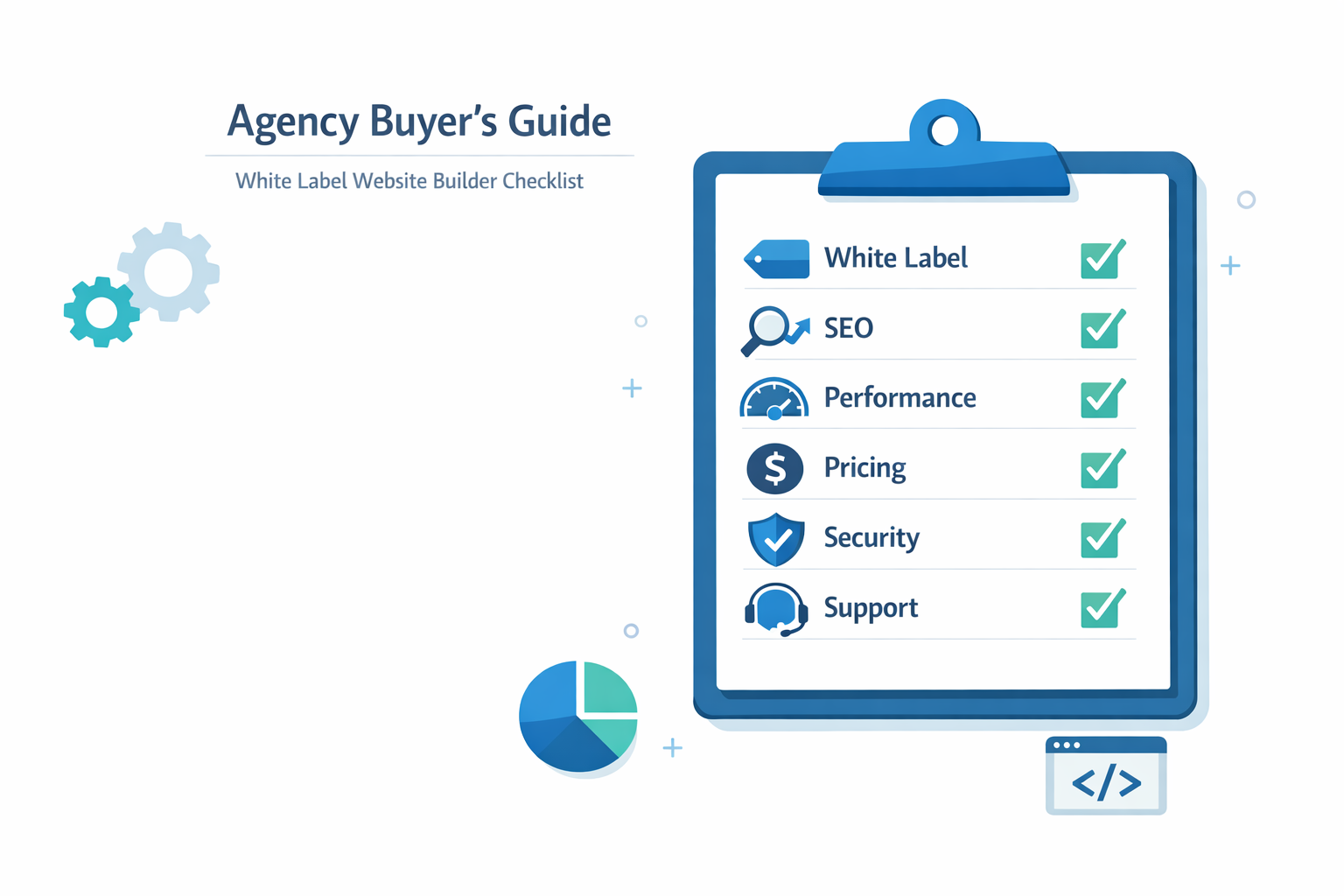
- A must-have features checklist for 2026 (SEO, performance, governance)
- A pricing model breakdown, with margin protection math
- Security and compliance requirements you should not compromise on
- A practical vendor evaluation scorecard, plus demo questions and red flags
- A clear view of where lindo.ai fits, without the hype
What is a white label website builder?
A white label website builder is a platform that lets you build and manage websites, but present the product as your agency’s branded service.
That means the client experiences:
- Your brand
- Your portal (or at least your logo and domain)
- Your process
- Your billing relationship
The vendor stays in the background.
The simplest mental model is this:
A white label website builder turns your agency into a software-powered website provider, not just a project-based studio.
White label vs reseller vs affiliate (definitions that actually matter)
These terms get abused in marketing pages, so use the definitions below when you compare vendors.
White label means your client sees you.
- Brand masking: your logo, your domain, your email templates
- Client access: under your brand, ideally with a portal
- Your pricing: you set packages and margins
- Vendor is “invisible” to the client (as much as possible)
Reseller program means you are selling someone else’s product, often under their brand, but you may get discounts, revenue share, or management rights.
- Sometimes you can add partial branding
- Often the vendor still owns the client relationship or controls billing
- Reseller programs can be great, but they are not always true white label
Affiliate means you refer customers and get paid a commission.
- No control over product, branding, or delivery
- Not a delivery platform, not a client retention system
- Works for content creators, rarely a core agency strategy
If your goal is to build a sticky monthly revenue layer, affiliate is not the model.
Who a white label website builder is for
In 2026, the best-fit buyers are not just “web designers.” They are operators.
A white label website builder for agencies is most valuable for:
- Marketing agencies that want to own the full funnel: landing pages, SEO, CRO, and ongoing updates
- Web studios that want standardized delivery and fewer build-from-scratch projects
- Vertical SaaS platforms that want to bundle websites as an add-on for their users
- Freelancers scaling into micro-agencies who need a repeatable system
If you only sell one-off, custom-coded builds with no maintenance, you may not need a builder. But most agencies do not want that business model anymore.
Why agencies choose a white label website builder (benefits and ROI)
The obvious pitch is “build faster.” The real pitch is “operate like a product company.”
When you choose the right white label web builder, you unlock three compounding benefits.
Faster launch and lower cost per site
Speed is not just nice for clients. It is leverage.
If your build process shrinks from 6 to 8 weeks to 7 to 14 days, three things happen:
- You take on more projects with the same headcount.
- You reduce context switching and revision drag.
- You collect cash faster (and clients start paying retainers sooner).
There is also a conversion benefit. The faster you can show a credible first draft, the easier it is to close.
One practical benchmark: Google’s performance guidance emphasizes that speed is part of user experience, and user experience affects outcomes. Start with web.dev’s Core Web Vitals documentation and Google Search Central’s SEO starter guidance.
Standardization: templates, components, and governance
Standardization sounds boring until you realize it is what creates margin.
A good white label website builder should help you standardize:
- Page types (home, service, location, pricing, blog)
- Components (hero sections, trust blocks, FAQ, CTA bands)
- SEO defaults (metadata templates, schema patterns, internal linking rules)
- QA steps (redirects, indexing checks, image compression)
The result is not “cookie-cutter.” The result is fewer mistakes.
Agencies scale by reducing variance. A white label website builder is a variance-reduction machine.
New revenue streams: management, add-ons, hosting, and packages
A builder-based delivery system makes it easier to sell recurring services, because:
- You can keep client sites in a single dashboard
- Updates are faster and easier to scope
- You can deliver monthly work without touching a dev backlog
This is where you build recurring revenue through:
- Website management retainers (content updates, new landing pages, seasonal campaigns)
- SEO maintenance (technical fixes, metadata refreshes, internal linking)
- Performance and security monitoring
- Conversion testing and page iteration
If your agency wants to make this model operational, a dedicated management layer matters. For an example of an agency-first workflow, see website management.
Must-have features checklist (what to demand in 2026)
This section is the heart of the buyer’s guide. Most vendor comparisons stay vague. Do not.
A white label website builder for agencies has to support real delivery. That includes SEO, performance, governance, and client collaboration.
True white label (domain, login, portal, emails)
Ask vendors for specifics, not promises.
Your minimum checklist:
- Custom domain for the portal or admin (or at least branded login)
- Branding controls: logo, colors, favicon
- White labeled emails: invites, password resets, notifications
- Client portal experience: even a basic one is better than “share the builder login”
- No vendor upsells shown to your clients
If a vendor says “white label” but clients still see the vendor name at login, on invoices, or in support emails, you are buying a reseller program.
Multi-site management (roles, approvals, permissions)
Multi-site management is where most builders fall apart.
For agencies, must-have capabilities include:
- Roles and permissions (admin, editor, reviewer)
- Client approvals (publish gating)
- Audit history or change tracking
- Team collaboration without password sharing
Security and governance are not separate topics. Permissions are security.
If you want a baseline security checklist mindset, review the OWASP Top 10. You do not need to be a security engineer to ask smart questions.
SEO basics: indexing, redirects, metadata, schema
SEO is where “builder websites” get unfairly judged. The truth is: a builder can be great for SEO, but only if it gives you control.
Your 2026 SEO checklist:
- Title tags and meta descriptions editable per page
- Clean heading control (H1, H2, H3)
- Indexing controls (noindex, canonical)
- Redirect management (301s, bulk rules)
- XML sitemap and robots.txt access
- Structured data support (at least basic schema patterns)
If a builder cannot handle redirects and canonicals cleanly, migrations will hurt.
Start with Google’s documentation on site moves and URL changes and the SEO starter guide.
Performance: Core Web Vitals, CDN, image optimization
Your agency reputation lives or dies on performance.
Ask for specifics:
- Is there a CDN?
- Are images automatically optimized?
- Do you control lazy loading and responsive images?
- How does the platform perform on mobile?
Core Web Vitals are a practical framework, not a buzzword. Use web.dev’s Core Web Vitals overview as your shared vocabulary with vendors and clients.
Integrations: CRM, forms, analytics, payments
Most agencies do not just “launch a site.” They connect a funnel.
Make sure you can:
- Connect forms to a CRM
- Add conversion tracking and analytics
- Embed calendars, chat, and pixels
- Add payments when relevant
If integrations are weak, you will end up with fragile workarounds.
Pricing models explained (and how agencies protect margin)
Pricing is where most agencies make the wrong decision.
A cheap per-site price can be expensive if it forces you into fragile workflows, limits, or hidden fees.
A higher platform cost can be cheaper if it reduces labor and churn.
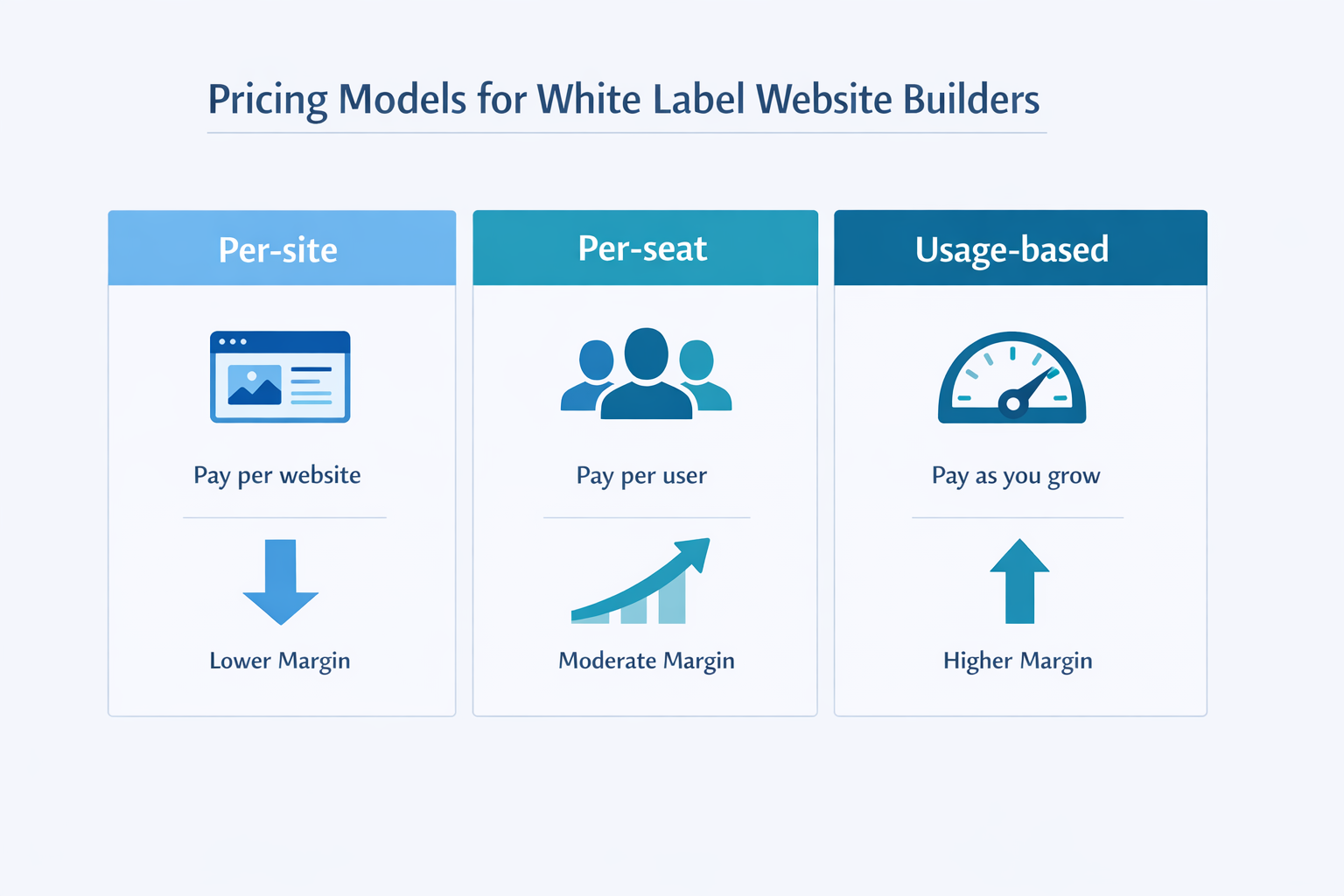
Per-site vs seat-based vs usage-based
Here is how the three common models work.
Per-site pricing
- You pay a fixed amount per website
- Easy to map to client pricing
- Good for agencies with many small clients
Watch for:
- Feature gates per plan
- Overages for storage, pages, forms, or traffic
Seat-based pricing
- You pay per user on your team
- Predictable if your headcount is stable
- Can punish growth if you hire frequently
Watch for:
- Seats required for clients
- Limits on collaborators or permissions
Usage-based pricing
- You pay based on traffic, AI usage, storage, or actions
- Can align costs to growth
- Can destroy margin if you underestimate usage
Watch for:
- Unclear usage measurement
- Surprise overage billing
Your pricing model should match your delivery model. If you sell “unlimited landing pages,” usage-based platforms can turn your offer into a liability.
Setup fees, minimums, and annual contracts
Vendors love “platform fees” and “minimum commitments.” Sometimes that is fine.
But you need to map it to your agency reality:
- Are you okay with a 12-month commitment?
- Do you need the ability to pause sites?
- Does the platform let you transfer ownership if a client leaves?
Ask the vendor to provide a full pricing sheet that includes:
- Setup fee (if any)
- Minimum monthly spend
- Per-site cost at different volumes
- Overages and add-ons
- Support plan tiers
Client billing workflows (invoicing, upgrades, packaging)
A white label website builder becomes sticky when you can package it cleanly.
A simple structure that works for many agencies:
- Build fee: one-time, covers strategy, copy, build, launch
- Management retainer: monthly, covers updates + reporting
- Platform pass-through: either bundled or itemized
If you want to position your agency as the “operator” and not the “software reseller,” bundle thoughtfully.
A strong agency model is:
- Client pays one monthly fee
- You keep a margin on the platform
- You deliver ongoing improvements
If you are exploring a platform designed around this workflow, see white label website builder.
Security, compliance, and support (non-negotiables)
Agencies often underestimate this section until something goes wrong.
Security and compliance are not upsells. They are part of the product you sell.
SSO, 2FA, audit logs, backups
Your minimum bar:
- 2FA for admin accounts
- Role-based access for team and clients
- Backups with clear retention policy
- Audit logs or change history
- A clear answer on incident response and uptime
If a vendor cannot explain how they handle access control and backups, treat that as a red flag.
For a baseline framework vocabulary, reference:
SLA, support channels, onboarding
Support quality becomes your support burden.
Ask:
- What is the SLA for critical issues?
- Do they have live chat, email, phone, and what hours?
- Do they have onboarding for agencies?
- Can they support migrations?
This is not about comfort. It is about your client retention.
White label website builder vs custom builds (when each wins)
The agency mistake is treating this like a moral debate.
It is a delivery tradeoff.
When a white label website builder wins
A builder wins when:
- The site is marketing-first (landing pages, content, lead gen)
- You need to ship fast and iterate
- The client wants ongoing updates
- You want standardized QA and governance
When custom builds win
Custom wins when:
- The website is basically a web app
- You need custom backend logic
- You need unusual integration patterns
- The client demands deep control over infrastructure
Hybrid approach: builder plus custom code embeds
In 2026, many agencies use a hybrid model:
- Builder for core pages and content
- Embedded widgets for custom needs (booking, portals, calculators)
This is often the best of both worlds.
Evaluation framework (scorecard plus vendor questions)
Most agencies evaluate vendors emotionally. Demos are designed to feel smooth.
You need a scorecard.
A practical 60-minute demo checklist
Bring this to every vendor demo. Treat it like a due diligence call.
White label and branding
- Can the portal use your domain?
- Can emails be white labeled?
- Can you remove vendor branding fully?
Agency workflow
- Can you manage 50 sites in one dashboard?
- Can you assign roles and approvals?
- Is there a staging workflow?
SEO and performance
- Can you edit metadata and headings per page?
- Can you set redirects?
- How does a typical site perform on mobile?
Governance and security
- 2FA, SSO options
- Audit logs
- Backups and restore process
Pricing and margin
- All-in effective cost at 10, 50, 200 sites
- Overage rules
- Support tiers
Scorecard template (copy and use)
Here is a simple scoring rubric you can use internally.
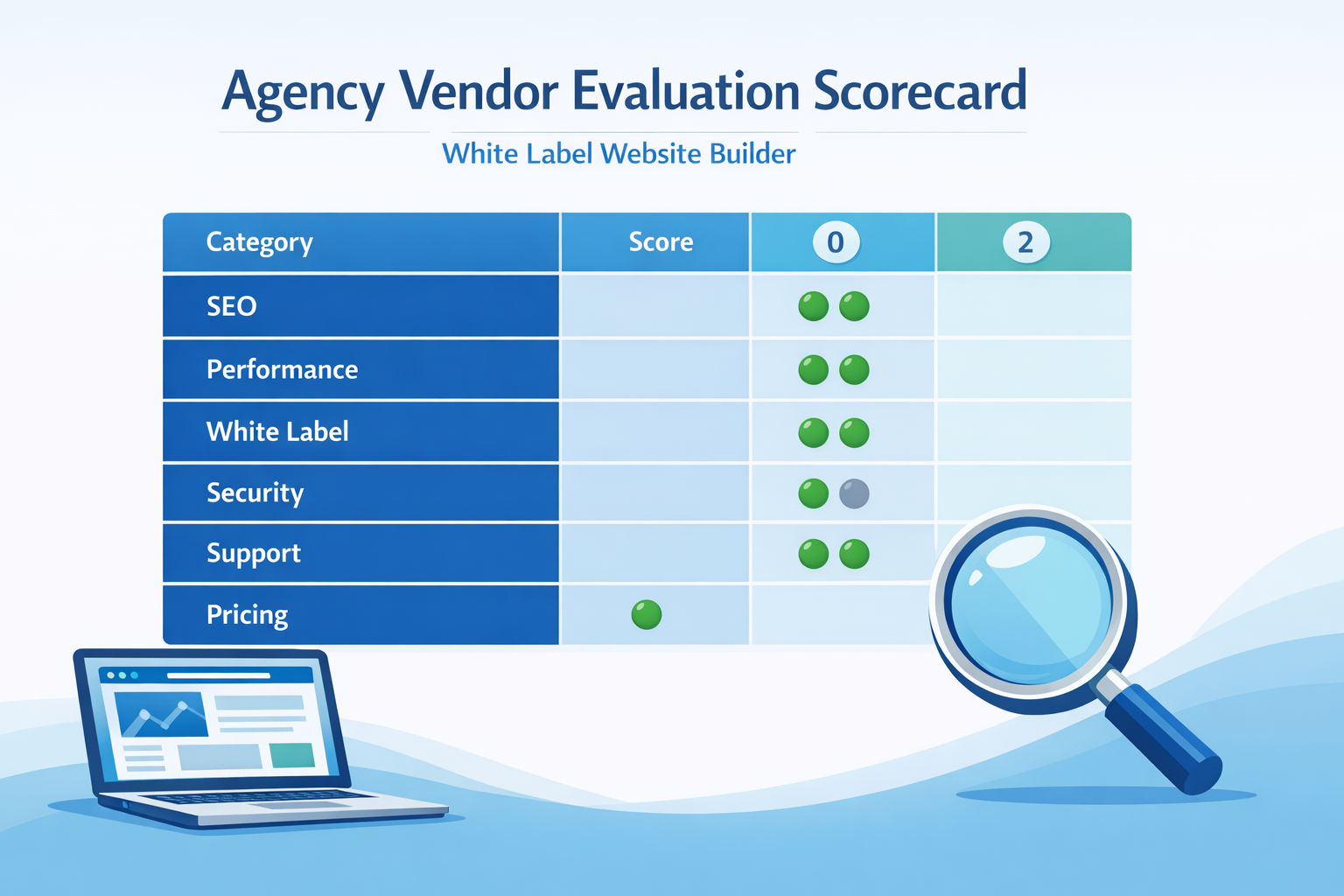
| Category | 0 points | 1 point | 2 points | Your score |
|---|---|---|---|---|
| White label | Branding is partial | Branding ok but emails/vendor traces remain | True white label: domain + emails + portal | |
| Multi-site governance | No roles/approvals | Basic roles | Roles, approvals, audit trail | |
| SEO controls | Limited metadata | Good metadata, weak redirects | Metadata + redirects + canonicals + sitemap | |
| Performance | Unknown, slow | Decent | CWV-focused, CDN, image optimization | |
| Security | Vague answers | 2FA only | 2FA + logs + backups + clear IR | |
| Support | Slow, ticket-only | OK | SLA, onboarding, migration support | |
| Pricing clarity | Hidden fees | Mostly clear | Fully transparent + predictable |
Add a pass/fail gate:
- If SEO controls score 0, do not buy.
- If security score 0, do not buy.
Vendor questions that reveal the truth
Ask these questions and wait for specifics.
- “Show me redirects. Not slides, the actual UI.”
- “If we migrate 100 sites, what is your process?”
- “What happens if we stop paying? Can we export content and redirects?”
- “What is included in your base plan vs support tier upgrades?”
- “Can you show an audit log for a site change?”
Red flags (vendor lock-in, hidden limits, weak SEO)
If you see these, pause.
- No clear export path
- Redirects are missing or manual one-by-one
- Pricing sheet is vague
- “Unlimited” claims with hidden limits
- Clients must buy seats to edit their own site
If you cannot explain the vendor’s limits in one sentence, your margin is at risk.
How lindo.ai fits (positioning without over-selling)
If you want a platform built around agency delivery and repeatable workflows, lindo.ai is designed for that.
AI-powered website creation workflow for agencies
The practical value of AI is speed to first draft.
Instead of starting from a blank page, you can generate a credible website draft, then do the agency work that matters:
- refine positioning
- adjust structure and conversion flow
- improve copy and SEO
- ensure branding consistency
If you want to see what that looks like in an agency context, start with the AI website builder.
Managing multiple client sites efficiently
The difference between a builder and an agency platform is what happens after launch.
Agencies live in:
- multi-site dashboards
- ongoing updates
- team collaboration
- repeatable QA
That is why many agencies pair building with a management layer. Learn more about ongoing operations at website management.
Next step
If you are evaluating platforms right now, your next best step is to run a 7-day pilot:
- build one site you know well
- test redirects, metadata, and performance
- simulate a client approval workflow
- map the all-in cost at your expected volume
When you are ready, explore the white label website builder and compare it against your shortlist.
FAQ
What is the difference between white label and private label?
White label usually means you resell a standardized platform under your brand, with limited changes to the underlying product. Private label often implies deeper product customization or exclusivity. In practice, most “private label” offers in the website builder space are advanced white label programs.
Can I host on my own domain?
Often you can connect your own domain to client sites, but “hosting on your own infrastructure” is less common with website builders. Ask vendors whether you can use custom domains, whether you can choose regions, and what export options exist if you ever need to migrate.
How do I price websites for clients when using a builder?
Price the outcome, not the tool. Most agencies use a one-time build fee plus a monthly management retainer. Your platform cost can be bundled into the retainer, but you should protect margin by understanding overages, seat requirements, and any feature gates that force plan upgrades.
Are white label builders good for SEO?
They can be, if the platform gives you control over metadata, headings, redirects, canonicals, sitemaps, and performance fundamentals. If those controls are missing, you will fight SEO issues on every migration and every growth project.
Best white label website builders for agencies: how to compare without a fake listicle
If you came here hoping for a “top 10 white label website builder” list, you are not alone.
The problem is that most lists are affiliate content. They optimize for clicks, not for agency operations.
A better approach is to compare vendors by workflow fit.
Here are the most common “vendor types” you will see, and how to evaluate each.
Type 1: Designer-first builders with light agency features
These tools are built for individuals or small teams who want a visual editor and templates. Some add agency features later.
They can be a good fit if:
- you are a small studio with a low number of active sites
- you do not need strict roles and approvals
- your clients rarely log in
They are a bad fit if:
- you manage dozens of client sites and need governance
- you need reliable migration tools and redirect control
- you plan to scale a management retainer business
A quick test: ask the vendor to demonstrate how they handle “50 sites, 5 team members, 3 client reviewers.” If the demo gets awkward, you have your answer.
Type 2: Hosting-first platforms that sell “websites” as an add-on
Some vendors are infrastructure companies first. Their website builder exists to increase average revenue per customer.
They can be fine for simple sites, but agencies should watch for:
- limited SEO controls (especially redirects and canonicals)
- limited component systems (hard to standardize)
- support teams optimized for SMB tickets, not agencies
If the vendor’s product roadmap is not agency-first, you will feel it in year one.
Type 3: Agency-first white label platforms
This category is built around:
- multi-site operations
- permissions and approvals
- repeatable QA
- lifecycle management after launch
That is what most agencies actually need.
The vendor may not have every fancy animation feature, but you get the boring capabilities that keep margin intact.
Your clients do not pay extra for “cool builder features.” They pay for speed, reliability, and results.
Agency implementation playbook: the first 30 days after you choose a white label website builder
Most agencies buy a platform and then use it like a normal website tool. That is a waste.
You want a system. Here is a practical 30-day rollout plan.
Week 1: Standardize your offer and your intake
Define one default package you will sell 80% of the time.
A common starting point:
- 5-page marketing site
- one conversion goal (lead form or booking)
- basic local SEO setup
- a 30-day post-launch update window
Then standardize intake:
- onboarding questionnaire
- required assets checklist (logo, colors, photos, services)
- a “messaging worksheet” for positioning and proof
If intake is messy, the build will be messy.
Week 2: Build a component library and a QA checklist
This is where agencies create leverage.
Create your standard blocks:
- hero variants (service, product, local)
- testimonials and trust blocks
- pricing and offer blocks
- FAQ blocks
- conversion CTA band
Then write a QA checklist you use every launch:
- meta title and description for every indexable page
- one H1 per page
- internal links between service pages
- image compression and alt text
- mobile nav and tap targets
- redirect rules for old URLs
Use Google’s guidance as your foundation: start with the SEO starter guide and then map your checklist to your standard pages.
Week 3: Create a client approval workflow (and enforce it)
Agencies lose margin in revision cycles, not in building.
Set up:
- draft review stage
- final approval stage
- publish permissions limited to your team
Then define revision policy.
A simple clause you can reuse in proposals:
Two structured revision rounds are included. Additional revisions or scope changes are handled via a change request and billed separately.
If your builder cannot support approvals, you can still enforce process with a portal, a ticketing system, or structured review links. But built-in governance is far easier.
Week 4: Package maintenance and reporting
Maintenance is where you build stability.
Offer a monthly plan that includes:
- small content updates
- one new landing page per quarter (or similar)
- basic performance and security checks
- monthly reporting and a roadmap
You do not need to overcomplicate the report. Start with:
- conversions and lead sources
- top pages and engagement
- technical issues and fixes
- next month’s priorities
If you want a clear productized model for this, review website management.
White label website builder ROI: simple margin math agencies can trust
A lot of ROI claims are vague, so here is a practical way to model it.
Step 1: Know your real delivery cost
Estimate your internal cost per site:
- account and strategy time
- copy and content time
- build and QA time
- project management time
Then add the platform cost and any required add-ons.
Step 2: Compare two delivery models
Use a simple comparison:
| Model | Typical build time | Risk profile | Best for |
|---|---|---|---|
| Custom build (traditional) | 40 to 120 hours | Higher variance | complex needs, unique designs |
| Builder-based delivery | 10 to 40 hours | Lower variance | marketing sites, fast iterations |
Even if your numbers differ, the logic holds: reducing variance increases margin.
Step 3: Protect margin with pricing rules
Three rules protect most agencies:
- Bundle the platform cost inside a retainer when possible.
- Charge for new pages beyond the plan’s included scope.
- Cap revisions and define what counts as a revision.
If a platform’s pricing model makes these rules impossible, your agency will feel it quickly.
A real-world style example: scoring two vendors and making the decision
Here is an example you can adapt.
Imagine your agency manages 40 active client websites. You want to scale to 120 without tripling headcount.
You shortlist Vendor A and Vendor B.
- Vendor A has a beautiful editor, but limited redirect tools and unclear backup policy.
- Vendor B has less “flash,” but strong governance, redirects, and clear support SLAs.
Using the scorecard above, your team scores each category.
| Category | Vendor A | Vendor B |
|---|---|---|
| White label | 1 | 2 |
| Multi-site governance | 0 | 2 |
| SEO controls | 1 | 2 |
| Performance | 1 | 2 |
| Security | 0 | 2 |
| Support | 1 | 2 |
| Pricing clarity | 1 | 2 |
Vendor A “looks” better, but fails two gates: governance and security.
Vendor B wins because it protects your delivery system.
This is the point: your decision should be made by your operational constraints, not by a demo’s polish.
Additional red flags agencies miss until it is too late
You already saw the common ones. Here are a few that show up later.
Clients must pay the vendor directly
If the vendor owns billing, you may lose pricing control and client retention leverage.
No clean way to transfer or offboard a site
Offboarding will happen. Someone will sell a business, switch agencies, or go in-house.
If you cannot offboard cleanly, you will either:
- keep paying for the site forever, or
- create a stressful migration, or
- argue about ownership
Ask vendors how offboarding works, in writing.
Your support becomes their support gaps
If the vendor’s support is slow, clients will message you.
That is why agency onboarding and clear SLAs matter.
Conclusion: choose the platform that fits your delivery model
A white label website builder is not about the builder. It is about your agency business model.
Pick the platform that supports:
- standardized delivery
- SEO and performance control
- governance and permissions
- predictable pricing at your target scale
If you want to explore an agency-first approach, start with lindo.ai and review the white label website builder page.