

n8n-nodes-lindo package is a community node that lets you automate website and client management directly from your n8n workflows.
Installation
- Go to Settings → Community Nodes in your n8n instance
- Select Install
- Enter
n8n-nodes-lindo - Agree to the risks and click Install
Credentials
You need a Lindo API key to use this node.- Log in to your Lindo.ai workspace
- Go to Settings → API and copy your API key (starts with
lindo_sk_) - In n8n, create a new Lindo API credential and paste your key
Video: How to Connect & Authorize
Watch the full setup walkthrough — install the community node, create your API credential, and authorize the connection:Nodes
Lindo Trigger
Starts a workflow when an event occurs in your Lindo workspace.Lindo (Action Node)
Performs actions in your Lindo workspace.Lindo Tool (AI Agent)
Use Lindo actions as tools inside n8n AI Agent nodes. This lets an AI agent autonomously create websites, pages, and manage clients.Workflow Templates
Ready-to-use workflow templates for agencies and marketing teams:Typeform → 3 Design Options + Client Portal
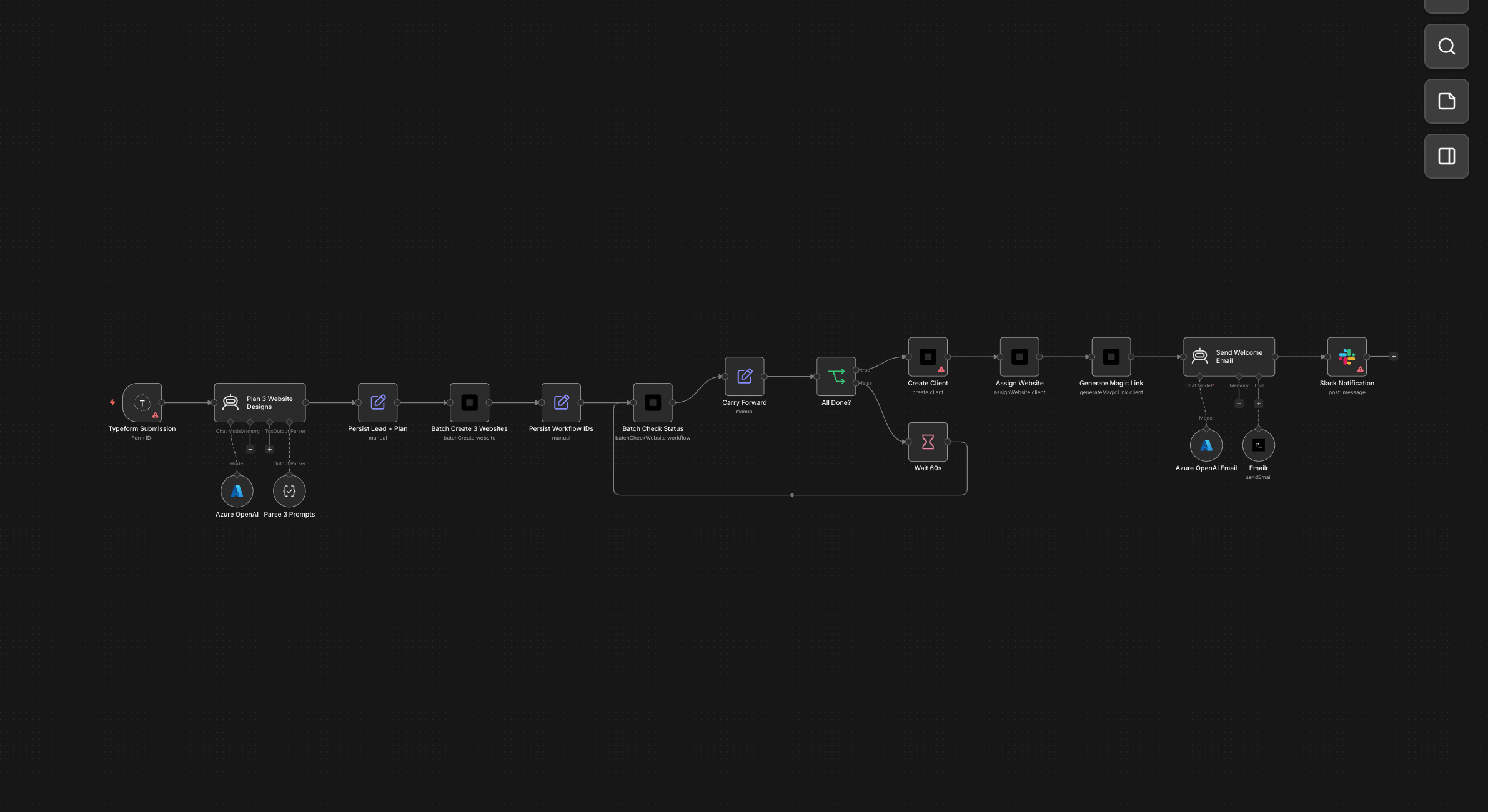 A prospect fills out your intake form. The AI generates three completely different website designs in minutes. The lead gets a branded email with all three options and a magic link to pick their favourite.
CRM Deal Won → Auto-Build Client Site
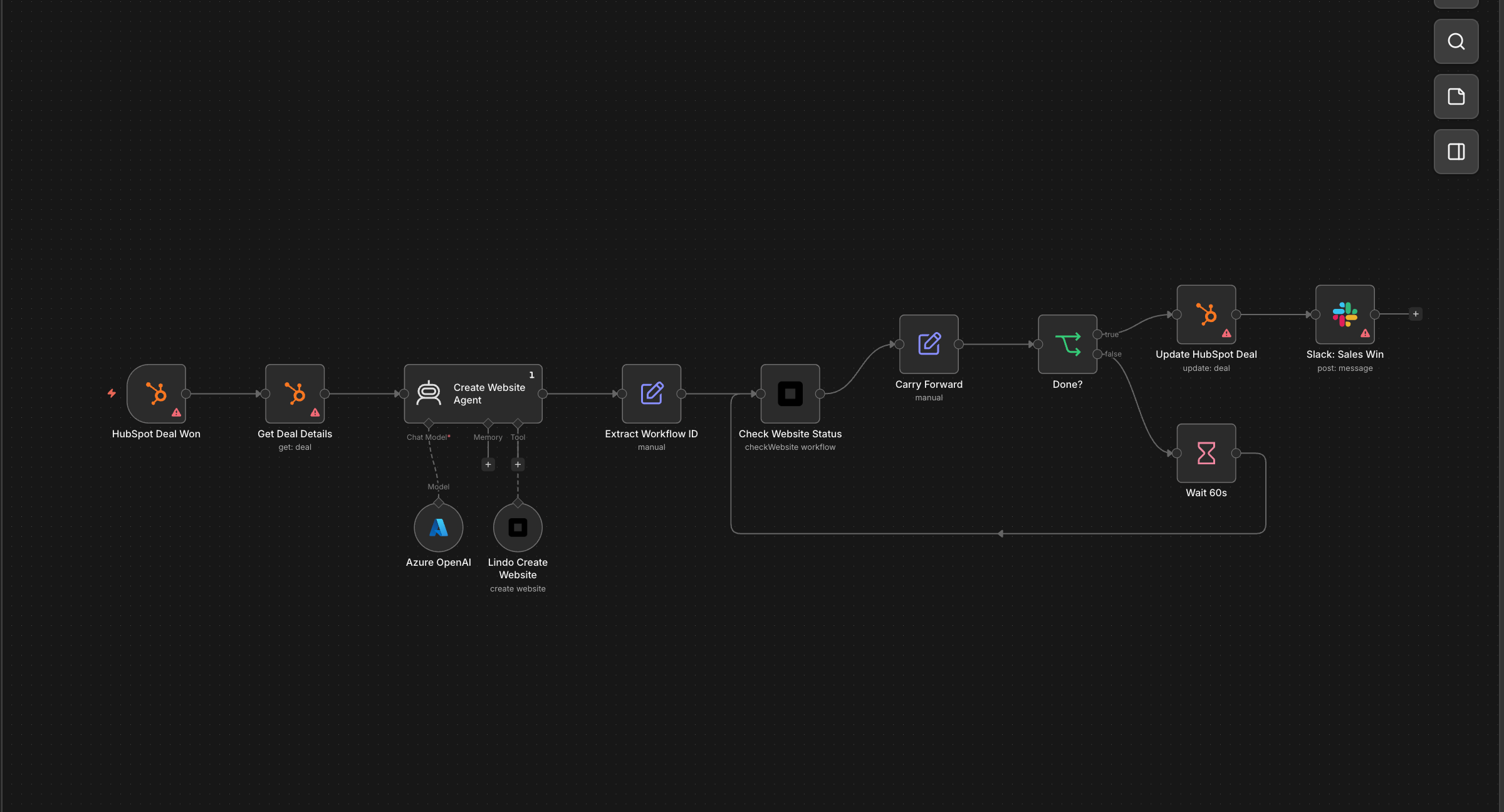 The moment your sales rep marks a deal as won in HubSpot, the client’s website starts building itself. By the time the AE sends the welcome call invite, the site is live and the CRM already has the URL.
Calendly Booking → Pre-Built Demo Site
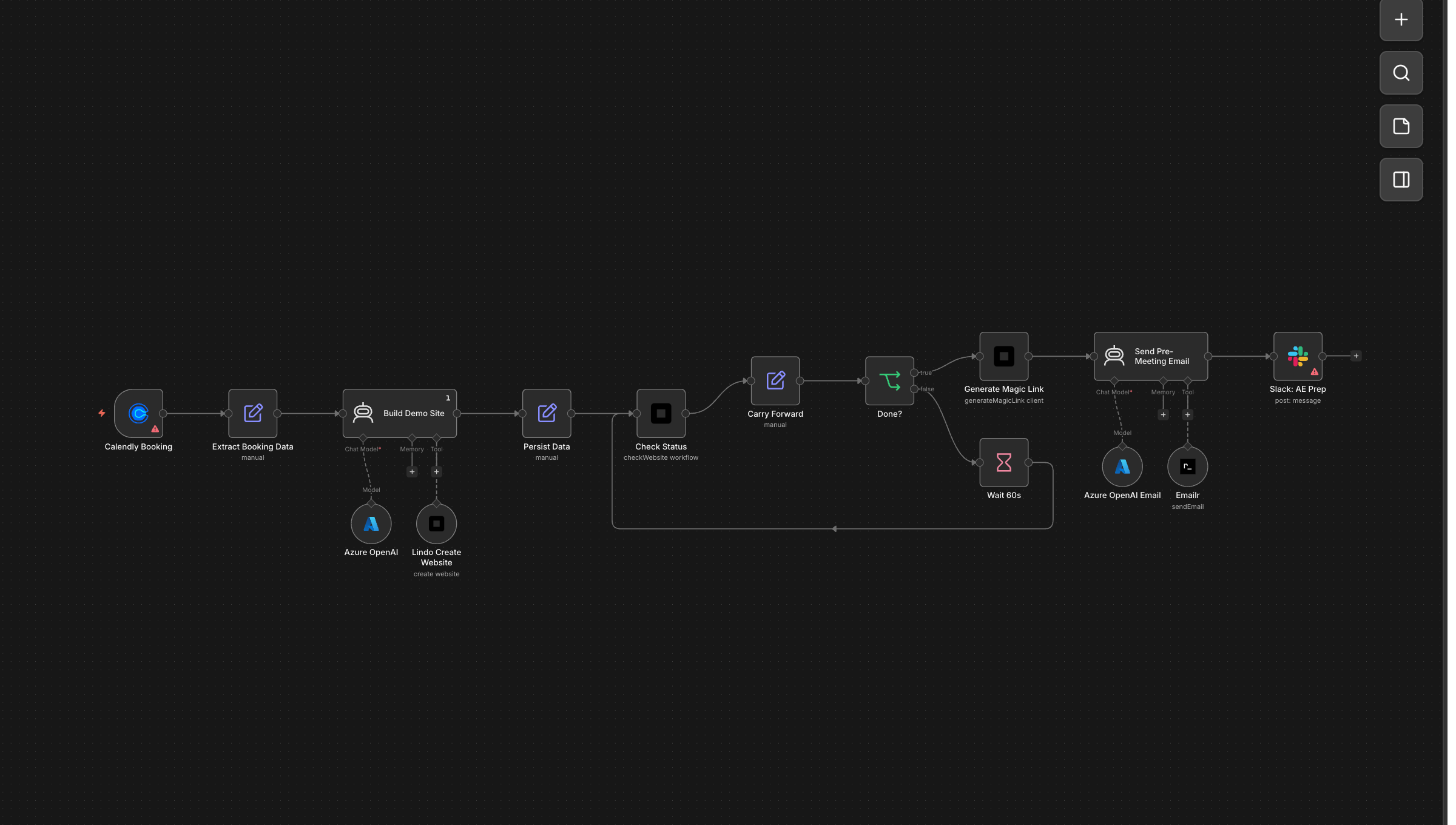 A prospect books a discovery call. Before the meeting starts, they receive an email with a fully built demo website tailored to their business. The AE walks in with a live example to show.
Weekly Blog Publisher from Content Calendar
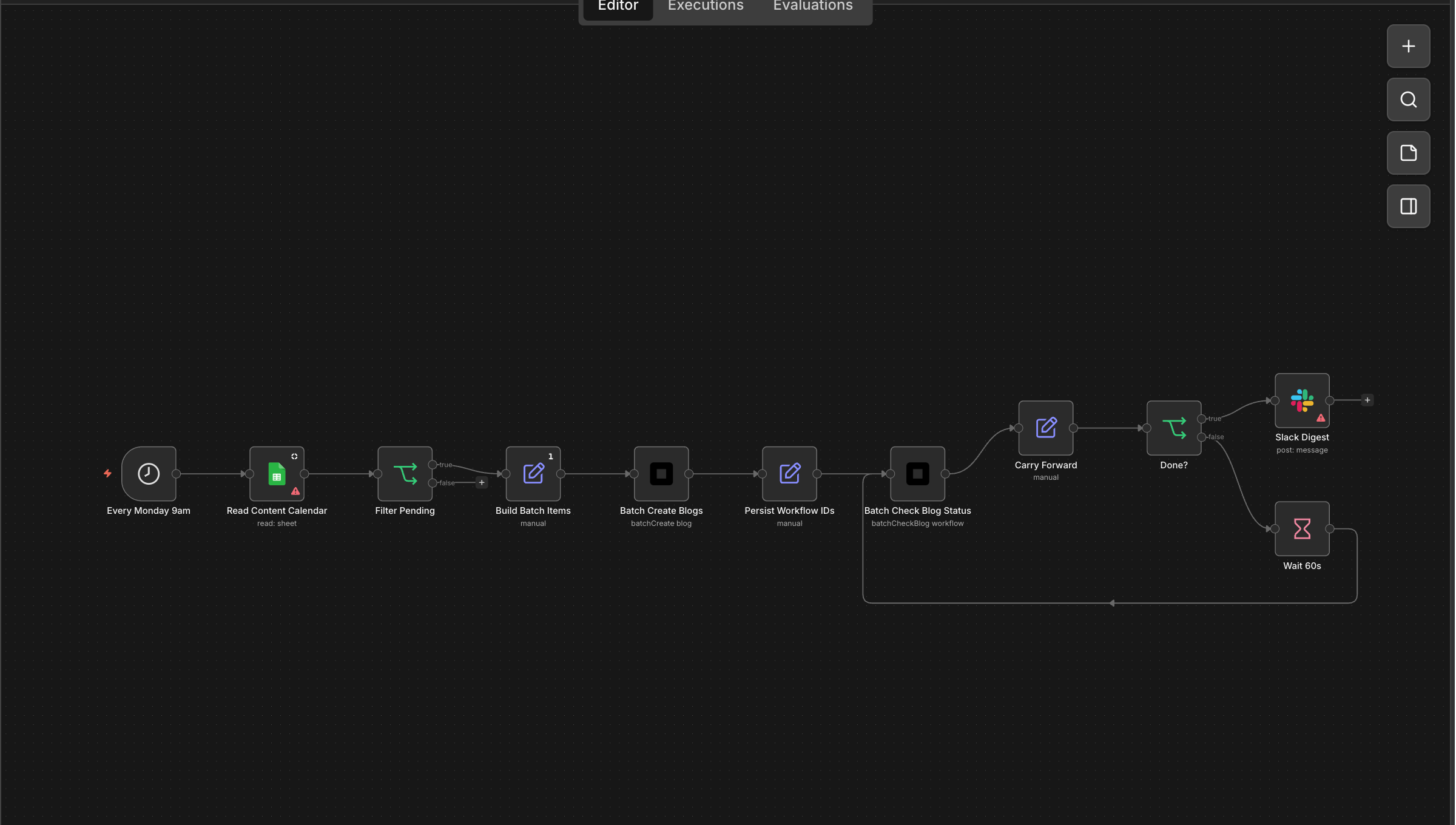 Your content team adds topics to a Google Sheet. Every Monday morning, the AI writes and publishes each blog post, updates the sheet with live URLs, and posts a digest to Slack.
RSS Feed → Auto Blog Posts
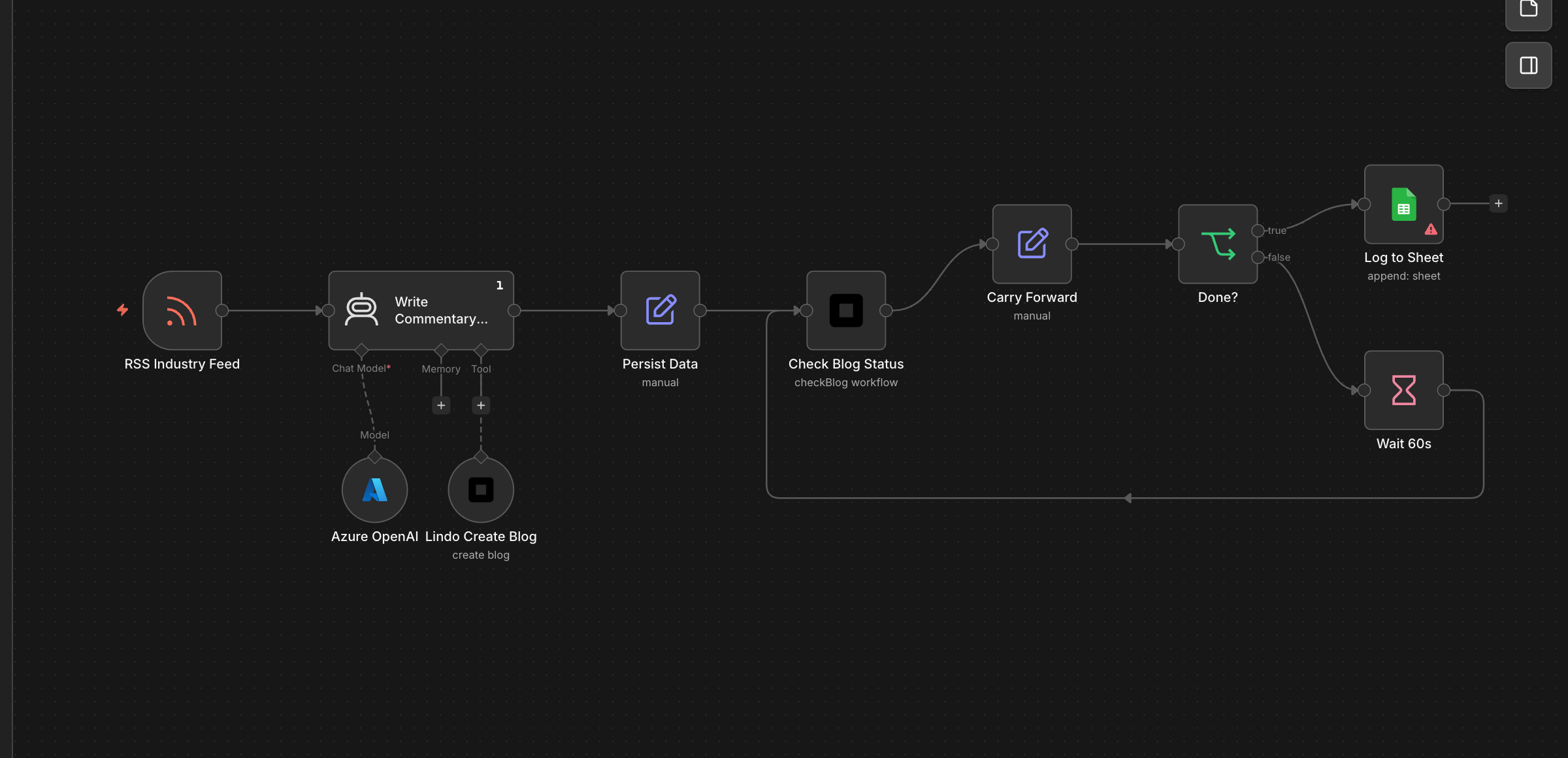 Subscribe to an industry news feed and let the AI write commentary posts on your behalf. Every time a relevant article drops, your blog gets a fresh take within the hour.
Product Launch → Page + Blog + Email
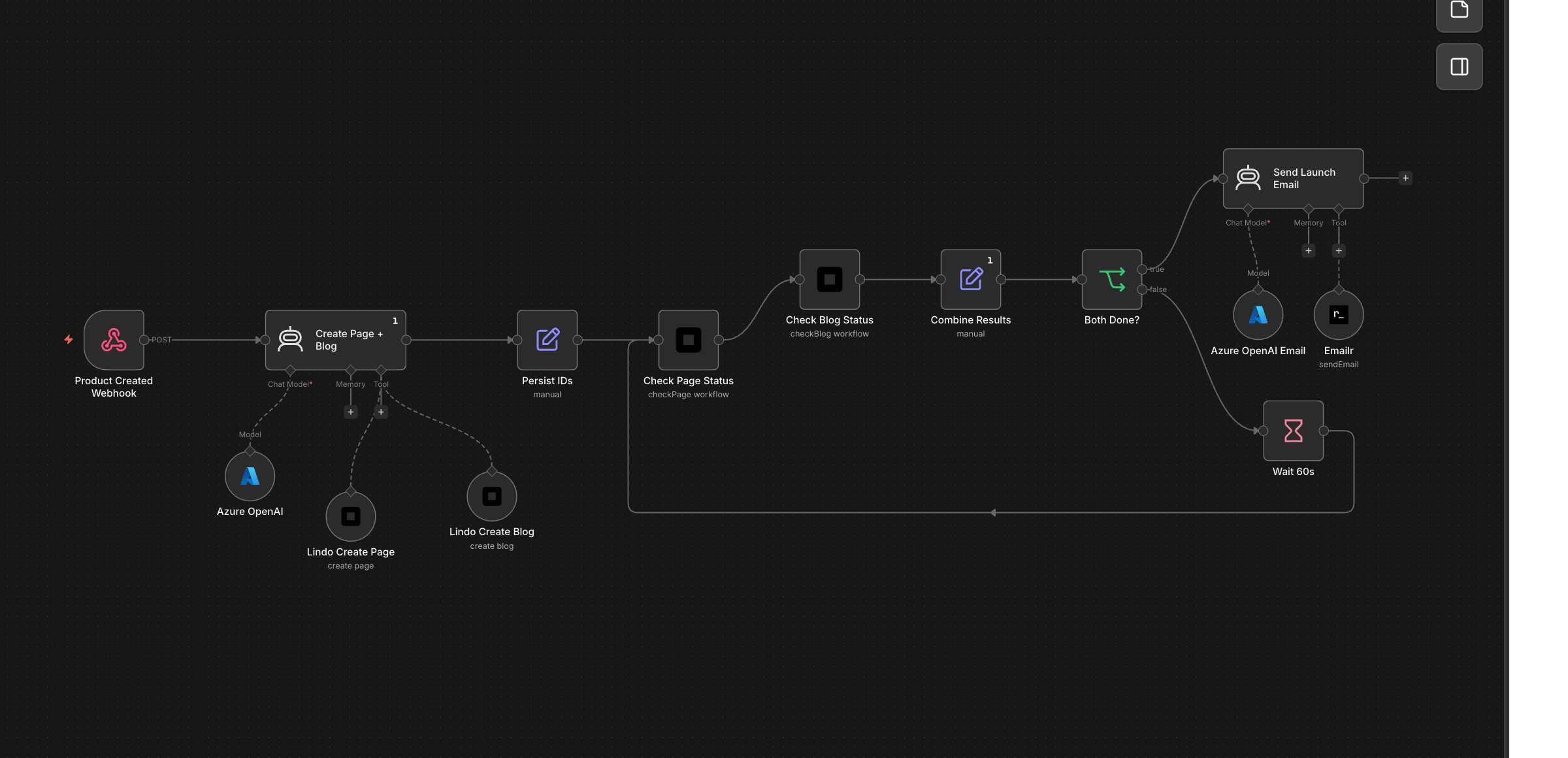 You add a new product. Automatically, a dedicated landing page goes live, an announcement blog post gets published, and a launch email goes out — all coordinated, all on-brand.
Stripe Payment → Full Client Setup
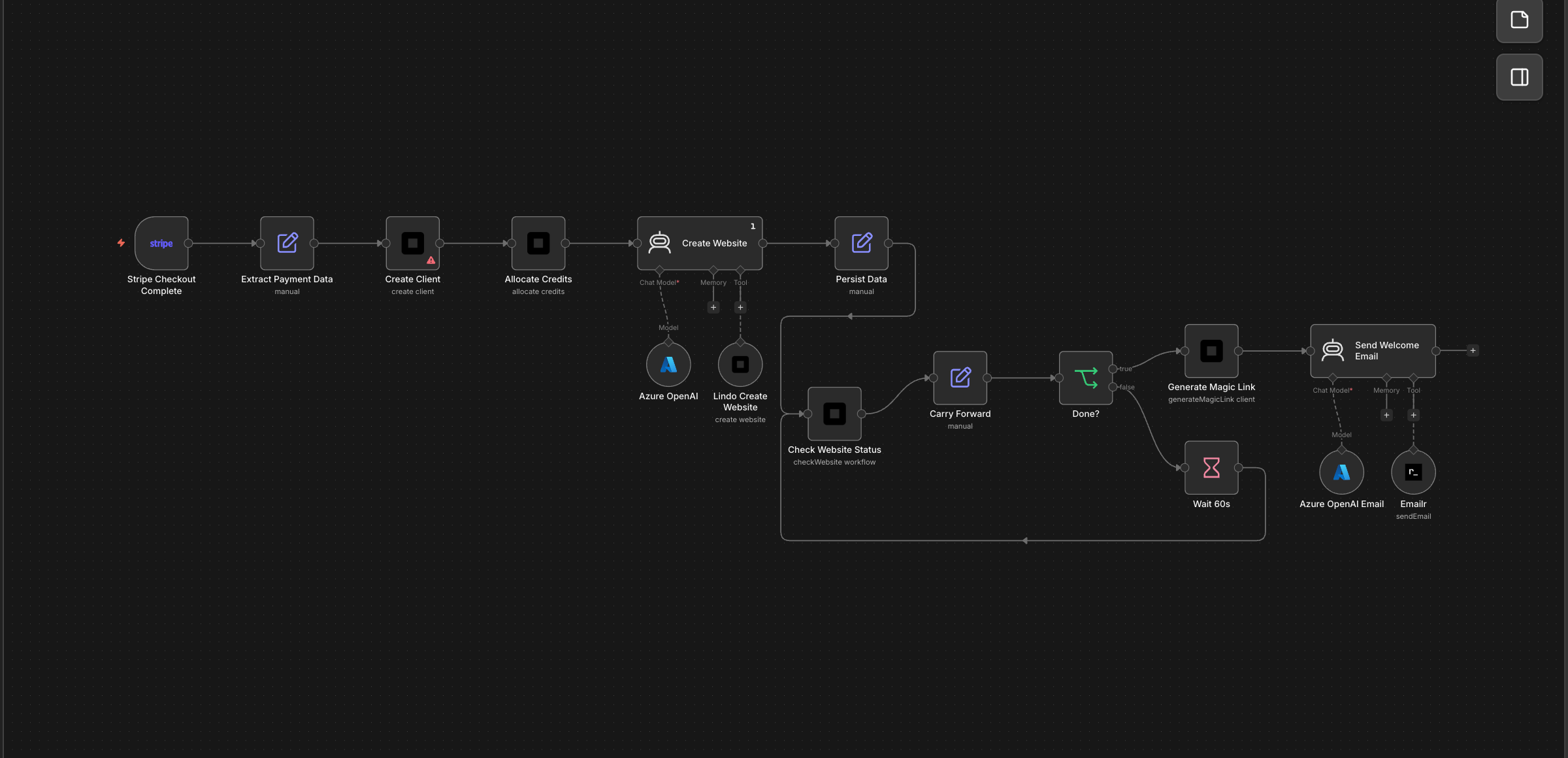 A customer completes checkout. Within minutes they have a client account, credits loaded, a starter website built by AI, and a welcome email with their portal login. Entire onboarding on autopilot.
White-Label Agency Onboarding
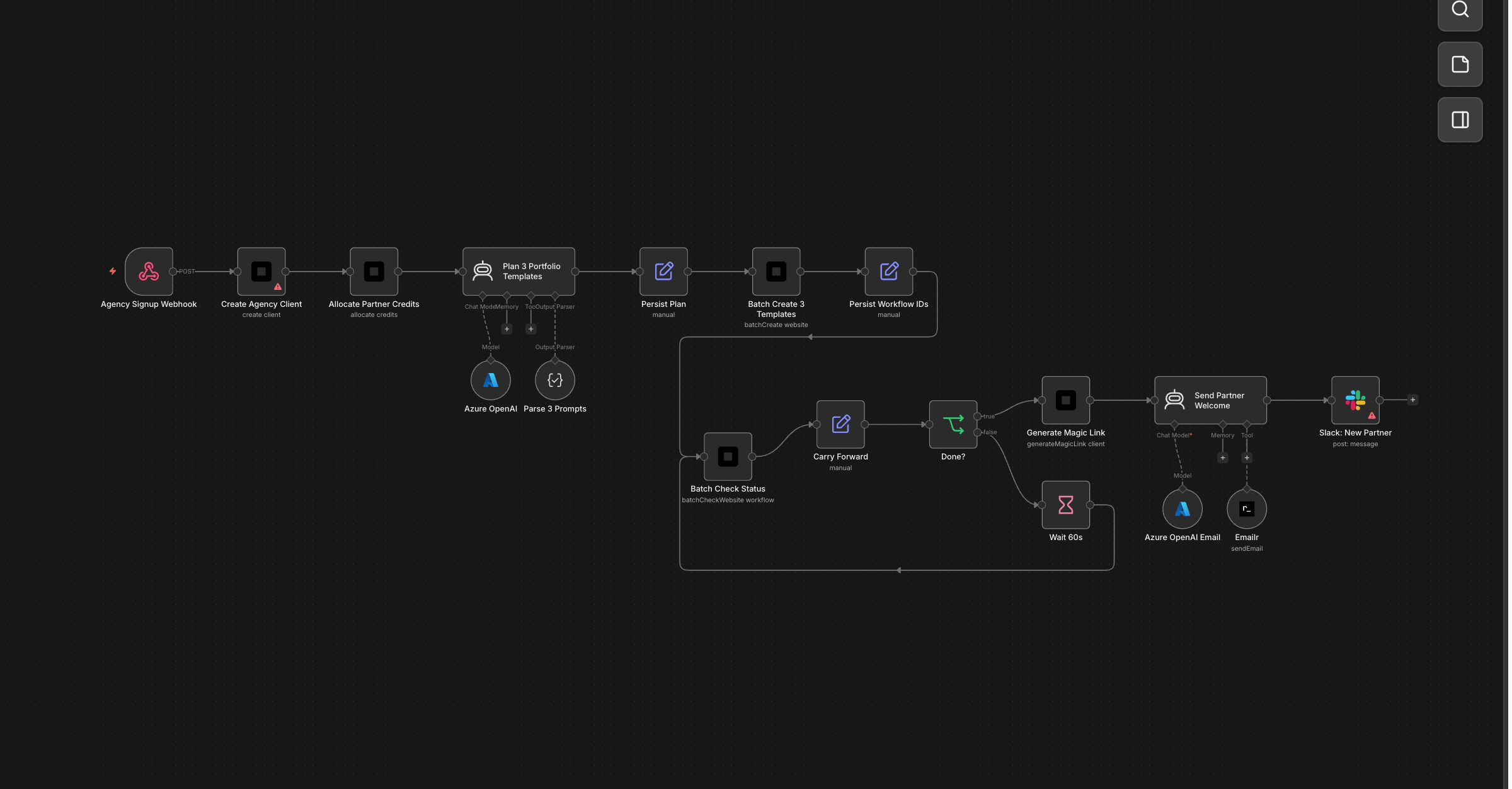 A new agency partner signs up. They instantly get a client account, 500 monthly credits, and three portfolio template websites tailored to their industry — ready to show their own clients on day one.
Stripe Invoice → Credit Top-Up
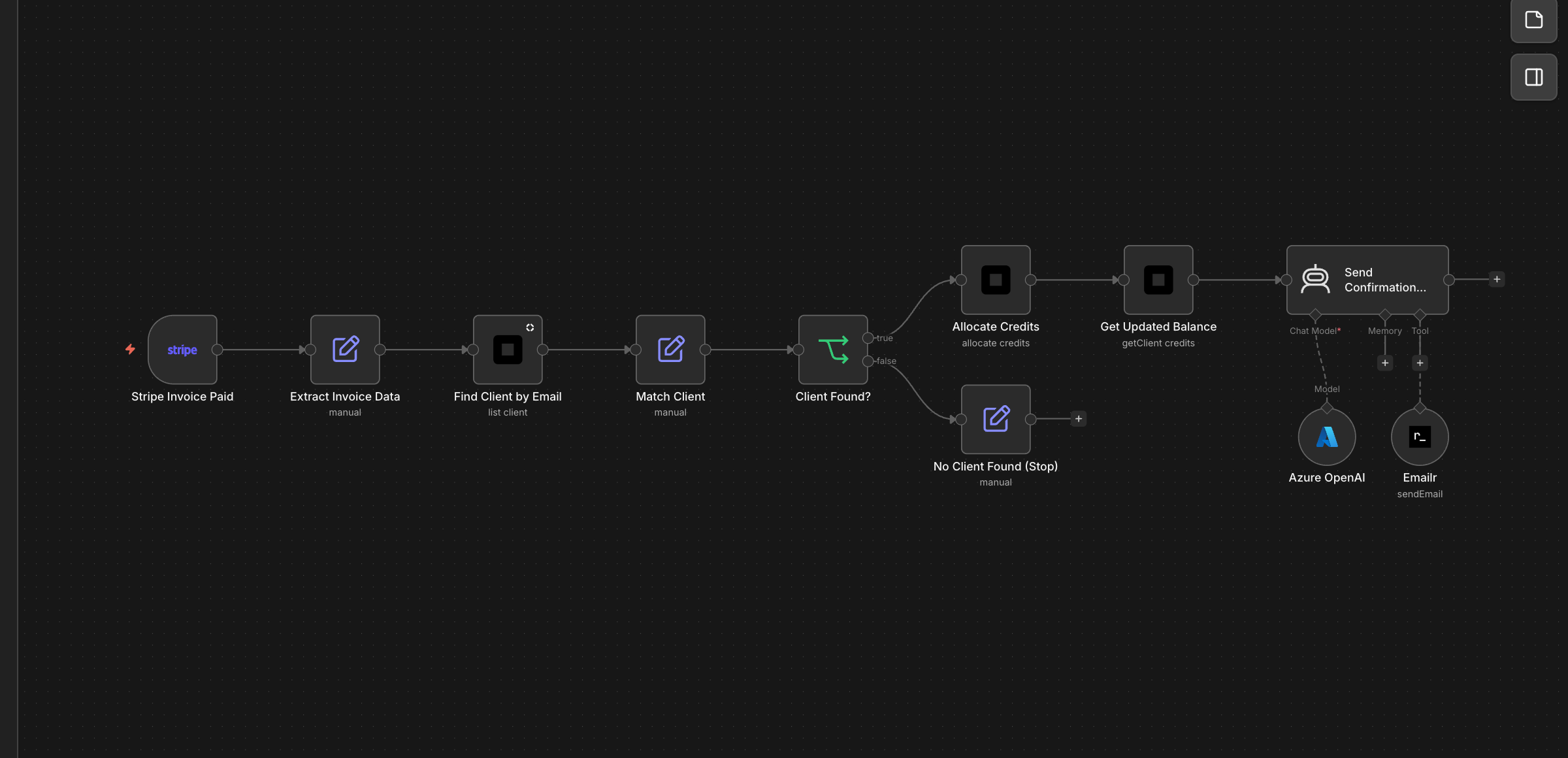 When a client pays their monthly invoice, their credit balance tops up automatically. They get a confirmation email with their new balance. No manual tracking, no support tickets.
Website Created → Slack + Airtable + CRM
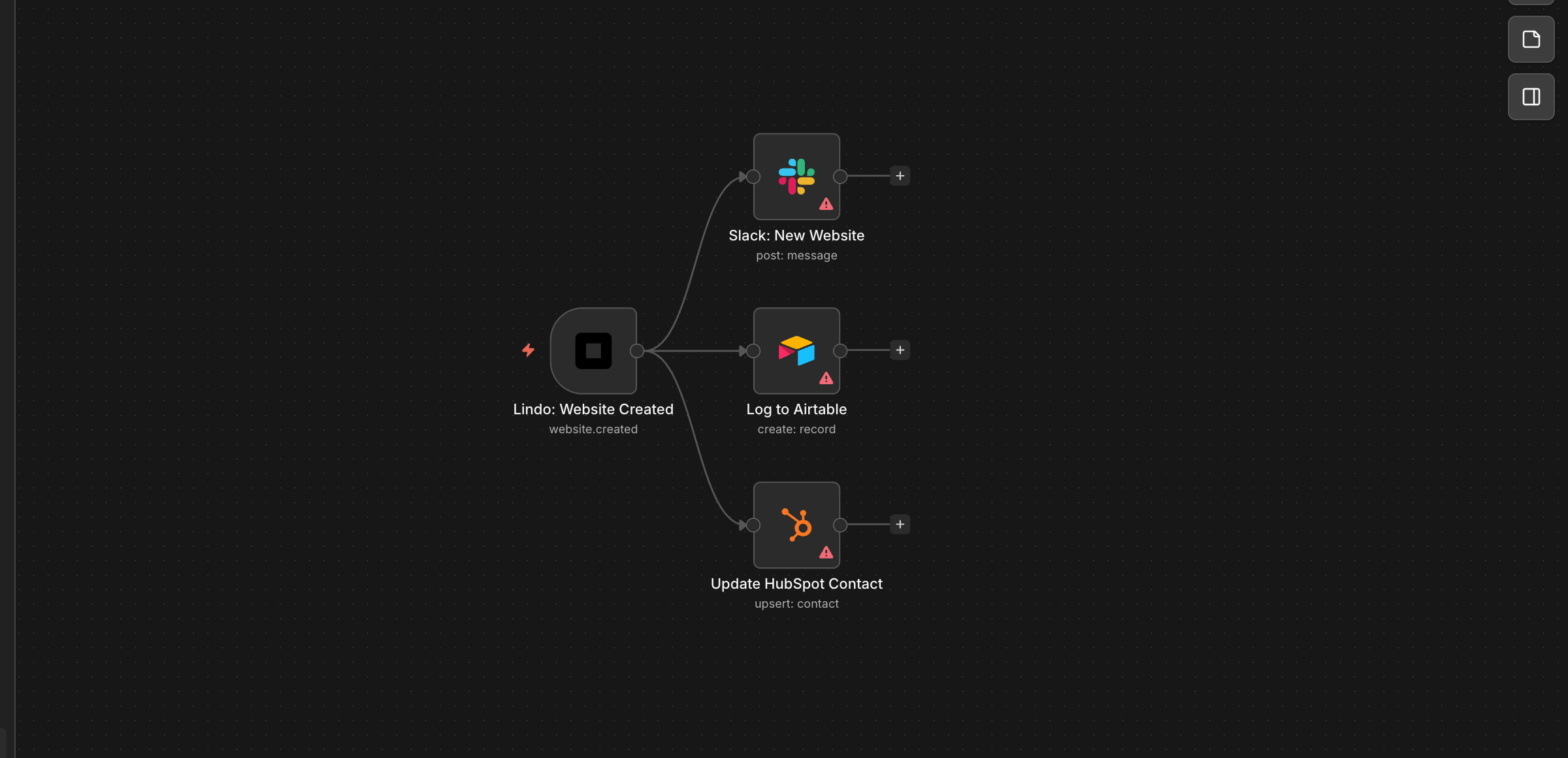 Every time a website goes live, your Slack channel gets a notification, Airtable logs it for project tracking, and HubSpot updates the contact record. Everyone stays in sync.
Workflow Errored → PagerDuty/Slack Alert
If a website build fails at 3am, you’ll know before your client does. Critical failures page your on-call engineer; lower-severity issues get logged for the weekly review.
Weekly Client Report Email
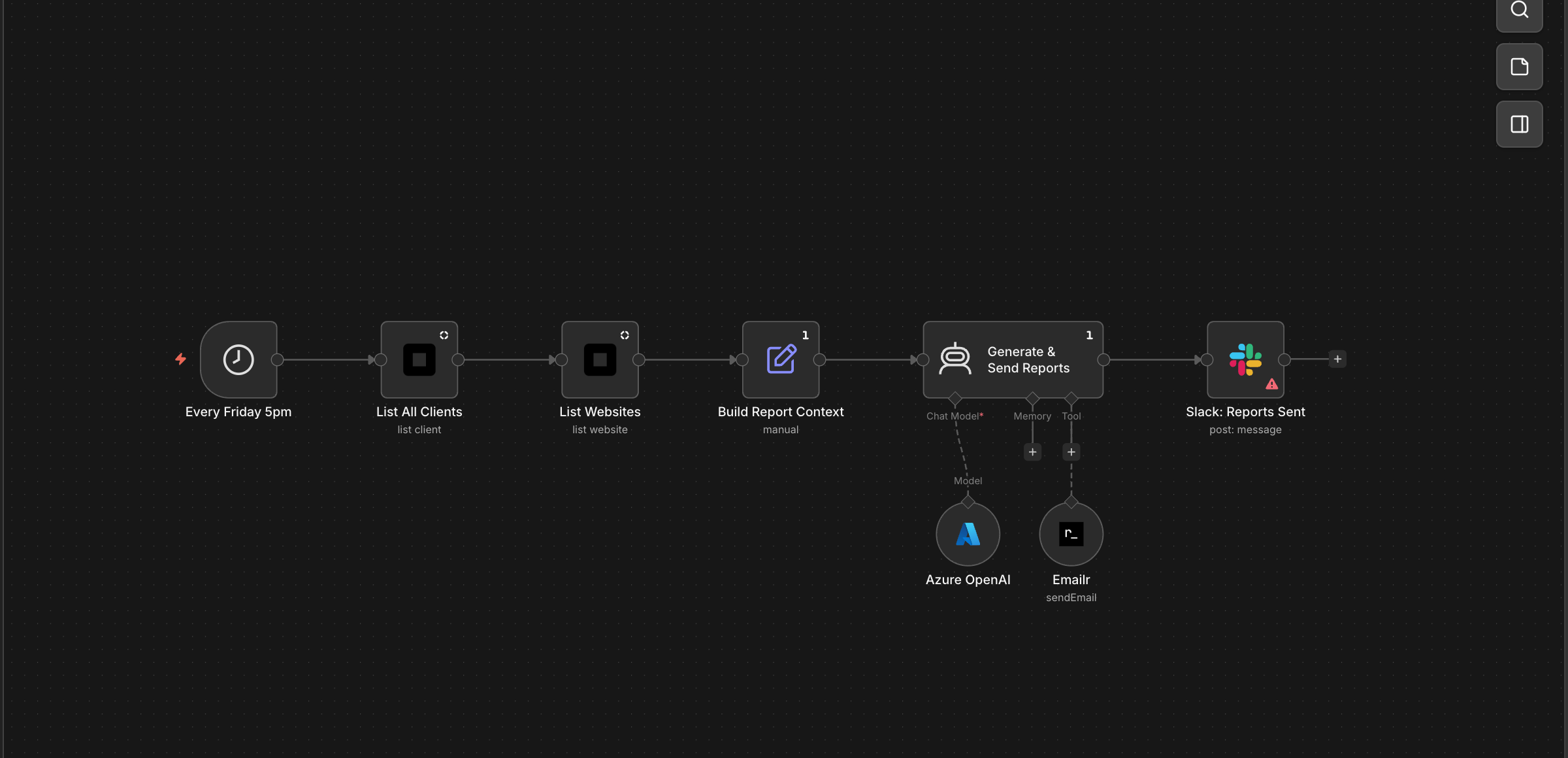 Every Friday, each client receives a personalised performance email — their site visits, top pages, and a note from your agency. AI writes each report from real analytics data automatically.
Traffic Spike Alert
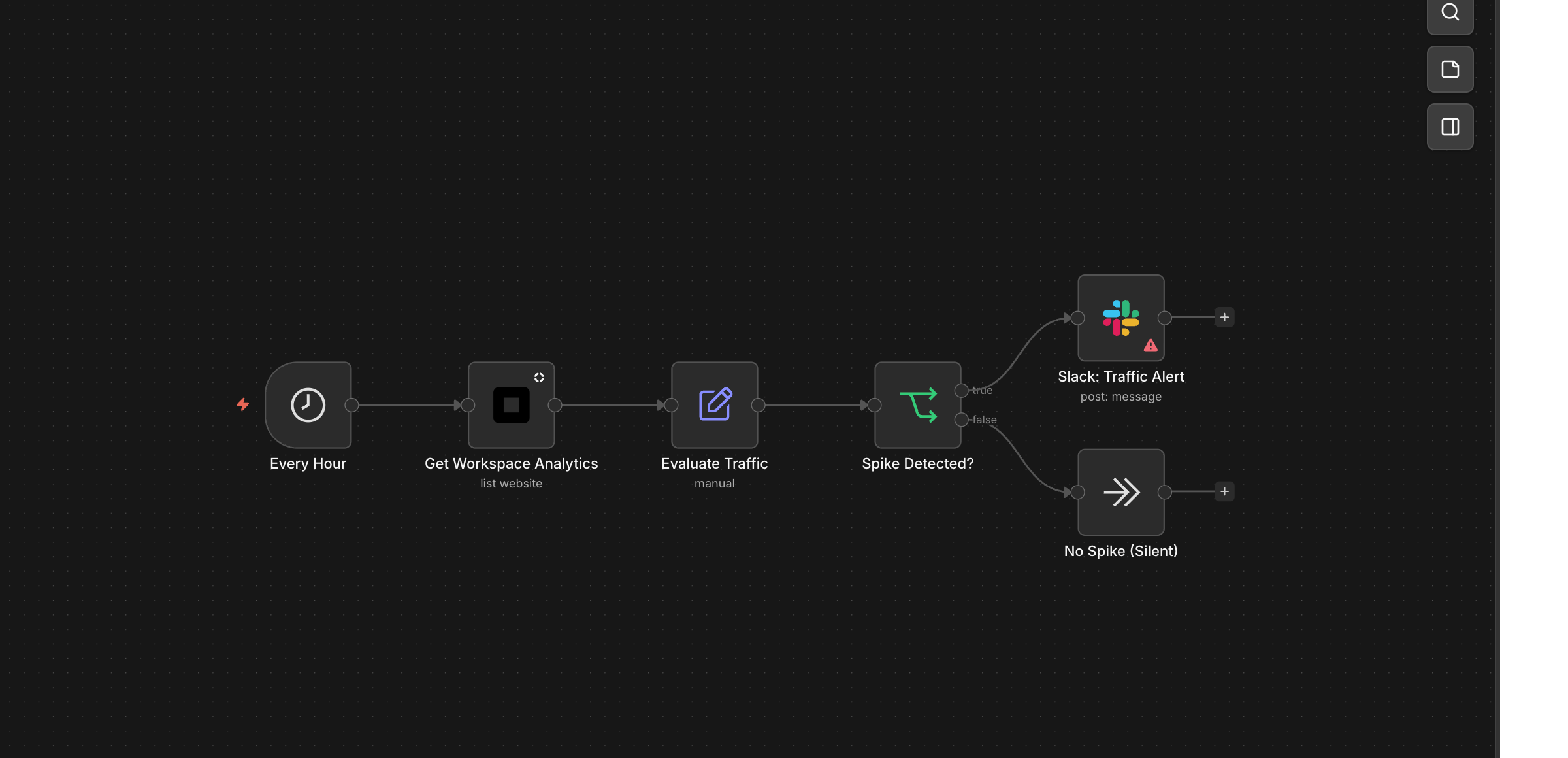 Your client’s site suddenly gets 5x normal traffic. You know within the hour — which pages are driving it, how much. Act fast: capitalise on the moment or block the bots.
Example: AI Agent Workflow
Build an autonomous agent that creates websites when triggered:- Trigger — Calendly booking, form submission, or schedule
- AI Agent — n8n Agent node with OpenAI or Anthropic model
- Lindo Tools — Attach Create Website, Edit Website, and Generate Magic Link as agent tools
- Output — Agent autonomously builds the site and sends results to Slack or email
Resources
- npm: n8n-nodes-lindo
- GitHub: lindoai/n8n-nodes-lindo
- n8n Community Nodes Documentation
- n8n Workflow Templates
Receive website form submissions
Use Form Submission Trigger (community node version 1.5.1+) for built-in website forms. This is separate from workspace events such as website creation.- Add Form Submission Trigger to your n8n workflow and enter your Website ID.
- Create a Website Form Webhook API credential with your workspace API key and the website signing secret from Settings → Integrations → Form webhooks.
- Activate the workflow. The trigger automatically registers a subscription for that website. Deactivating the workflow removes its subscription.
- Submit a normal form on the published page. Test and spam submissions do not trigger workflows.
id, website_id, form, data, source_url, and created_at. Use data.email, for example, to map an email field into the next node.
A successful webhook acknowledgement means n8n accepted the event; it does not mean every downstream node completed. Deduplicate on id in durable storage before external actions. Automation subscriptions are delivered synchronously; failures are logged and do not change the visitor’s successful submission result. There is no automatic retry. The website’s separately configured webhook still records its own delivery status and supports manual retry.