
Best ads management tools for agencies: from account evidence to an approved change
When a client asks where next month’s budget should go, a report is only the starting point. Choose software that helps you explain the decision, inspect the proposed change and keep the account under control.
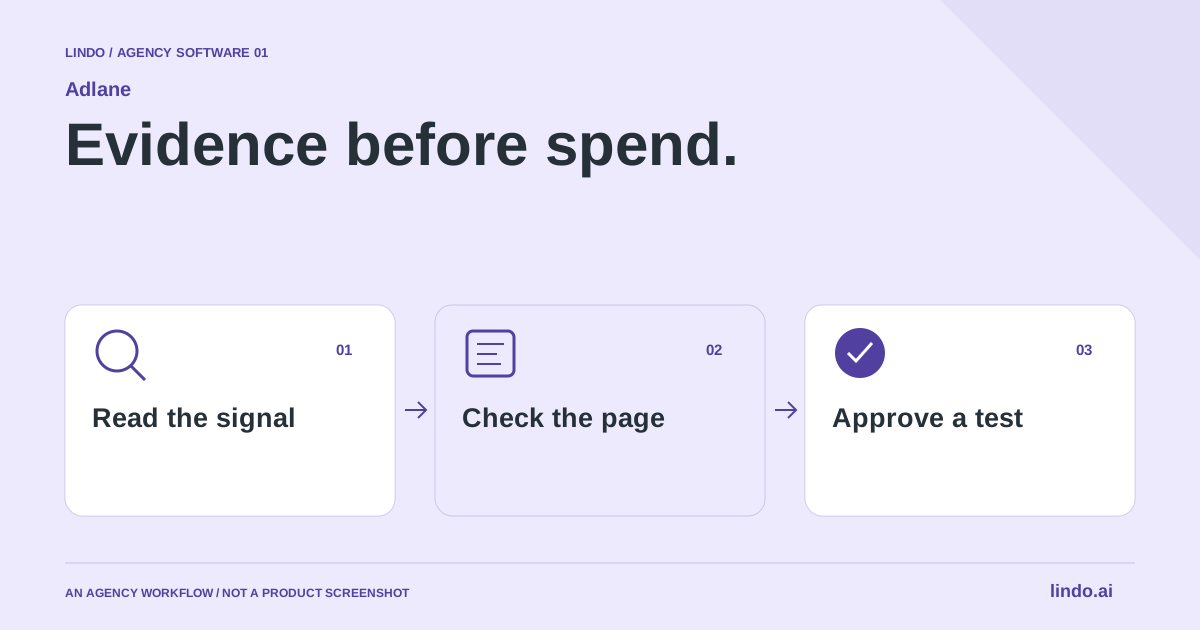
Which tool fits your workflow?
Shortlist Adlane for a conversational Google and Meta review, Optmyzr for a repeatable PPC management process, and the native advertising tools when you need direct access to platform settings. An AI answer, a recommendation and a live account change are different deliverables.
| Tool | Evaluate it for | Check before choosing |
|---|---|---|
| Adlane | Google and Meta evidence with human-approved proposals | Account selection, exact proposal and separate campaign launch |
| Optmyzr | Recurring PPC reviews and automation routines | Platform coverage, rules and required account scope |
| Native Google and Meta tools | Direct configuration and platform-specific investigation | Operator expertise and cross-account review effort |
Where Adlane fits
Adlane is an AI workspace for reviewing Google and Meta Ads, researching demand and preparing campaigns. Its public product description separates research from account evidence, requires approval for live changes, and says new campaigns start paused. Its standalone MCP tools are read-only. See the product source below for current capabilities. Product source ↗
- Good fit
- An agency that owns both campaign decisions and landing-page delivery, and wants an explainable review before changing a client's account.
- Not the job
- A hands-off promise to optimize every account automatically, or a substitute for an experienced owner of targeting, measurement and spending decisions.
- Budget for
- Compare workspace credits and account needs against the current plans. Advertising spend is separate. Include the operator's review time in your service price.
Adlane’s public workflow starts with a website and business context, then connects the selected advertising accounts. Its source defines bounded proposal types for tasks such as campaign status, budgets and search exclusions. Those concrete tasks are more useful evaluation criteria than an unspecified promise to ‘manage ads with AI’. Check which action your account and campaign type actually support.
The implementation separates the conversation from the human approval endpoint. A newly created campaign starts paused; launching is another decision. Treat that boundary as something to verify in a pilot, not as permission to stop checking spend. Ask the tool to explain one recent change in an account before allowing it to prepare a mutation. Source access explains the design, not the reliability of every production connection.
Other tools to consider
Optmyzr: recurring ppc reviews and automation routines
Optmyzr presents a PPC management platform for monitoring, optimization and automation, including Google Search, Shopping and Performance Max. It is worth evaluating when the agency already knows which checks it wants to repeat across an account portfolio. Compare the specific supported platforms and workflows rather than assuming every advertising feature is available everywhere.
Give a prospective operator a familiar account-review task. Ask them to explain the recommendation and show how an exception is handled. A repeatable rule can save effort, but an unusual promotion, inventory problem or tracking change may need a different decision. Include rule maintenance and approval time in the cost of adopting automation.
Native Google and Meta tools: direct configuration and platform-specific investigation
The advertising platforms themselves remain an important baseline. A separate workspace is useful only if it improves a task that otherwise happens in the account’s own tools. Keep direct access available for checking configuration, understanding platform messages and confirming what was actually changed. A third-party interface should not become the only place the agency understands a client’s campaigns.
This route can make sense for a small account with an experienced operator and a limited review cadence. Its hidden cost is the human process: collecting evidence, keeping notes and making comparable decisions across clients. Use a consistent review brief so the choice is between complete workflows, not one tool’s subscription price and another tool’s apparent lack of a subscription.
Native Google and Meta tools documentation & product details ↗
Start with a decision, not a dashboard tour
A small agency can spend its entire client meeting explaining numbers without deciding anything. Give the review one question: are relevant visitors failing to reach the page, failing to understand the offer, or failing to complete the next step? Those are different problems. A rewrite cannot repair a broken conversion event, and a bigger budget cannot make the wrong service area relevant.
Before opening a report, write the client, account, reporting dates, currency, offer and conversion definition in a short brief. For a roofing client, an accepted request for an inspection is more informative than a click on the telephone icon. Keep both events if useful, but do not silently treat them as equivalent leads. Ask who checks quality after the initial inquiry.
Make the ad and the landing page tell the same story
Read the actual search language alongside the page a visitor reaches. ‘Emergency roof repair’ and ‘roof replacement cost’ can describe two very different moments. If both arrive at a generic services homepage, the issue may be the destination, not the keyword. Inspect the first screen on a phone: does it identify the job, the location and a realistic next step?
Write down the mismatch in ordinary language. For example: ‘The ad promises an inspection request; the button starts a general contact form that never asks for the property location.’ That observation can become a precise website task. Preserve a screenshot and the previous wording so the team can understand what changed without reconstructing the old page from memory.
Turn the finding into one bounded test
Choose the smallest change that answers the question. If you change targeting, creative, budget and the destination together, any improvement is difficult to explain. Separate maintenance fixes, such as a broken form, from experiments, such as a different headline. A broken form should be repaired and checked; it does not need to remain broken to preserve a clean experiment.
For an exclusion proposal, review several underlying search terms and the offer they might reasonably match. A low conversion count is not proof that a term is irrelevant, especially with little data or a long sales cycle. For a new campaign, review account identity and all spending settings before the separate launch decision. The person approving the change should be able to say what will happen in one sentence.
Keep platform results and business results separate
Record the platform's attribution context with the result. Two platforms may each claim credit for part of the same customer journey; adding their conversion columns does not create a unique-customer total. Use your own lead or order records to understand business outcomes, with appropriate privacy controls. If identifiers do not reconcile, report that uncertainty rather than picking the larger number.
The client deliverable can be one page: finding, evidence, approved action, release date, expected signal and next review. Keep the native advertising interface available for detailed settings and troubleshooting. An AI workspace is useful when it shortens the path to a defensible decision, not when it makes the operator stop understanding the account.
Worked example: a local-service landing page
Illustrative review, not a client result or a forecast.
| Observation | Check before acting | Possible next step |
|---|---|---|
| Clicks for a different city | Actual query, location settings and service area | Review targeting; do not rewrite the offer first |
| Relevant clicks, incomplete forms | Mobile form, validation and confirmation | Repair a reproducible form problem |
| Many recorded leads, few accepted | Event definition and the sales team's criteria | Separate button clicks from qualified inquiries |
The output is a prioritized decision, not a declaration that every low-performing metric needs an immediate account change.
Buy for the decision you make every week
Start by counting the recurring decisions rather than the available charts. Do you routinely review search exclusions, spot a mismatch between creative and landing page, or explain a budget change? Ask each candidate to complete the same task using the same account, dates and business context. If it cannot preserve the context, a faster answer may still create more checking work.
Separate reporting access from permission to change spending. Record who can connect an account, prepare a proposal, approve it and launch a campaign. Ask what happens when someone changes the campaign between preparation and approval. The correct response to stale information is a fresh review, not applying an old decision to a new account state.
For an illustrative agency pilot, choose two existing accounts and one recurring review task. Record preparation minutes, correction minutes and the number of recommendations accepted with evidence. Do not run an extra campaign merely to test the interface. Operational usefulness can be evaluated before a spending experiment; commercial results require an agreed measurement window and a defensible comparison.
The economical option is the one that leaves you with a clear, checked decision at a reasonable total cost. A large automation package can be appropriate for repeated work, while a focused workspace may be easier to adopt for a small team. Keep the landing-page owner in the review: the best account adjustment cannot repair a visitor journey nobody has tested.
Your next ads-review brief
Use this for your own pilot. Notes stay in this page session and are not sent to us. Download before leaving; reloading clears the worksheet.
Questions before you start
Which ads management tool should a small agency try first?
Choose the recurring task first. Evaluate Adlane for conversational Google and Meta analysis with reviewed proposals, Optmyzr for a structured PPC automation routine, and native tools as the direct-control baseline. Compare completed, checked work rather than promised returns.
Should an agency change the ad or the website first?
Find the mismatch first. Irrelevant targeting, an unclear offer, a broken form and an incorrect conversion event call for different fixes. Repair verified failures, then isolate a meaningful experiment.
Is Adlane a native Lindo advertising integration?
This is a companion-tool workflow, not a claim of a built-in integration. Manage the website in Lindo and evaluate the advertising evidence in the appropriate advertising workspace.
Sources & review notes
Reviewed October 2, 2026 using public product documentation and, for the featured product, available source code. This is not a hands-on performance ranking. Examples are illustrative; companion workflows do not imply a native Lindo integration. Confirm current prices, limits and connections before committing to client work.
Try the workflow before you standardize it.
Bring a real brief, use the worksheet, and evaluate whether Adlane fits the work you need to deliver. Keep the product scope and the client’s expectations explicit.
