
Best AI UGC ad tools: choose the right format for a credible product hook
A creator-style ad can earn attention without pretending to be a real customer review. Choose the format around the product claim you can support, then make the creative and landing page tell the same story.
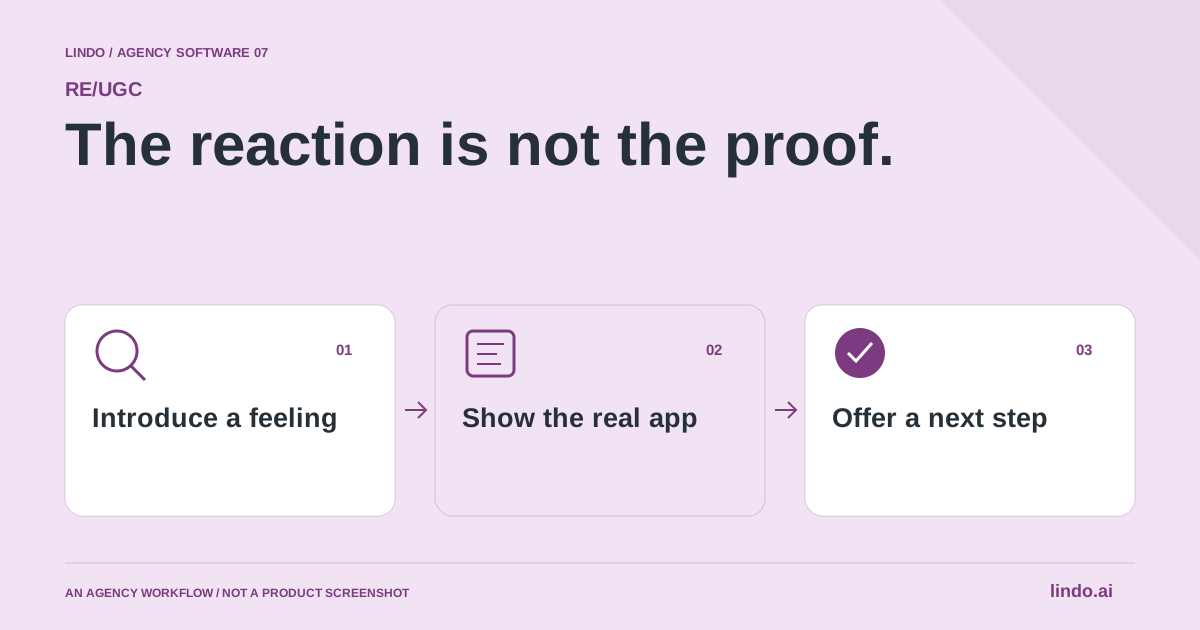
Which tool fits your workflow?
Consider RE/UGC for reaction-led hooks with on-screen text, Creatify for an AI UGC-ad workflow, and HeyGen for scripted avatar-led video. These are different creative formats; do not assume every tool generates the product footage, voiceover and publishing workflow you need.
| Tool | Evaluate it for | Check before choosing |
|---|---|---|
| RE/UGC | AI reaction hooks with tailored on-screen messaging | Product footage, voiceover needs and paid export requirements |
| Creatify | An AI-avatar UGC advertising workflow | Script accuracy, creative control and usable exports |
| HeyGen | Scripted avatar-led product explanations | Voice, language quality and the intended ad format |
Where RE/UGC fits
RE/UGC creates product-specific clips using AI-generated characters and reactions. Its public site describes editable messages, optional music and MP4 downloads through a credit-based workflow. It explicitly says the characters are not real customers, that product demos and voiceovers are not generated, and that publishing is handled outside RE/UGC. Product source ↗
- Good fit
- An app marketer with real product footage who wants to test several visual openings while keeping the demo and offer consistent.
- Not the job
- Authentic customer testimonials, custom spoken endorsements, generated walkthroughs of your application or automatic social publishing.
- Budget for
- Check current generation, editing and download requirements. Do not assume legacy library access and the current generation product have the same entitlements.
RE/UGC’s current public workflow uses a product website to develop AI creator-reaction clips and tailored on-screen text, with editing for elements such as music, text and length. It describes MP4 output. Evaluate it as a hook-production tool, not a substitute for demonstrating how the product actually works.
The current site distinguishes previews from paid downloads and does not position the workflow as automatic product-demo generation, voiceover production or posting. Older material about a lifetime stock library describes a different offer. Confirm the current credit and export terms before quoting a client for a batch of finished ads.
Other tools to consider
Creatify: an ai-avatar ugc advertising workflow
Creatify describes AI-avatar UGC ad creation. Compare it when the brief calls for a presenter-style ad rather than a short reaction layered with text. Check the specific format and editing controls with your own product, since the term UGC covers very different outputs.
Give the tool a restrained, verifiable script. Avoid invented experience, unsupported results and fabricated customer endorsements. Inspect the finished asset for awkward pacing, unclear product references and visuals that imply capabilities the landing page does not offer. The agency remains responsible for the message it approves.
HeyGen: scripted avatar-led product explanations
HeyGen offers avatar-based UGC-style videos. It is worth evaluating for a spoken explanation or a script-led creative concept. The format is different from a silent reaction hook: the words and delivery carry more of the message, so script review becomes especially important.
Test pronunciation of the product name and the clarity of one specific claim. If you need multiple languages, have a competent reviewer check the meaning and tone of each version. A technically successful render is not the same as a natural, accurate explanation for the audience.
Start with a recognizable problem, not a random expression
Write the situation before choosing the reaction. A surprised face could fit discovering a useful shortcut, but it adds little to an ad if the viewer cannot tell what changed. For a meal-planning app, the relevant situation might be realizing that several planned dinners share ingredients. The opening should lead naturally into a screen that demonstrates that capability.
Avoid broad claims such as ‘This changed my life’ when no real person is making that statement. A neutral prompt like ‘Three dinners, one shorter shopping list’ can introduce an observable feature without inventing personal experience. If the product cannot support the exact claim, revise the claim. Changing the character or soundtrack cannot repair a misleading message.
Make the demo carry the factual claim
Record the application doing the thing the opening promises. Use a clean test account and appropriate sample data. Keep the decisive action and result readable on a phone. If an operation takes time, do not edit the sequence in a way that falsely suggests an instant result. A concise edit can omit repetition while still representing the workflow honestly.
Treat the reaction and the demo as separate source assets. That makes it easier to replace the opening without altering the evidence. It also makes approvals clearer: the product owner can verify the demo, while the creative reviewer assesses tone and fit. When the interface changes, update the product footage even if the original hook remains useful.
Test one creative question at a time
A first experiment might ask whether a problem-led opening or a curiosity-led opening brings more relevant viewers into the demo. Keep the product footage, destination and primary offer stable when possible. If you also change the audience and landing page, you are comparing two entire campaigns rather than isolating the opening.
Give each version an identifier that survives export, upload and reporting. Record the hook text, character, demo version, destination and publication context. Choose what you will look at before seeing the results. Early attention is one signal; useful site visits, activated trials or qualified inquiries answer a different question. A high-view clip can still communicate the wrong promise.
Build disclosure and rights checks into review
Do not label an AI character as a real customer, attach a fabricated quotation or imply that an unrelated person endorsed the app. Check the destination platform's current rules for synthetic media and advertising disclosures before publishing. This guide is an editorial workflow, not a substitute for platform-policy or legal review of a particular campaign.
Keep a record of where every clip, screen recording and music track came from and what use is permitted. Product access does not automatically grant rights to every asset visible in a recording. For a client campaign, decide who retains the exports, who can reuse them and who owns the responsibility for removing outdated claims. These details matter more than a large library count.
Know when a real creator is the better choice
If the story depends on personal experience, a real demonstration in a physical setting or a credible customer account, commission appropriate original material instead. AI reaction creative is better suited to illustrating a situation than establishing testimony. A founder recording their own explanation can also be more useful than an expressive opening when the product is unfamiliar or difficult to trust.
Use a small pilot to establish whether the format communicates the product clearly. Ask someone unfamiliar with the app what they think it does after watching. If their answer is wrong, fix the story before purchasing more variations. The goal is a repeatable learning process, not a promise that a certain face, emotion or opening length will make an ad successful.
Worked example: a meal-planning app
Fictional creative concepts, not claims about a live campaign or customer outcomes.
| Opening angle | Real footage needed | Keep constant |
|---|---|---|
| Problem: too many separate shopping lists | Combine ingredients across planned meals | Same demo and landing page |
| Curiosity: which meals share ingredients? | Reveal the shared-ingredient view | Same audience and offer where practical |
| Direct: plan the week in one place | Show the actual weekly planning interface | Same definition of a useful visit |
The concepts differ in their introduction, not in whether the underlying product evidence is true.
Test a creative hypothesis, not an unlimited batch of variants
Write a hypothesis before generating clips: perhaps the audience does not recognize the problem, or the current opening delays the product benefit. Change one meaningful element at a time. Ten clips with unrelated scripts and audiences will not tell you which creative decision helped.
Use real product footage when the claim requires proof. An AI character reacting to a screen does not demonstrate that a feature works. Keep the reaction, the explanation and the product evidence distinct in the edit. Do not present generated characters as actual customers describing personal results.
Budget for approved exports, not previews alone. Include rejected renders, caption corrections, music choices, review and the final edit. Check current licensing and platform requirements for the intended placement before publishing; a tool’s ability to export a file does not resolve every usage question.
Match the hook to the destination. If the ad promises an easy first step, the landing page should explain and offer that step. Review qualified visits and downstream actions with the campaign owner. A higher view rate can be useful, but it is not evidence of better customers or profitable acquisition by itself.
Reaction-hook creative test sheet
Use this for your own pilot. Notes stay in this page session and are not sent to us. Download before leaving; reloading clears the worksheet.
Questions before you start
Does AI UGC mean the video contains a real customer testimonial?
No. AI UGC usually describes a creator-style format. Generated presenters or reaction clips should not be represented as real customers recounting personal experience. Use genuine, authorized evidence for testimonial claims.
Are RE/UGC characters real customers?
No. The product identifies its characters and reaction footage as AI-generated. Do not use them as fabricated testimonials or imply personal product experience.
Does RE/UGC generate the app demo or post the ad?
Its current public description says demos and voiceovers are not generated and it does not publish for you. Supply the real app demonstration and use a separate editing or publishing workflow as needed.
Sources & review notes
Reviewed October 2, 2026 using public product documentation and, for the featured product, available source code. This is not a hands-on performance ranking. Examples are illustrative; companion workflows do not imply a native Lindo integration. Confirm current prices, limits and connections before committing to client work.
Try the workflow before you standardize it.
Bring a real brief, use the worksheet, and evaluate whether RE/UGC fits the work you need to deliver. Keep the product scope and the client’s expectations explicit.
