
Best AI social content tools: turn client expertise into a repeatable publishing workflow
The hard part of social content is rarely producing another caption. It is finding a useful idea, preserving the client’s voice and getting a publishable asset approved before the calendar runs empty.
Which tool fits your workflow?
Evaluate Postraid when branded content production is the bottleneck, Buffer when creating and scheduling a manageable publishing queue is the priority, and Hootsuite when publishing sits alongside broader social operations. Check the exact channels and approval steps you need.
| Tool | Evaluate it for | Check before choosing |
|---|---|---|
| Postraid | Brand-led social assets and a repeatable content brief | Factual accuracy, visual edits and supported publishing channels |
| Buffer | A straightforward content queue and publishing workflow | Channel support, collaboration and asset-specific limitations |
| Hootsuite | Publishing alongside broader social management | Team workflow, listening needs and operational cost |
Where Postraid fits
Postraid uses product context to generate social-content drafts across reactions, memes and carousels, with a saved library and publishing calendar. Its public site lists channel connections with destination-specific limits. Website conversion attribution requires external analytics. Treat generation, scheduling, connected-account and export allowances as separate plan checks. Product source ↗
- Good fit
- An agency or founder with accurate product information who wants a repeatable process from creative brief to reviewed social posts.
- Not the job
- A substitute for customer research, a custom talking-avatar production promise, or a guarantee that generated posts will receive views or generate sales.
- Budget for
- Compare generations, brands, social connections, scheduled posts and exports separately. Allow time for editorial review rather than pricing every generated draft as a finished post.
Postraid brings brand context into a social-content workspace. The useful agency test is whether it can turn a real client idea into something the client recognizes as their own—not whether it can fill a month with generic posts. Give it one service, one audience and one concrete point to communicate, then inspect both the copy and the artwork.
Do not assume every capability in the main app is exposed through an automation connection. The reviewed MCP implementation can read brand/content data and create supplied draft content, but it does not generate media, publish or schedule posts. That boundary matters if an agency is designing an agent-driven workflow. Confirm the current app’s publishing support separately.
Other tools to consider
Buffer: a straightforward content queue and publishing workflow
Buffer combines creation, scheduling and publishing with insights and collaboration features. Its AI assistance can support repurposing, but the reason to shortlist it here is the complete path from an idea to a managed queue. Check the current plan and channel support against the formats the client actually uses.
Test a carousel, a link post and a short video—not three text posts. Ask the operator to adapt one approved idea across channels without losing the point. Count the edits and approvals outside the tool as well as the steps inside it. A simple queue is valuable when the agency already has a reliable asset-production process.
Hootsuite: publishing alongside broader social management
Hootsuite presents publishing, messaging, listening and AI-assisted social management. It is a different buying decision from a tool primarily chosen to make a carousel. Evaluate the broader platform when the agency also handles the conversations and monitoring around published content.
Avoid buying operational breadth that nobody owns. Assign responsibility for replies, escalations and reporting before testing the interface. A busy calendar is not evidence that the client’s audience is being served. For a small production-only engagement, the extra process may outweigh its value; for an ongoing social-management retainer, it may be central.
Write a brief that rules out generic content
A homepage is a starting point, not a complete creative brief. Add the audience's situation, the specific job the product helps with, the evidence you can show and the claims you must not make. ‘A scheduling app for busy people’ is vague. ‘A booking link that stops an independent tutor from negotiating every session over messages’ gives the writer a scene, a problem and a useful product moment.
Include a short list of forbidden shortcuts: invented customer quotes, unsupported savings, features on the roadmap and prices that may change. Choose one next action for the batch. If you want readers to view a demo, a post that pushes a discount code into an unrelated checkout is not aligned, even if the copy sounds energetic. Keep the approved brief with the assets so the reviewer has a reference.
Give each format a different job
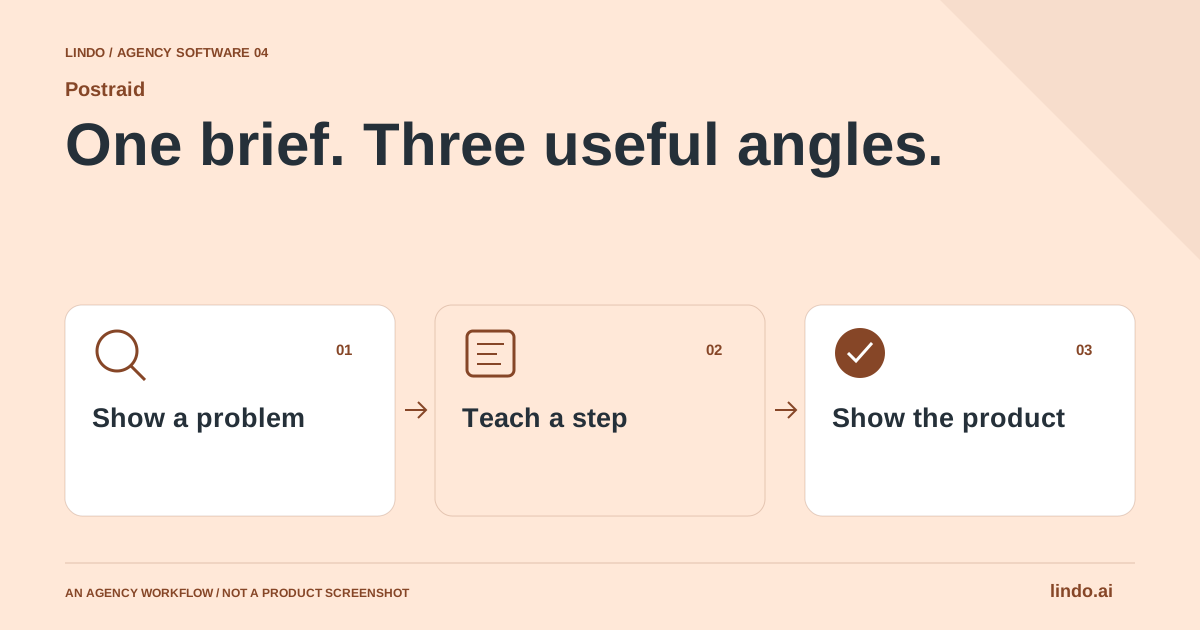
Use a carousel when the audience needs a sequence: recognizing a problem, understanding a method and seeing a worked example. Use a meme when a concise contrast communicates the idea without additional explanation. Use a reaction when the emotion makes sense next to a real product moment. A reaction clip is not evidence that a customer used the product or achieved a result.
For the tutoring example, a carousel could explain what a useful booking page includes; a meme could contrast five scheduling messages with one clear link; a short reaction could introduce a screen recording of choosing a session. These are three editorial treatments of one problem. They are not three copies of ‘save time with our revolutionary platform.’
Create an approval boundary before the calendar
Separate generated, shortlisted, approved and scheduled work in the team's process, even if your exact tool setup uses different labels. The reviewer should inspect the final visual, caption, link, account and publication time together. A correct caption attached to an older export is still the wrong post. If the client changes the offer, revisit queued work as well as the content library.
Run a final-size review on a phone. Text that is readable in an editor can become tiny in a feed. Check whether captions remain intelligible without audio and whether important words compete with platform controls. Make a note of who approved the actual export. Approval of a rough concept does not automatically approve every later variation.
Connect the post to a page that keeps the promise
Send a tutorial post to the relevant explanation or demo, not automatically to the homepage. A visitor who clicks a post about one feature should not have to search the website to find it. Use a consistent campaign-link convention and record which creative sent visitors to which destination. Keep personal information out of campaign parameters and avoid turning tracking labels into an unreadable taxonomy.
Review discovery and outcomes separately. A widely viewed meme can be useful for awareness yet bring few qualified visits. A narrow carousel can receive less attention and still bring a well-matched prospect. Define the role of the post before judging it. Use the same reporting window when comparing versions, and avoid treating one lucky post as a reliable production forecast.
Improve the next brief, not just the posting frequency
Keep a small learning log: audience question, format, hook, supporting evidence and response. When a post receives useful questions, turn those into the next explanatory piece or an improvement to the website. When a post attracts the wrong audience, inspect its promise before producing more variants. A consistent process can include publishing less when the available ideas are weak.
A manual editor and a spreadsheet calendar remain sensible alternatives for a small, carefully crafted campaign. A creative workspace is more valuable when the team repeatedly loses time moving from a clear brief to several reviewable treatments. Start with a small batch and judge how much approved work survives review, not how many drafts the tool can produce.
Worked example: a tutor-booking launch
An illustrative three-post brief, not a measured campaign.
| Format | Message | Destination |
|---|---|---|
| Carousel | What a parent needs before booking a first lesson | Booking-page walkthrough |
| Meme | The back-and-forth of finding a shared time | Short product explanation |
| Reaction + real screen | A cancellation opens a new slot | Relevant feature demo |
Each post has its own reason to exist and a destination that answers the question it creates.
Run a five-post pilot before promising a monthly retainer
Choose five different jobs: answer a customer question, explain a service, share a genuine observation, demonstrate a process and invite a useful next step. Supply real source material for each. If every output starts to sound the same, improve the brief before increasing the volume.
Measure time to an approved post, not time to the first draft. Include fact-checking, replacing weak imagery, editing slide density, exporting and adapting the caption. Record why the client rejected an asset. Repeated rejection of the premise is a strategy problem; repeated layout repair is a production problem.
Keep content creation and publication as separate approval states. An approved visual may still need a corrected link or a different publication date. Confirm who controls connected accounts and what happens when a client leaves. Retain a usable export of the final assets and copy.
Connect the content to a relevant page, not automatically to the homepage. A post about a specific service should lead to an explanation and a clear next action. Use campaign tags consistently, then review qualified visits or inquiries alongside social metrics. Do not describe a reach increase as a sales increase.
Client social-batch approval sheet
Use this for your own pilot. Notes stay in this page session and are not sent to us. Download before leaving; reloading clears the worksheet.
Questions before you start
Should an agency choose an AI content tool or a social scheduler?
Choose around the bottleneck. A content tool helps develop usable assets; a scheduler organizes delivery. Some products overlap, but verify the complete workflow with your actual formats, channels and approval process before standardizing.
Can the same website brief support multiple formats?
Yes, but each format should explain a different angle or serve a different viewing situation. Do not treat a format change as a substitute for an editorial idea.
Does Postraid measure website sales automatically?
Its public product description directs users to external website analytics and campaign links for website attribution. Define your reporting outside the content calendar before claiming post-to-sale results.
Sources & review notes
Reviewed October 2, 2026 using public product documentation and, for the featured product, available source code. This is not a hands-on performance ranking. Examples are illustrative; companion workflows do not imply a native Lindo integration. Confirm current prices, limits and connections before committing to client work.
Try the workflow before you standardize it.
Bring a real brief, use the worksheet, and evaluate whether Postraid fits the work you need to deliver. Keep the product scope and the client’s expectations explicit.
