
Best backends for AI-built apps: move from a convincing interface to reliable client data
An AI-generated interface can look complete while saving nothing, exposing the wrong records or depending on a developer’s account. Choose the backend around the data rules the application must enforce.
Which tool fits your workflow?
Consider MCPBackend for a focused SQLite-backed API and MCP-oriented workflow, Firebase for a broader managed application platform, and Appwrite for a backend platform combining common application services. Start with your authorization and operational requirements, not the easiest first demo.
| Tool | Evaluate it for | Check before choosing |
|---|---|---|
| MCPBackend | A focused data API for an AI-built application | End-user authentication, access policies and export boundaries |
| Firebase | A broader managed application-service ecosystem | Chosen data model, access rules and usage-based costs |
| Appwrite | Common backend services behind an application | Permission design, runtime needs and operational ownership |
Where MCPBackend fits
MCPBackend provides a SQLite-backed database, generated REST API, authentication and configurable access policies, with an MCP connection for supported coding agents. Its public documentation distinguishes end-user access from scoped server-side machine keys. It also describes an exportable runtime, while noting that hosted services are not all included in that export. Product source ↗
- Good fit
- A developer or technically supported agency building a small data-backed application and willing to review schema, authorization and operating limits.
- Not the job
- A no-review shortcut to secure software, a database credential to paste into frontend code, or proof that an exported project includes every hosted service.
- Budget for
- Estimate storage, API requests and read/write needs against current capacity limits. Include implementation, security review, backups and ongoing operational ownership.
MCPBackend describes SQLite-backed data, generated CRUD APIs, authentication and MCP access. Its reviewed tool definitions distinguish server credentials from end-user access and describe policy enforcement. That is the important agency boundary: a browser application must not receive a privileged server key simply because an AI coding tool made the integration easy.
The public portability story includes SQL export and a self-hosted runtime, but does not imply that every hosted feature moves with an export. Confirm the current limitations around hosted MCP, webhooks and dashboard capabilities. Test a small restore or migration with non-sensitive sample data before describing the project as portable.
Other tools to consider
Firebase: a broader managed application-service ecosystem
Firebase offers application services including authentication, databases, storage, functions and hosting. It is worth evaluating when the brief needs a coordinated set of managed services rather than a narrow data API. Choose the specific database and service architecture before comparing implementation effort.
Have the developer explain the access rules without relying on the generated interface. Test two users and an unauthenticated request against the same resource. Estimate costs from the application’s actual reads, writes, storage and execution pattern, and document which services would need replacement in a future migration.
Appwrite: common backend services behind an application
Appwrite presents authentication, databases, storage and functions as part of its application platform. Compare it when the project needs several of those services together. Verify the current SDK, deployment options and feature support against the client’s chosen frontend and operating model.
Prototype a complete user journey rather than a single database insert. Create a record, read it as the owner, attempt access as another user and remove it. Then test failure handling. The best backend for a client project is one the responsible team can secure, diagnose and maintain after the initial build.
Decide whether the website actually needs a backend
A marketing page with static content does not automatically need a custom database. A client portal with private notes, a saved collection or a submission queue probably has a genuine data problem. Describe the records, who creates them and who needs to see them before choosing infrastructure. Adding a backend without a clear job creates more things to maintain.
Draw the boundary between public website content and private application data. A public directory listing might be readable by anyone while its pending edits and contributor contact details remain private. A design that treats every field as equally public is difficult to repair later. Start with the smallest complete workflow, not an ambitious schema for features that may never ship.
Write the data model in plain language first
For a client task portal, name the entities and relationships: clients, projects, tasks and comments. Then define what must be present for a valid record. Is a task allowed without a project? Can a comment exist after its task is removed? What does a missing due date mean? These are product decisions, not details the coding agent should silently invent.
Use a small set of representative records to inspect the model. Include a long title, an empty optional field and a record owned by another user. Ask the agent to inspect the existing schema before proposing changes. Review potentially destructive changes separately and preserve recoverable data before a migration. A syntactically successful schema update is not evidence that the product still behaves correctly.
Test authorization with two users and an anonymous visitor
Create separate test identities with intentionally different data. Confirm that one user can perform the intended actions on their own records and cannot read or change the other user's private records. Check the API behavior, not merely whether the interface hides a button. Include an unauthenticated request where it is safe and relevant to the test environment.
Keep privileged machine credentials on a trusted server and narrowly scoped to their intended job. Browser clients should use the appropriate end-user access mechanism for private records. Do not assume that a working API key is safe to distribute. Write down which actor is supposed to make each request so the implementation can be reviewed against an explicit access model.
Make capacity and failure visible in the interface
A save button needs a believable failure state. Test invalid input, an expired session, an unavailable request and the relevant usage limits in a safe environment. The visitor should not see a success message when the record was not saved. Avoid repeated submissions that create duplicate records after an uncertain response.
Assign an owner for usage monitoring and operational incidents. The person paying for a plan is not always the person watching the application. Document the conditions under which the team should investigate capacity and the process for approving a change. A successful demo with two records does not establish that a public launch will remain within the same limits.
Rehearse the exit before calling the data portable
An export file is useful only if someone can restore and inspect it. Rehearse with non-production data, document the target environment and verify representative reads and writes. Compare hosted features with the export's actual scope. If a dashboard, webhook service or control connection is not included, name its replacement or accept that the exported system has a narrower role.
For a small static site, the simpler alternative remains no custom backend. For a complex application, an experienced developer may prefer a different managed or self-hosted stack based on its requirements. Evaluate the operational fit, not just how quickly an agent can create a table. A client handoff should include the model, access tests, operating notes and recovery ownership.
Worked example: a private client-task portal
An illustrative acceptance matrix, not a deployed application or security certification.
| Actor | Expected access | Test |
|---|---|---|
| Client A | Only Client A's private project tasks | Read and update own task; deny Client B's task |
| Client B | Only Client B's private project tasks | Repeat the same checks with a separate session |
| Anonymous visitor | No private tasks | Verify API denial, not just a hidden page |
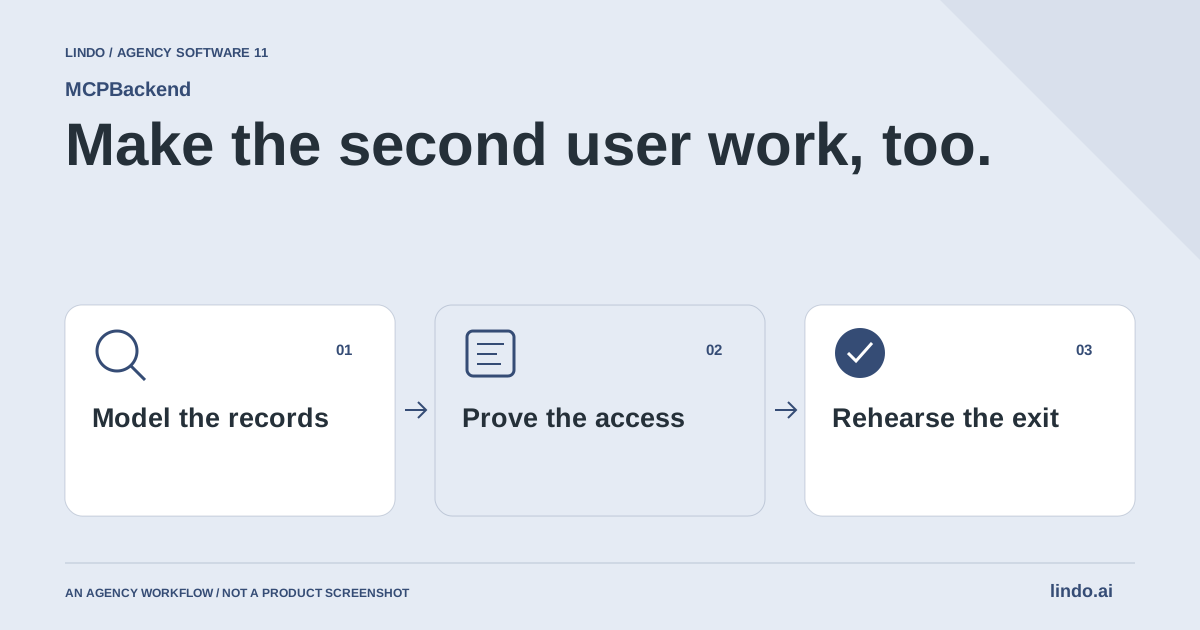
The second account is part of the first release, not a later security enhancement.
Make the acceptance test harder than the demo
Write down the data boundary in ordinary language: who can create a record, who can see it, who can change it and how long it remains. Translate those rules into server-enforced tests. Hiding a button in the frontend does not enforce a permission.
Test with two ordinary accounts and an unauthenticated request. Include a guessed record identifier, an expired session and invalid input. Keep privileged credentials out of browser bundles and example screenshots. Ask the implementer to show the rejected request, not merely state that access is protected.
Choose a recovery plan before launch. Define backups, retention, a restore test and the owner of operational alerts. An export file is useful only if someone knows what it contains and can reconstruct the required application behavior from it.
Keep the scope proportionate. A marketing form may not need the same architecture as a multi-tenant client portal. Compare the recurring operational burden alongside setup speed and subscription cost. AI can accelerate implementation, but it does not remove responsibility for access control, data quality or client handoff.
Backend pilot acceptance worksheet
Use this for your own pilot. Notes stay in this page session and are not sent to us. Download before leaving; reloading clears the worksheet.
Questions before you start
Does an AI-built application need a backend?
Not every site does. Static content may not need one, while persistent user data, authenticated workflows and shared records usually require server-side services. Define the data and permission requirements before choosing a platform.
Does using an MCP server make a backend secure automatically?
No. MCP is a way for a supported agent to operate tools. The resulting schema, credentials and authorization rules still need review and testing.
Does this add a database to every Lindo website automatically?
No. This is a separate companion-product evaluation for projects that need application data. A custom implementation and appropriate technical ownership are required.
Sources & review notes
Reviewed October 2, 2026 using public product documentation and, for the featured product, available source code. This is not a hands-on performance ranking. Examples are illustrative; companion workflows do not imply a native Lindo integration. Confirm current prices, limits and connections before committing to client work.
Try the workflow before you standardize it.
Bring a real brief, use the worksheet, and evaluate whether MCPBackend fits the work you need to deliver. Keep the product scope and the client’s expectations explicit.
