
Best Tailwind component libraries: choose reusable sections your team can actually maintain
A component library saves time when it fits the project’s code and design system. It creates work when every copied section brings different spacing, dependencies or behavior that nobody understands.
Which tool fits your workflow?
Evaluate OpenTailwind for website-section starting points and visual variants, Tailwind Plus for commercial UI blocks with documented implementations, and Flowbite for Tailwind-based components with interactive behavior. Compare the actual code and dependencies in your project.
| Tool | Evaluate it for | Check before choosing |
|---|---|---|
| OpenTailwind | Website sections and editable visual starting points | Free versus Pro access, framework adaptation and interaction code |
| Tailwind Plus | Commercial UI blocks with documented implementation choices | License, framework version and interactive dependencies |
| Flowbite | Tailwind components with documented interactive behavior | JavaScript setup, framework compatibility and styling conventions |
Where OpenTailwind fits
OpenTailwind, made by Lindo.ai, provides Tailwind CSS blocks and website templates with preview customization and HTML copy or download. Its current site offers selected free content with an account and additional Pro designs. The full library is not all free. Check the current access and license terms for the assets you choose. Product source ↗
- Good fit
- Developers and technically supported agencies assembling marketing pages in a Tailwind project and willing to adapt the markup and interactions.
- Not the job
- A hosted website builder, a guarantee that every copied interaction works in your framework, or permission to assume every library asset has identical licensing.
- Budget for
- Review free versus Pro access and current license terms. The asset price does not include content, implementation, accessibility testing or maintenance of the finished website.
OpenTailwind’s current public site offers a free selection alongside Pro access, with HTML-oriented copying and downloads and visual controls such as color, font and style. It is not accurately described as an entirely free library. Check the specific block and current access terms before standardizing a client workflow around it.
Treat a section as a starting point. Inspect its markup, replace placeholders and adapt it to the project’s framework and design tokens. A visually finished pricing table can still have confusing headings or nonfunctional controls. Keep the source of the block and any usage requirements in the project handoff.
Other tools to consider
Tailwind Plus: commercial ui blocks with documented implementation choices
Tailwind Plus documents HTML and framework-specific ways to use its UI blocks. Its HTML guidance distinguishes styling from the JavaScript needed for interactive behavior, including Tailwind Plus Elements. Read the instructions for the implementation you choose rather than copying markup and assuming the menu or dialog is complete.
Test one layout block and one interactive component in the actual application. Check dependency versions, keyboard behavior and how the component fits existing state management. A commercial library can reduce design work, but it does not eliminate integration, testing or the need to understand its license.
Flowbite: tailwind components with documented interactive behavior
Flowbite’s quickstart covers Tailwind-based components and the JavaScript used for interactive elements. It is a useful comparison when the project needs common interface behavior as well as static sections. Follow the current setup for the chosen environment and check whether a framework-specific package is appropriate.
Avoid mixing multiple interaction systems casually. A dropdown that works on a static page may need different initialization in a client-side application. Test navigation, re-rendering, focus and cleanup in the real project, then decide whether the library simplifies the codebase or adds a second set of conventions.
Choose sections by their role in the buying journey
Write the page outline before browsing the library: what is the offer, who is it for, what evidence makes it credible and what should the visitor do next? A hero, proof section, process and FAQ might be enough. Adding every available section can make the page longer without making the decision easier.
Choose blocks that can carry the client's actual material. A testimonial grid is not useful if the client has no approved testimonials. A statistics section is not a reason to invent numbers. If the evidence is a product demonstration, use a layout that gives it room. If the service depends on location and availability, make those details legible rather than hiding them in decorative cards.
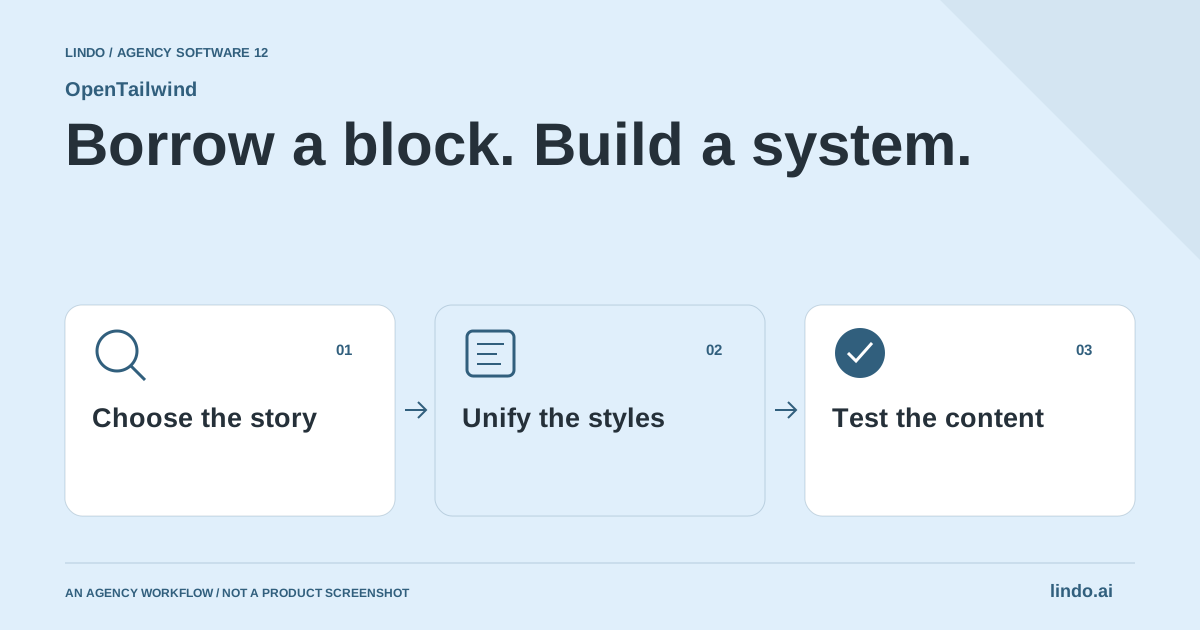
Normalize styles before the page becomes a patchwork
Set a small design system: type scale, content width, spacing rhythm, button styles, border treatment and a restrained color palette. Apply those choices across the selected blocks. Two individually polished sections can look unrelated when their headings, padding and corner radii belong to different systems.
Keep contrast and reading comfort ahead of novelty. A subtle background can support a section, but the text still needs to work on small screens and in the site's supported color modes. Establish which styles are global and which are local exceptions. The next developer should not have to reverse-engineer dozens of arbitrary values to add one ordinary content section.
Treat copied HTML as an implementation starting point
Check the target project's Tailwind version, build setup and rendering conventions before integrating a block. Convert markup carefully for the framework in use and make interactive controls real. A menu icon is not a menu implementation; a styled form is not a working submission flow. The copied appearance and the completed behavior are separate deliverables.
Keep the dependency footprint understandable. Identify scripts, icons, fonts and images the block expects, and decide which belong in the project. Avoid importing an entire library just to preserve a small decorative element. Check the project's own conventions so the new section does not become a maintenance exception that behaves differently from every other page.
Test the content that usually breaks a template
Replace sample text early. Try the real service name, a longer button label, an additional navigation item and the image ratio the client actually has. A layout that only works with the designer's short placeholder copy needs adaptation before handoff. When multiple languages are planned, test representative text expansion instead of assuming the English composition will hold.
Review narrow mobile, tablet and wide desktop layouts. Check keyboard navigation, visible focus, heading order, link purpose, labels and error messages for interactive elements. Use semantic HTML where it fits the task. Accessibility is not proven by the source library's appearance, and a clean screenshot is not evidence that the actual page can be operated.
Keep an agency pattern library of finished decisions
After adapting a section successfully, document the use case and constraints in your own project. Store the approved variation, its content requirements and the behavior tests that matter. This is more useful than a folder of copied blocks with no explanation. A future client may need a different story even when the visual pattern is reusable.
A custom design is a sensible alternative when the interaction or art direction is central to the brief. A website builder may be a better fit when the client needs a managed editing experience rather than source code. OpenTailwind fits the middle of a developer-led workflow: a starting collection that still needs judgment, implementation and a real handoff.
Worked example: a local service landing page
An illustrative content-first section plan, not a finished customer site.
| Section | Content requirement | Acceptance check |
|---|---|---|
| Hero | Service, area and a clear next action | Real wording remains readable on a phone |
| Process | What the client actually does after an inquiry | No invented turnaround promises |
| Contact | Only the fields needed to begin the conversation | Labels, validation and submission work |
The blocks support the brief. They do not decide the offer or manufacture proof for it.
Compare integration time with a real page, not a gallery
Choose a page that includes a hero, content section, form and mobile navigation. Use real text and a realistic image. That small build reveals more than comparing attractive previews, because it exposes spacing conflicts, interaction requirements and framework adaptation.
Check the current Tailwind and framework versions before copying code. Map colors, spacing and typography to the project’s tokens rather than leaving each section as a separate design system. Remove unused markup and dependencies instead of carrying a template’s entire structure into production.
Inspect keyboard navigation, labels, heading order, focus visibility and narrow-screen behavior. Do not infer accessibility from a component’s appearance or brand. Keep automated checks alongside manual interaction tests, especially for dialogs, menus and forms.
Count the time to a tested, maintainable page. Include license review, adaptation, content replacement and future edits. A free block that needs extensive repair can cost more than a paid starting point, while a simple free section may be entirely sufficient for a focused marketing page.
Tailwind block-to-client-site worksheet
Use this for your own pilot. Notes stay in this page session and are not sent to us. Download before leaving; reloading clears the worksheet.
Questions before you start
Can I paste a Tailwind component into any website builder?
Not necessarily. The destination must support the required markup, styling and behavior. Check its framework, Tailwind version and custom-code capabilities, and test interactive components rather than assuming copied HTML is a complete integration.
Is the whole OpenTailwind library free?
No. The current site distinguishes selected free blocks and templates from Pro designs. Check the asset and membership details instead of relying on older descriptions of the library.
Can I publish copied blocks without checking interactions?
You should not assume the visual markup completes the behavior. Check menus, forms, focus states, responsive layouts and the target framework before shipping.
Sources & review notes
Reviewed October 2, 2026 using public product documentation and, for the featured product, available source code. This is not a hands-on performance ranking. Examples are illustrative; companion workflows do not imply a native Lindo integration. Confirm current prices, limits and connections before committing to client work.
Try the workflow before you standardize it.
Bring a real brief, use the worksheet, and evaluate whether OpenTailwind fits the work you need to deliver. Keep the product scope and the client’s expectations explicit.
