The short answer
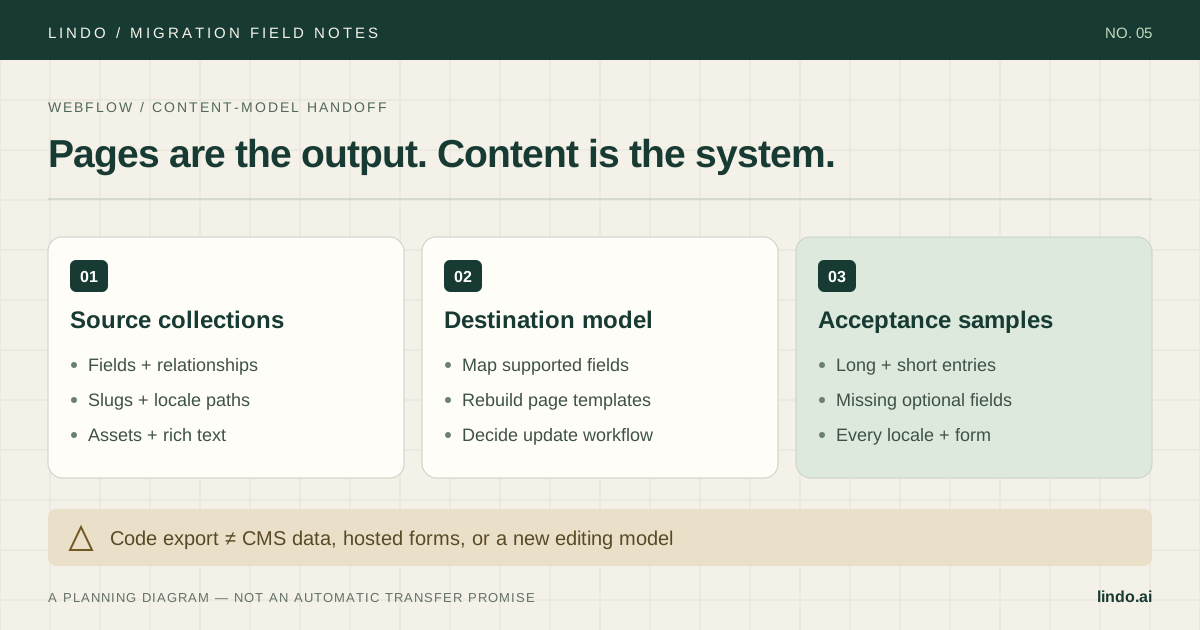
Archive code and content separately, map collection fields before rebuilding, and validate one example of every content type. A static export does not carry Webflow's hosted CMS and form processing with it.
- A good fit
- Marketing sites whose content types and editing requirements can be represented and maintained in the destination builder.
- Pause if
- A site that needs complex collection relationships, localization workflows, or custom interactions that have not been demonstrated in the destination.
1. Split the project into four inventories
Create separate inventories for static pages, CMS collections, interactions, and external services. A website with six navigation links can still have hundreds of indexed collection URLs. Count the published pages and the records behind them before estimating the move.
For each collection, record its fields, required values, reference relationships, URL pattern, and update owner. For interactions, record the business purpose: a navigation menu must work, while a decorative scroll effect might be simplified with approval. Keep form handling, analytics, search, and embeds in the services inventory.
Decide whether changing platforms is necessary. If your current Webflow workflow already serves the client well, an AI label is not a reason to discard it. Test the specific gain you want—such as letting a non-designer maintain routine pages—against a working destination draft.
2. Archive code and CMS content separately
Webflow documents code export on paid Workspace plans, rather than Site plans alone. That export includes frontend files but excludes hosted capabilities such as CMS content and form processing. A ZIP that opens in a browser is not proof that the website is complete.
Export collection content separately and keep source asset files. If the project uses localization, verify which locale each export contains; Webflow's localization documentation says a collection export contains the current locale view. Record the locale alongside the file so it cannot be mistaken for a complete multilingual archive.
Preserve the original exports unchanged. Work from a copy when preparing content for the destination. If you strip formatting or rename fields, keep a transformation log so another person can trace a missing paragraph or malformed link back to its source.
Primary documentation: Webflow: code export requirements and exclusions · Webflow: collection localization and CSV export scope
3. Design the field map before importing content
Map the purpose of each source field, not just its name. A client reference in a case-study collection might become visible text in a simpler destination, but that removes the relationship and its shared update behavior. The client needs to understand that change.
The table below is an illustrative mapping for a service-agency site, not a claim that Lindo accepts a Webflow CSV directly. Confirm supported destination fields and import formats in a pilot. If no suitable content model exists, keep the CMS in place or use a platform that meets the requirement.
| Webflow source | Destination decision | What to test |
|---|---|---|
| Name + slug | Title + preserved page path | Old URL reaches the correct project |
| Rich-text body | Editable article or page content | Headings, lists, captions, and inline links survive |
| Client reference | Supported relationship or approved text field | Client-name changes follow the agreed workflow |
| Hero image + alt text | Managed asset + meaningful alternative text | Crop and description work on mobile |
| Locale-specific entry | Supported localized page | Language links and canonical are correct |
4. Rebuild a representative set, then test edge cases
In Lindo, use a permitted public URL to create a draft and inspect what was recreated. Review every required page against your inventory. Do not assume a single source URL supplies unpublished entries, private content, or every collection record.
For the pilot, choose a long article, a case study with a long title, an entry without an optional image, and a page with an important form. If localization is in scope, add at least one page per locale. These examples reveal more than a polished homepage.
Rebuild meaningful interactions deliberately. Test keyboard navigation, focus visibility, touch behavior, and reduced-motion behavior where relevant. Do not add elaborate animations solely to imitate the source if they make essential content harder to reach.
5. Plan the last content update, not just the first export
Agree on a short publishing freeze or a change-log process. Otherwise an editor can update a case study after your export and the new site will launch with an older version. Assign one person to reconcile the final changes before approval.
Check navigation, related-content links, collection lists, download URLs, and form destinations after content is loaded. Do not validate a template once and assume every record is correct. Include records with unusual punctuation, empty fields, long headings, and older image formats.
Ask the client's editor to publish a sample update in the destination. Confirm how drafts, review, and publishing now work. Include training and manual content cleanup in the estimate; those tasks remain even when AI shortens the initial design work.
6. Launch only after URLs and hosted services pass
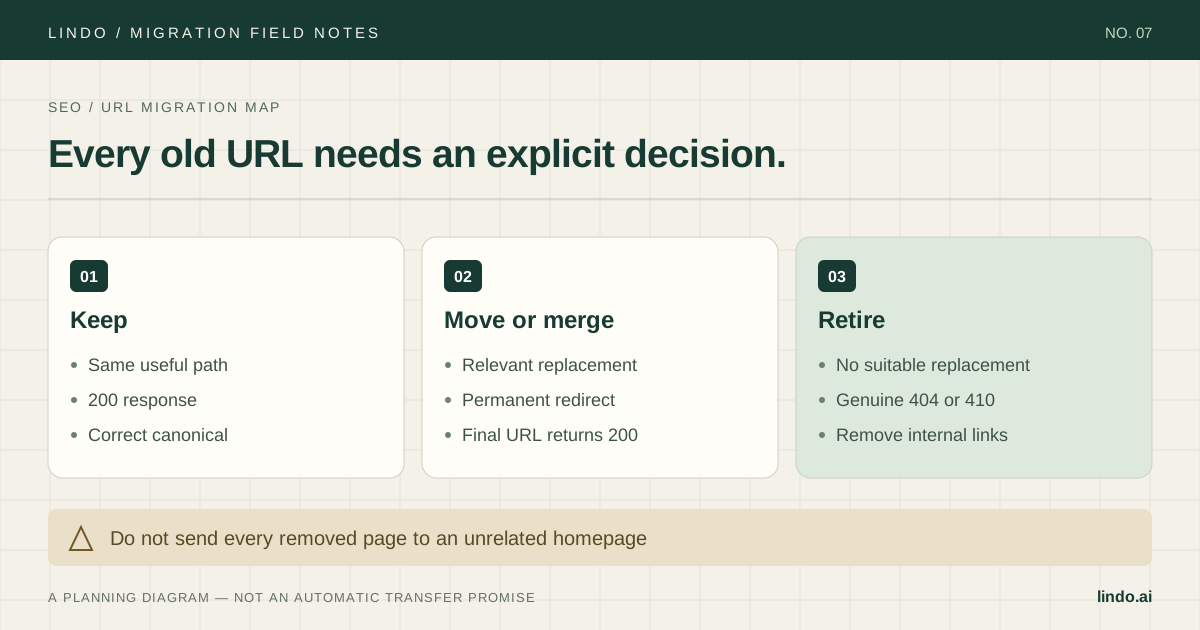
Keep the same useful URL paths where possible. For paths that change, prepare and test the redirect at the destination or the routing layer that remains active after cutover. Check the final response and final canonical, not only whether the browser eventually reaches a page.
Recreate form submission processing and verify delivery. Preserve analytics and search-verification access. Check that asset URLs and downloadable files no longer depend on a source service you plan to cancel. Keep source hosting available through the agreed rollback window.
After launch, review high-value case studies and articles individually. A stable homepage does not tell you whether a deep collection path, language variant, or important PDF is broken. Use the URL inventory as the production test list.
Take it into the project
The working checklist
Copy this into your project brief, assign an owner to each item, and attach evidence before marking it complete. No email required.
- Inventory static pages, CMS records, interactions, and services
- Record collection fields, relationships, and update owners
- Archive code and content separately where available
- Export and identify each required locale
- Approve a source-to-destination field map
- Test long entries and missing optional values
- Rebuild forms and essential interactions
- Reconcile edits made after the first export
- Verify original paths, redirects, and canonical URLs
- Test a client editing session and retain rollback access
Includes owner/evidence fields, a URL map, dependency register, and sign-off prompts. Opens in any text editor.
Common questions
Does Webflow code export include CMS content?
Webflow's documentation excludes CMS content and functionality from code export. Archive collection content separately and validate how it will be represented and edited in the destination.
Will Webflow interactions transfer exactly?
A recreated draft should not be assumed to retain Webflow interactions. Decide which behaviors matter and test their replacements, including touch, keyboard, and mobile behavior.
Can I preserve collection URLs?
Check the destination's URL controls before committing. Preserve paths where supported; map changed paths to relevant destinations and verify permanent redirects after cutover.