The short answer
Inventory valuable URLs, preserve paths where possible, map every change, and verify the live response after cutover. These checks reduce avoidable risk; they cannot guarantee unchanged rankings.
- A good fit
- Agencies changing the CMS or builder behind an existing site, whether the domain stays the same or the project also changes URLs.
- Pause if
- A substitute for a specialist plan for a large international site, complex domain consolidation, or a migration with major content removal.
Before launch: save a baseline you can compare
Export the source URL inventory, sitemap, important search landing pages, and analytics landing-page results. Record the dates and metric definitions. Search clicks and analytics visits are different measurements; compare each with its own history rather than expecting them to match.
Mark pages that generate enquiries, revenue, branded visits, or useful referral traffic. Include PDFs and old articles that still receive visits. A page does not become expendable merely because it is absent from the navigation or looks dated.
Save current titles, descriptions, headings, canonicals, robots directives, structured data, and key internal links for the important pages. Record search-verification methods and tracking identifiers so you can confirm they remain in place after the move.
Before launch: map URLs before redesign decisions drift
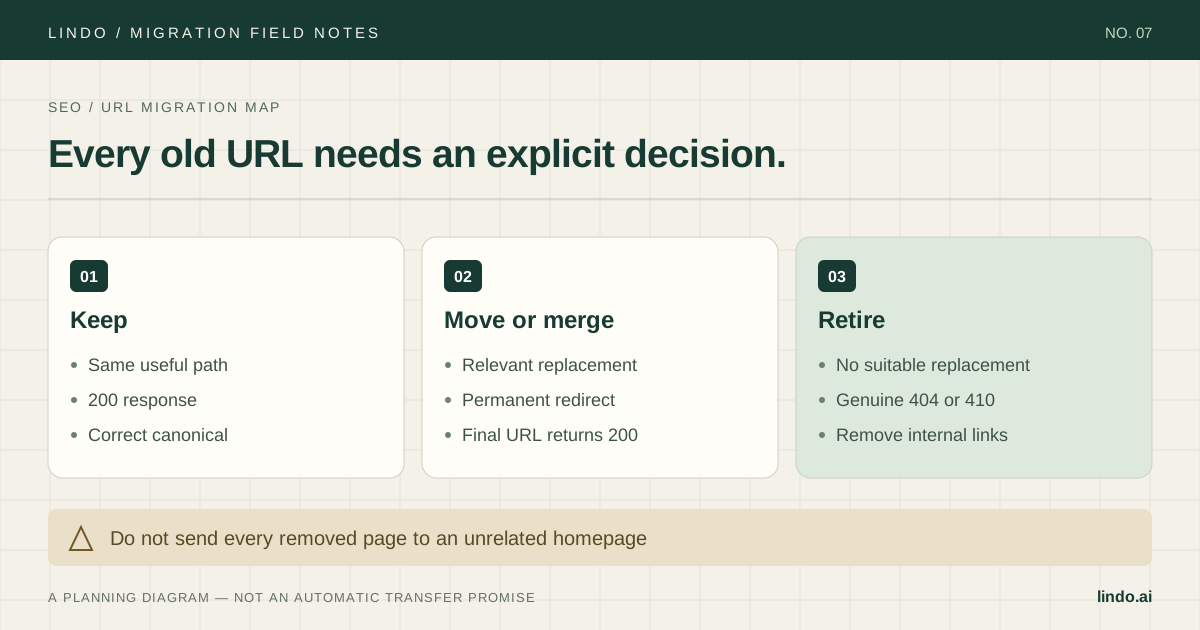
For every source URL, choose keep, move, merge, or retire. Assign a relevant destination where one exists. Record the expected status, the final URL, and a named tester. Do this before changing navigation and slugs so design decisions do not silently erase valuable routes.
Google recommends mapping old URLs to relevant new ones and avoiding mass redirects to an unrelated homepage. It also advises retaining redirects for at least a year. Read its site-move guidance for the particular change you are making; a hosting change without URL changes is a different case.
Primary documentation: Google: site moves with URL changes · Google: hosting changes without URL changes
| Old path | Decision / destination | Expected result |
|---|---|---|
| /services/roof-repair | Keep /services/roof-repair | 200; correct content and self-canonical |
| /roof-repair.html | Move to /services/roof-repair | 301; destination returns 200 |
| /summer-offer-2022 | Retire; no relevant replacement | 404 or 410; not a homepage redirect |
| /downloads/care-guide.pdf | Keep or map to the new file | Accessible download; working internal links |
Before launch: review the rendered destination
Review the page a browser receives, not only the editor's settings. Check the visible title and main heading, metadata, canonical, image alt text, links, and structured data. Check that staged URLs have not leaked into canonical tags, navigation, or downloadable assets.
Protect the staging environment appropriately. A robots.txt block and a noindex directive do different jobs; a crawler blocked from the page cannot read its noindex. Keep any actual private content behind access controls rather than relying on search directives for privacy.
Prepare the production configuration separately and verify that the intended public pages will be indexable at cutover. Test narrow-screen navigation and forms, including validation and confirmation states. A redesigned page that users cannot operate is not ready just because its metadata is complete.
At launch: test redirects where traffic really lands
A redirect configured only in the old CMS does nothing once requests stop reaching that CMS. Identify the destination host or routing layer responsible for each redirect and test it under the production hostname. Confirm root/www and HTTP/HTTPS behavior as well as path changes.
For a mapped route, record the initial response, redirect target, final response, and final canonical. Avoid loops and unnecessary chains. Update your own internal links to the final destination so visitors do not depend on redirects for ordinary navigation.
For pages that keep the same URL, verify that the new server returns the intended content with a successful response. Do not add a redirect simply because the builder changed. For removed pages, verify the approved retirement behavior rather than silently serving an unrelated page.
At launch: verify the business path and discovery signals
From a fresh browser session, open a high-value landing page, follow its CTA, submit a clearly labeled test enquiry, and verify receipt. Check the analytics event without counting duplicate trackers. Repeat the critical flow on a phone-sized viewport.
Verify the live sitemap contains the intended canonical, indexable URLs rather than staging addresses or redirects. Check that search-property verification still works. Submit the appropriate sitemap through the search engines' tools when ready; submission requests discovery, not guaranteed indexing.
Preserve email-related DNS records and test the new HTTPS certificate. Keep a log of the launch time, DNS changes, content changes, and known exceptions. That timestamp is essential when comparing analytics or investigating a client report later.
After launch: distinguish tracking defects from search changes
Use a daily operational check immediately after cutover, then a recurring review suited to the site's size and traffic. Watch production errors, lead delivery, landing-page traffic, and search indexing. Compare equivalent periods and allow for each reporting system's freshness and ordinary weekday variation.
When a metric changes, investigate the affected URL first. Does it return the expected status? Is its content intact? Does its canonical point to production? Can a visitor complete the form? Is the tracking request present? Work through observable causes before attributing everything to rankings.
Google notes that search visibility can fluctuate during a move while pages are reprocessed. That is not a reason to ignore broken pages, and a sitemap submission is not a recovery guarantee. Escalate verified technical defects promptly while evaluating search changes over an appropriate reporting window.
Primary documentation: Google: what to expect during a site move
| Observed symptom | First checks | Useful next action |
|---|---|---|
| Analytics visits vanish; search clicks remain | Tracking ID, consent, duplicate or missing script | Repair measurement and annotate the gap |
| One old landing page loses enquiries | Status, redirect, form, phone link | Fix that path and verify an enquiry |
| Unexpected URLs appear in the sitemap | Canonical and publishing configuration | Correct the source of sitemap generation |
| Visitors report missing images | Asset host and old subscription dependencies | Move approved assets and update references |
Closeout: keep the map and the recovery record
Retain the source inventory, final redirect map, test evidence, and approved content changes. Give the client a clear owner for future redirects and important page updates. If a third party manages routing, document that responsibility before the project closes.
Retire source hosting only after the agreed recovery window and dependency checks. Keep required redirects running on the appropriate system, preserve archives according to the agreed retention policy, and make sure no shared account cancellation affects another client.
Take it into the project
The working checklist
Copy this into your project brief, assign an owner to each item, and attach evidence before marking it complete. No email required.
- Save dated URL, search, analytics, and lead baselines
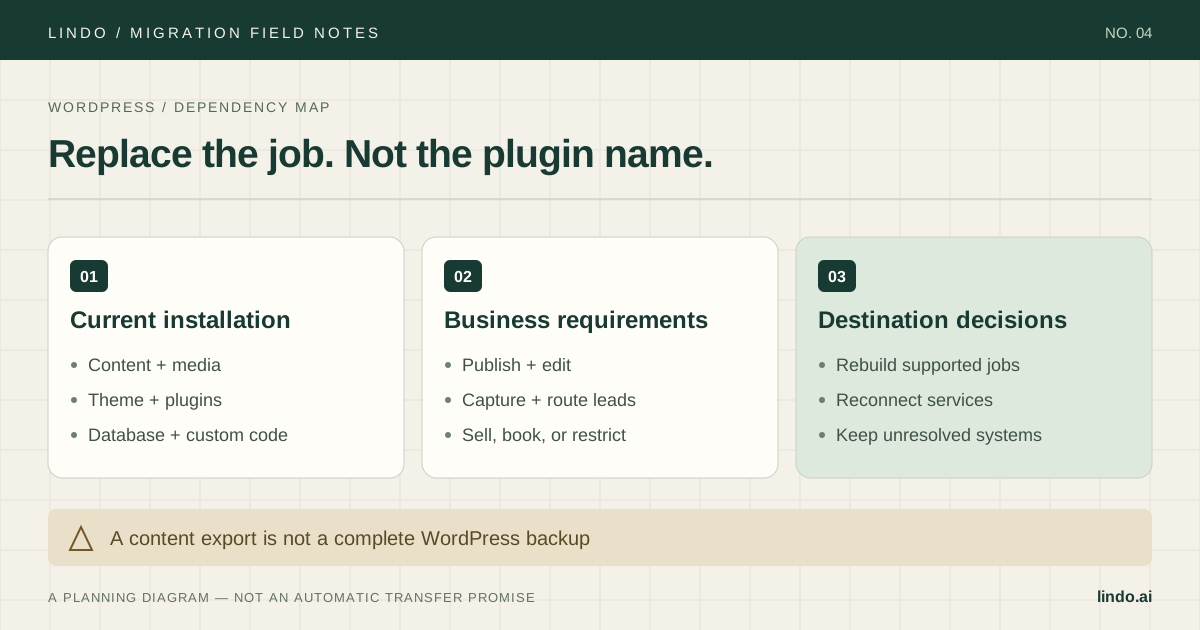
- Mark important landing pages, backlinks, and downloads
- Assign keep, move, merge, or retire to every source URL
- Verify rendered metadata, canonicals, and public indexability
- Test redirects at the post-cutover serving layer
- Check root/www, HTTP/HTTPS, and genuine missing-page responses
- Run a production enquiry and verify tracking
- Review the live sitemap and search verification
- Record launch changes and investigate URL-level defects
- Keep the redirect map, recovery record, and ownership handoff
Includes owner/evidence fields, a URL map, dependency register, and sign-off prompts. Opens in any text editor.
Common questions
Can I migrate without losing SEO rankings?
No one can guarantee unchanged rankings. Preserving useful content and URLs, testing redirects and indexability, and monitoring the live site reduces avoidable technical risk.
Do I need redirects when the domain stays the same?
You need redirects for old URLs whose paths or other URL components change, not simply because the CMS changes. Test unchanged paths directly and map changed ones to relevant destinations.
Should every deleted page redirect to the homepage?
No. Use a relevant replacement where there is one. If content is genuinely gone without a suitable replacement, use an appropriate missing-page response and remove obsolete internal links.