The short answer
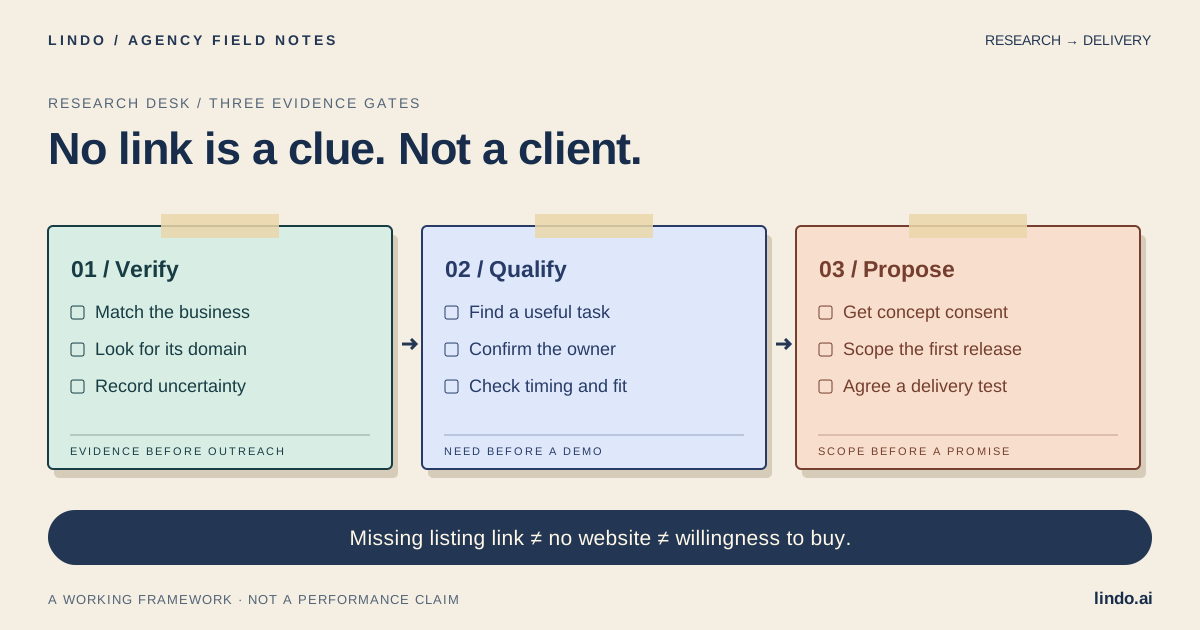
Start with a service and location, find candidates in public business listings, cross-check their name and contact details for an existing site, then confirm a useful customer task with the owner. Only prepare a proposal after need, ownership, scope, and timing are clear.
- A good fit
- An agency offering small service-business websites and willing to verify each prospect before contacting them.
- Pause if
- You need a guaranteed buyer list, bulk personal contact data, or a shortcut around platform rules. No website does not mean ready to buy.
1. Search a business situation, not every business in town
Choose one category, service area, and customer action you understand. ‘Garden designers serving North Vancouver who need project enquiries’ gives you something to investigate. ‘All local businesses’ does not. Write down technical disqualifiers before research: online stores, custom scheduling, regulated workflows, or anything you cannot support.
Use ordinary public search, map listings, local association directories, market or event exhibitor lists, and business-owned social profiles to identify candidates. A directory is a discovery source, not proof that its entries are current. Record the original listing URL and the date you checked it. Review the service’s terms before using automation or exports.
Category: independent garden-design studios
Area: one service region we can support
Customer action: request a project consultation
Candidate signal: business listing has no website link
Exclusions: inactive firms, existing adequate site, unsupported booking needs
Evidence to collect: public listing, identity match, domain check, uncertainty
Stop rule: do not create a proposal before the owner confirms a need
2. Verify that the website is actually missing
Search the exact business name with the location, then with a published business phone number if needed. Inspect the business’s own social biography and public contact information for a domain. Check spelling variants and recent rebrands. A website may exist under a trading name while a map listing is incomplete.
Match more than the name. Compare service area, business contact details, branding, and the services offered. A similarly named company in another city is not a match. If a domain is temporarily unavailable, classify it as an availability question—not ‘no website.’ Do not edit someone else’s business listing or claim ownership to investigate.
You cannot prove the universal absence of a website from a few searches. Use the precise status ‘No site found in these checks’ and keep the evidence. Owner confirmation can change that status later. This keeps an honest observation from becoming an incorrect pitch.
Primary documentation: Google Business Profile: accurate business representation
| What you observe | Research status | Next action |
|---|---|---|
| Listing lacks a link; matching domain found | Existing website | Inspect only if a relevant task needs improvement |
| Only a business-owned social page found | Social-only presence in checked sources | Ask whether a separate site would solve a gap |
| A likely domain fails to load | Availability uncertain | Recheck later; do not call it absent |
| No matching domain after cross-checks | No site found in recorded checks | Confirm with the owner if contact is appropriate |
| Conflicting location or contact details | Identity uncertain | Resolve the entity before outreach |
3. Separate a missing site from an unmet customer need
A fully booked business may have no reason to buy a new website. A referral-led studio may need a small credibility page rather than a lead-generation program. Ask which customer question is difficult to answer today: service area, project suitability, available services, portfolio context, or how to request a quote.
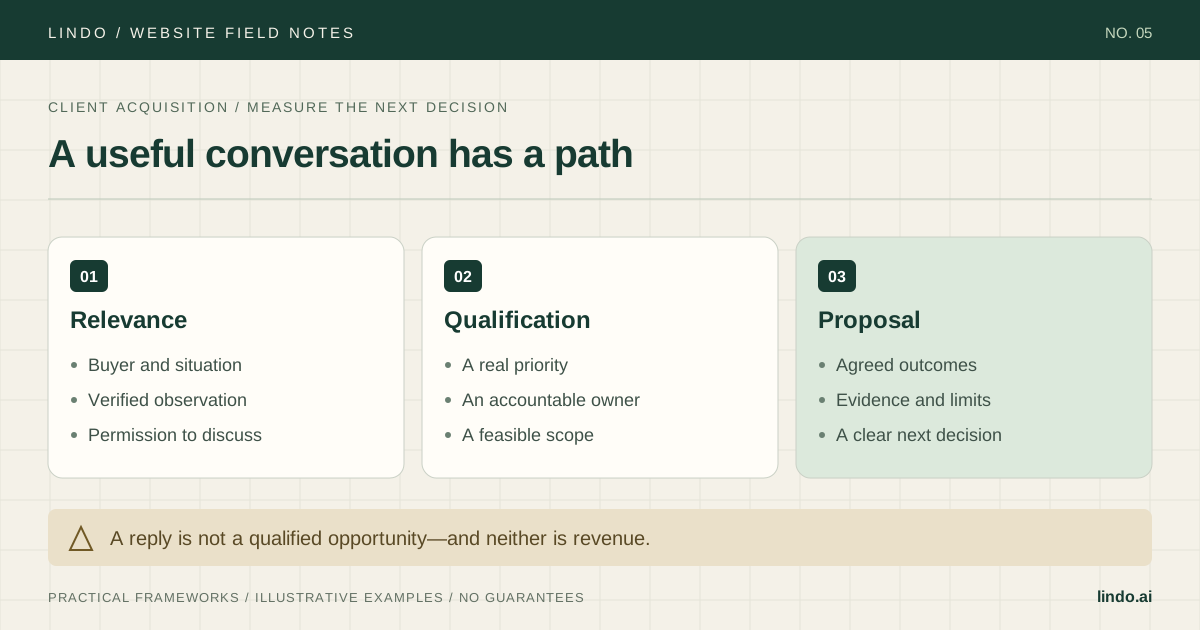
Qualification needs four answers: a useful customer task, someone authorized to approve the work, a feasible first release, and a reason to prioritize it. Budget and timing are discovery questions, not facts you can infer from a map listing. Keep an unknown as unknown rather than assigning a manufactured buyer-intent score.
| Candidate | What discovery reveals | Decision |
|---|---|---|
| Cedar Garden Studio (fictional) | Wants referred homeowners to understand project fit before emailing | Explore four pages and a clear enquiry path |
| Harbor Repair (fictional) | Already has a working site under another trading name | Correct the research record; do not pitch a missing site |
| Pine Workshop (fictional) | At capacity and does not want new enquiries | No current opportunity; respect the answer |
4. Keep an evidence record you can hand to another person
Use one row per business, not one row per listing. Record the public source, identity checks, possible domain, status, business task, permission or response, and next decision. Keep business research separate from unnecessary personal data. Never put passwords, private customer information, or confidential discovery notes into a public worksheet.
A research tool can help find candidates, but it does not remove verification. PreyReach is a related product from our team and offers a businesses-without-websites starting point; treat its results as candidates to check, not a guarantee of absence, contact permission, or purchase intent. You can use the same workflow manually.
Business / service area:
Public source URL / checked date:
Identity match: name + location + business contact detail
Domain checks performed / result:
Status: existing / social-only / no site found / uncertain / inactive
Observed gap (fact):
Possible customer effect (hypothesis):
Owner-confirmed need:
Decision owner / content owner:
Scope fit / dependencies / budget discussion / timing:
Contact policy or permission check:
Next agreed action / stop reason:
5. Ask a small question before offering a rebuild
Use a channel appropriate for business contact, check its rules and applicable outreach requirements, identify yourself, and respect a refusal. A public contact detail is not blanket permission for automated campaigns. Avoid bulk messages built around a supposedly personal audit you did not perform.
Describe only what you checked. ‘I could not find your own site from these pages’ invites a correction. ‘You are invisible online’ ignores their referrals, listings, and social presence. Offer one relevant next step: a short discovery conversation or a small concept after they agree it would be useful.
Hi [business contact], I’m [real name] from [agency].
I found [business] through [public source]. I could see [verified service], but could not find a separate website from [specific checks]. I may have missed it.
Do customers currently have a place to check [relevant question] before contacting you?
If this is a gap you want to address, I can outline a small site focused on that task. If not, no problem.
6. Turn a qualified need into a bounded demo
For fictional Cedar Garden Studio, discovery establishes that referred customers need project examples and service-area guidance before enquiring. A useful demo is one service-page layout, not an entire finished site. Use approved business facts and imagery; otherwise use clearly labeled placeholders. Keep speculative work private and do not imply the business has commissioned it.
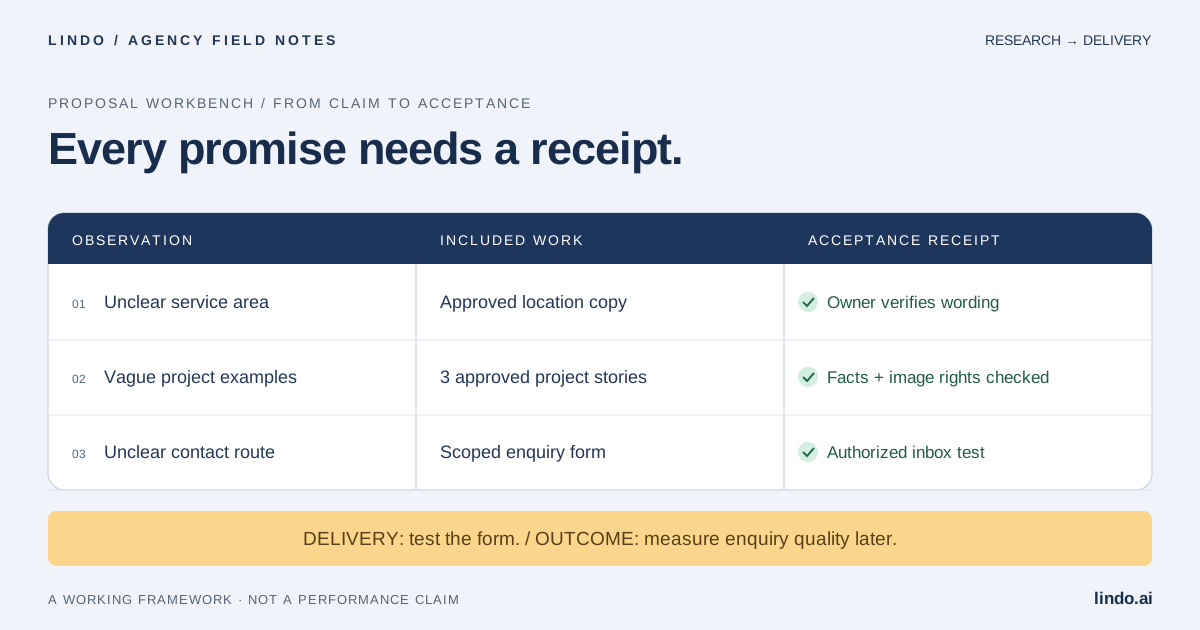
Write the first-release brief before using an AI builder: audience, service area, desired action, pages, content owner, and what must not be invented. Review the mobile page, contact wording, and factual claims. Then move into a proposal with responsibilities and acceptance tests. The demo proves a design direction, not lead volume or search rankings.
Build a private concept for a garden-design enquiry page.
Audience: homeowners considering a garden redesign.
Use placeholders for business name, photos, service area, and project examples until approved.
Explain the service, project fit, process, and information to include in an enquiry.
Do not invent reviews, qualifications, prices, response times, or completed projects.
No live customer submissions or published business identity in this concept.
7. Measure qualified projects, not the size of the list
Track candidates researched, verified records, conversations, qualified needs, proposals, accepted projects, and delivery effort separately. A synthetic run of 20 checked listings might yield 8 existing sites and 5 uncertain identities before any outreach. That is not a conversion benchmark; it illustrates why raw list size overstates opportunity.
Review where the work stops. Many identity corrections suggest a weak source. Conversations with no priority suggest a poor fit rule. Qualified projects that stall at proposals suggest scope or decision-process problems. Do not describe a click into your app as a paid client: connect acquisition reporting to an explicitly defined business event.
Take it into the project
Missing-website research and qualification worksheet
Copy this into your project brief, assign an owner to each item, and attach evidence before marking it complete. No email required.
- Business identity matches across public sources.
- Domain checks and uncertainty are recorded.
- The owner has confirmed a useful customer task.
- Contact respects channel rules and refusals.
- Demo facts and media are approved or visibly placeholders.
- Decision owner, content owner, scope, and timing are established.
- Proposal acceptance tests are separate from promised business outcomes.
A reusable evidence record, classification table, conversation starter, and fictional demo brief. No real prospect list is included.
Common questions
How do I find local businesses without websites?
Start with public business listings for one category and area, then cross-check each candidate through exact-name searches, business-owned social pages, and matching contact details. Confirm with the owner before describing the website as absent.
Does a missing Google Maps website button mean there is no website?
No. The listing may be incomplete, the business may use another name, or the domain may appear on its social profile. Record the missing button as a signal to investigate.
Can I sell a website to a business that only uses Instagram?
Potentially, if a separate site solves an owner-confirmed problem. Social-only presence is not evidence of lost sales or willingness to buy.
Should I make a free demo for every candidate?
No. Verify the business and need first. A limited, permission-based concept is more useful than a speculative full rebuild, and it should not imply a client relationship that does not exist.