The short answer
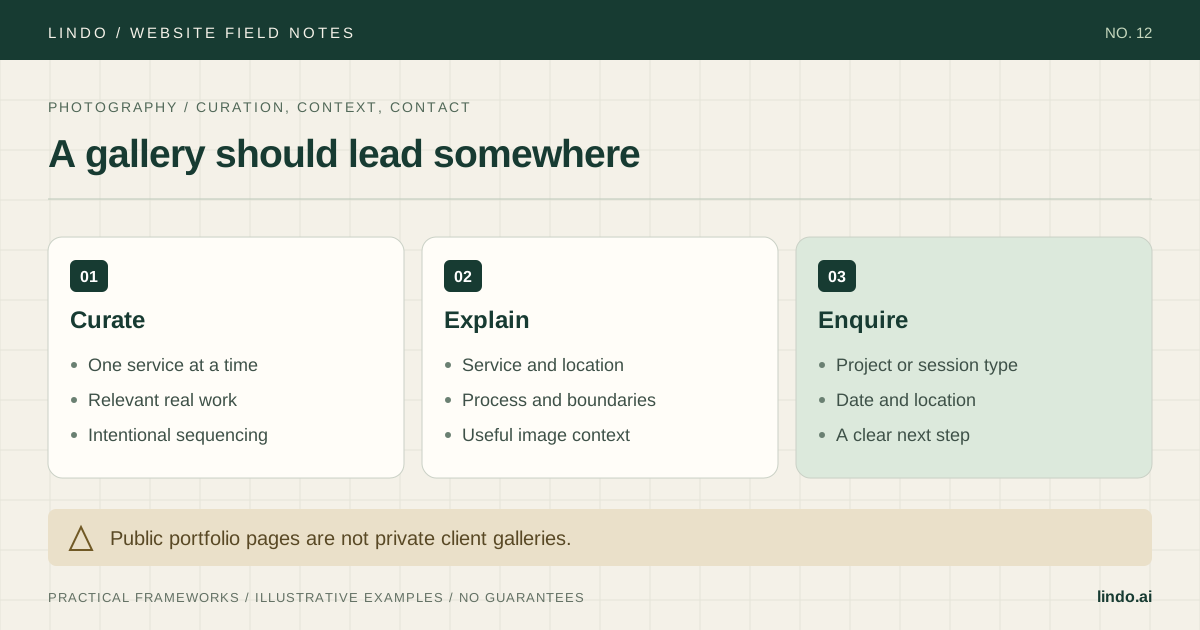
Curate galleries around the assignments you want, use real approved work, prepare images for the web, and connect each gallery to a clear service and enquiry path. Keep public marketing separate from private client delivery.
- A good fit
- Photographers building a public portfolio and enquiry website for a defined service or body of work.
- Pause if
- You need private proofing, print commerce, or client delivery that your chosen tools have not been tested to support.
1. Choose the assignments the site should attract
A commercial art director and a couple planning a wedding need different evidence and practical details. Decide which audience each part of the site serves. If you offer several services, separate them clearly rather than asking one mixed gallery to explain everything.
Write a service statement that names the type of work and the location or travel arrangement you can truthfully support. Then list the questions a suitable client needs answered: what sessions or assignments you take, how planning works, what is delivered, and how to ask about timing. Do not invent availability, starting prices, or turnaround promises to fill a template.
2. Curate for relevance and consistency, not volume
Choose images that show the kind of work you want to be hired for and the range you can reliably deliver. A wedding gallery might show a coherent range of moments and lighting conditions; a commercial portrait gallery might show the subjects, settings, and visual treatment relevant to the buyer. Avoid publishing every technically good frame.
Sequence a gallery deliberately. Open with work that establishes the style, vary the rhythm without making the collection incoherent, and remove near-duplicates that add little. View the sequence on a phone, where a dense desktop grid becomes a long scroll.
Use photographs you made and have permission to publish. Do not present stock or AI-generated photographs as examples of your commissioned work. If a personal project or collaboration is included, label and credit it appropriately. Check consent and client agreements for identifiable people, private locations, and restricted work.
Gallery purpose: [service or body of work]
Intended viewer: [buyer and situation]
What the sequence must demonstrate: [style, range, consistency]
Opening image and why:
Images that add a distinct role:
Near-duplicates to remove:
Permission and credit status for each image:
Service page or enquiry destination:
What the viewer still needs explained:
3. Prepare images for the actual layout
Keep original files in a separate archive and export copies for the website. Match the dimensions and format to the displayed use, then inspect detail, color, and crop on the real page. The right compromise depends on the photograph and layout; there is no single file size that makes every photography site good.
Use responsive image delivery when supported so a narrow screen does not need the same asset as a large display. Avoid loading every full-resolution image at once. Check what the platform actually does with your uploads instead of assuming it automatically chooses the best dimensions or compression.
A simple hypothetical check: a gallery of 20 images at 4 MB each represents 80 MB of source files before any platform optimization. Exporting smaller copies and checking the delivered requests can materially change the browsing experience. This arithmetic is not a performance benchmark; inspect the actual page on a slower connection.
Use alternative text according to the purpose of the image. A meaningful portfolio image may need a concise description; decorative elements should not create repeated noise. Keep essential service information in text rather than baking it into photographs.
Primary documentation: web.dev: images for the web · W3C: choosing image alternatives
4. Add the context a gallery cannot answer
Connect the gallery to a service page that explains the assignment or session, location, planning process, and what the client receives. If pricing varies, explain the factors that determine a quote rather than publishing an unsupported ‘from’ price. If you do show prices, keep the inclusions and conditions current.
For a hypothetical commercial portrait service, the useful details might include where the session can happen, how the brief is agreed, whether a team or individual is being photographed, and how delivery is discussed. Usage and licensing terms need to reflect your actual agreement; do not copy legal terms from another photographer’s website.
An about page should provide relevant context about your approach and experience without burying the work under a long autobiography. Use real credentials and approved client names only.
| Page | Job | Next step |
|---|---|---|
| Home | Establish photography focus and location | Choose a relevant gallery or service |
| Service gallery | Show suitable, consistent work | Read service details |
| Service details | Explain process, scope, and fit | Ask about a project or date |
| About | Identify the person and approach | View work or enquire |
| Contact | Collect the minimum useful brief | Receive a clear confirmation |
5. Make the first enquiry easy and specific
Ask only what you need to start a useful reply: name, contact address, service or assignment type, and relevant timing or location. Let the visitor explain uncertainty instead of requiring a precise shoot date for every enquiry. State what happens after submission using a response expectation you can actually honor.
Test the form with authorization and confirm receipt in the real destination inbox. Check invalid input and the confirmation state. Do not treat a pretty form as a completed booking system; if bookings require a contract, payment, or availability check, explain that the initial enquiry is not a confirmed reservation.
Link to specialist booking, proofing, or delivery tools only after checking their roles, access controls, and client experience. A hidden URL or an unlisted public page is not reliable private-gallery protection.
Primary documentation: W3C: accessible forms
6. Review the complete experience before sharing it
Open the site on mobile and follow one service journey from the home page through a gallery to an enquiry. Check crops, captions, loading, keyboard access, and whether gallery interactions can be closed or navigated reliably. Make sure the most important work is not hidden behind a fragile animation.
Review page titles, descriptions, visible headings, and internal links so they describe the actual service. Keep location wording accurate; creating a page for every nearby city without distinct useful content does not improve the visitor’s understanding.
Record a maintenance routine: review availability and service details, remove work you can no longer publish, replace weaker images as stronger relevant work becomes available, and retest contact delivery. Preserve copies of approved text and images alongside your original archive.
Take it into the project
Photography gallery and launch worksheet
Copy this into your project brief, assign an owner to each item, and attach evidence before marking it complete. No email required.
- Each gallery has a clear audience and service purpose.
- Published images are real work with permission and appropriate credit.
- Near-duplicates are removed and mobile sequencing is reviewed.
- Web exports and actual delivered images are checked.
- Service pages explain process, fit, and the next step.
- Enquiries reach the intended inbox and are not described as confirmed bookings.
- Private delivery tools are separate and access controls are verified.
- Current service details and image permissions have a review owner.
Includes a curation brief, image-rights and export register, service-page map, and enquiry-flow test.
Common questions
Should I upload full-resolution photographs?
Keep originals in your archive. Publish web-prepared versions appropriate to the layout and verify what the platform delivers. Full-resolution downloads and private client delivery are separate requirements.
Do I need a blog?
Only if you have useful material and a sustainable publishing plan. Strong service pages and relevant galleries come first. A neglected blog is not a prerequisite for a professional photography site.
Can the same website handle client proofing?
Only if the chosen tools support the required privacy, access, and delivery workflow. Test those requirements separately from the public portfolio and do not rely on an obscure link to protect private work.