
Best local lead generation tools for web designers: find a business you can actually help
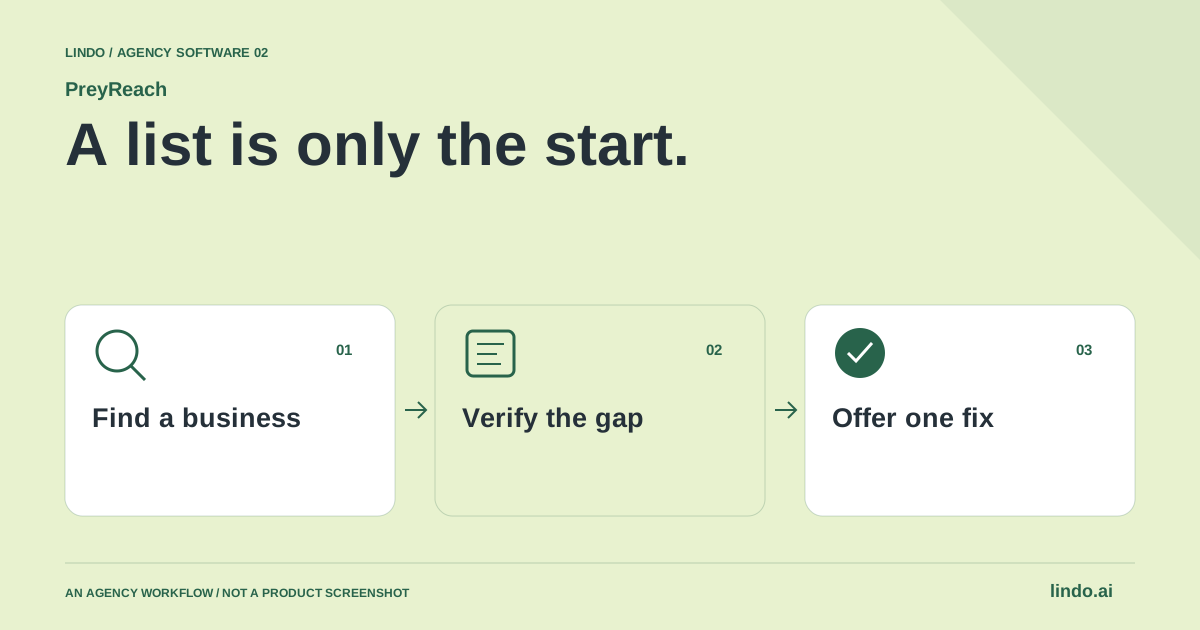
A thousand rows are not a thousand website opportunities. A useful prospect has the right business profile, a verified problem you can solve and a reasonable route to a conversation. Pick the tool around those three jobs.
Which tool fits your workflow?
Start with PreyReach when the search is about local businesses and their websites. Compare Apollo when identifying business contacts and accounts is central. Consider Clay when you already have a sourcing process and need configurable research or enrichment. These tools approach prospecting from different starting points.
| Tool | Evaluate it for | Check before choosing |
|---|---|---|
| PreyReach | Local business discovery plus website-gap research | Current web presence, missing fields and contact quality |
| Apollo | Contact- and account-led B2B prospecting | Coverage of your local market and actual website need |
| Clay | Configurable research and enrichment workflows | Source quality, setup effort and cost per useful record |
Where PreyReach fits
PreyReach helps find local businesses by category, area and listing filters, with separate website research, contact enrichment and outreach drafts. It offers saved lists and CSV exports. Its site identifies DataForSEO business listings as a source and cautions that listings can be stale and contact availability is not guaranteed. See its product documentation below. Product source ↗
- Good fit
- A web agency with a specific local niche and an offer it can deliver, such as repairing an inquiry journey or rebuilding an outdated service website.
- Not the job
- Person-level enterprise prospecting, indiscriminate bulk outreach, or treating an empty listing field as verified proof that a company has no website.
- Budget for
- Review the current credit model and the cost of each research step. Count the manual qualification and follow-up time, not just the price of the initial list.
PreyReach’s public workflow supports business-category and area searches, then separate research of websites and available contacts. The source also separates search jobs from enrichment work. That distinction belongs in your agency process: a business appearing in a list has not necessarily passed a website audit, and an available contact has not necessarily been verified for your intended outreach.
Use a prompt that describes a service you can deliver, such as a local repair business with a difficult mobile inquiry journey. Confirm the supported filters, inspect a few results and revise the criteria before expanding. The site says outreach is drafted for review, not sent on your behalf. Keep that handoff explicit when combining prospecting with another communication tool.
Other tools to consider
Apollo: contact- and account-led b2b prospecting
Apollo’s platform centers on contacts, accounts and go-to-market intelligence. That makes it a useful comparison when the buying question is who to approach within a business, rather than which nearby shops have a weak web presence. Test coverage using businesses you already understand instead of assuming a large database is equally useful in every trade or city.
A named contact does not establish a redesign opportunity. Add a separate website review and service-fit check before writing a pitch. If the agency mainly serves larger multi-location businesses, contact and account context may matter more than a missing website field. If it sells simple sites to independent local operators, the balance may be different.
Clay: configurable research and enrichment workflows
Clay documents multi-provider enrichment, research and workflows for revenue teams. Evaluate it when your agency wants to combine several sources or apply its own qualification process. The value to test is whether the workflow produces a better-supported prospect record, not merely more populated columns.
Build a small sample with deliberately difficult cases: an outdated domain, two similarly named businesses and a contact whose role is unclear. Record provenance and unknowns. A confidently completed field can be more damaging than an empty one if it sends an irrelevant pitch. Budget for workflow design, enrichment usage and human checking, especially while the criteria are still changing.
Choose a market you can help before choosing a filter
‘Businesses that need websites’ is too broad to produce a convincing proposal. Start with a trade, a service area and an operational problem you understand. A restaurant may need a readable menu and a reliable reservation route. A trades business may need clearer service coverage and a quote form that accepts the right details. The same redesign package will not fit both.
Write the offer before collecting prospects: ‘We help independent repair shops turn service questions into structured appointment requests.’ Now you have something to evaluate. A company with an attractive website can still fit if the appointment journey is broken. A company without a website may not fit if its existing referral business already meets its goals.
Verify the website gap outside the listing
For each candidate, check the business name, location and publicly linked website. Search for a separately maintained domain when the listing field is empty. Follow links from official social profiles when available, and distinguish a marketplace profile from an owned site. Mark uncertainty as uncertainty. ‘No website recorded in this source’ is an honest note; ‘this business has no website’ requires more evidence.
When a site exists, test a visitor task instead of scoring taste. Can a phone user find opening hours, understand the service area and finish the intended request? Record the URL, date and a concrete observation. Do not send a generic alarm about SEO based on a single automated score. A useful finding should still make sense if the prospect has never heard of performance metrics.
Score fit, evidence and reachability separately
One combined lead score can hide the reason a prospect deserves attention. Keep three columns: fit for your service, strength of the observed problem and an appropriate contact route. A business can have an obvious website problem but be outside your territory. Another can be a perfect fit but have no suitable public contact information. Those are different next steps, not equivalent leads.
Avoid confusing contact enrichment with permission to send. Respect applicable outreach rules, platform terms and requests not to be contacted. Keep a suppression record so the team does not approach the same person repeatedly. A smaller list with accurate context is easier to work responsibly than a large export whose provenance nobody can explain.
Make the proposal smaller than the entire website
Lead with one observed friction point and a practical remedy. ‘Your service request form does not submit on my phone’ is more useful than ‘Your website is outdated.’ Where appropriate, prepare a private concept using material you are permitted to use and label it as an unsolicited concept, not a completed customer project. Do not imply the business has hired you.
Estimate the work around the outcome: content the owner must provide, implementation, checks, handoff and ongoing responsibilities. A preview can start a discussion; it should not hide migration, domain, booking or email dependencies. Use Lindo's existing business-discovery guide for the broader method and proposal generator for a scoped offer. This page focuses on the tool-to-proposal handoff rather than duplicating that guide.
Measure the useful funnel, not the exported row count
Track candidates reviewed, verified problems, appropriate contacts, replies, qualified conversations and accepted projects separately. When response is weak, inspect the offer and the evidence before increasing volume. When conversations happen but projects do not, review qualification and scope. This makes the workflow useful even when the first niche turns out to be a poor fit.
Keep a short rejection reason for each prospect: wrong market, website already fixed, no meaningful gap, no appropriate contact or asked not to hear from us. Rejections improve the next search and protect the team from repeating work. The best outcome of a research session can be a clearer niche, not a longer list.
Worked example: independent repair shops
A fictional qualification sheet. These are decision examples, not actual businesses or promised response rates.
| Candidate signal | Evidence to gather | Decision |
|---|---|---|
| No site in the listing | Search official profiles for an owned domain | Unverified until checked |
| Older design, working booking | Ask whether a business problem exists | Do not pitch appearance alone |
| Quote form fails on mobile | Reproduce and note device, URL and date | Offer a focused repair discussion |
An actionable row contains a business problem and its evidence. A screenshot of an unfashionable homepage is not enough.
Compare cost per qualified opportunity, not cost per exported row
Define a qualified opportunity before testing software. For a web designer, it might mean an active business in the service area, an observed website problem, a plausible project scope and a suitable business contact route. Keep each condition separate. A missing email address says nothing about whether the website needs work, and an old design alone says little about the owner’s priorities.
Use the same small market sample for every candidate. If one tool finds more rows, inspect whether the extra records are duplicates, closed businesses, branches outside the area or genuinely useful prospects. Record the time needed to verify the business identity and reproduce the website issue. That checking time is part of the acquisition cost.
A fictional example makes the denominator clear: a $40 research run that yields ten checked opportunities costs $4 per checked opportunity before staff time. A $20 run yielding only two costs $10 on that basis. Neither figure predicts replies or sales. Track qualified conversations and won work later, without pretending that an exported contact is a customer.
Do not make software selection depend on sending a large batch of unreviewed messages. First prove that you can explain the opportunity respectfully in one sentence and offer a proportionate next step. Use the existing how-to guide linked below for the research procedure; this comparison helps choose the software supporting that procedure. Stop enriching a market that repeatedly produces poor-fit businesses.
Prospect-to-proposal worksheet
Use this for your own pilot. Notes stay in this page session and are not sent to us. Download before leaving; reloading clears the worksheet.
Questions before you start
Is a local lead tool the same as a business contact database?
No. Local discovery, contact identification and website qualification are different tasks. PreyReach emphasizes local-business and website-gap discovery; Apollo is a contact/account-led comparison, while Clay supports configurable research and enrichment. Verify coverage with your own market sample.
Does a missing website field mean the business needs a website?
No. A listing can be incomplete or stale, and a business may use another domain. Verify its current presence and whether a website would solve a real operating problem before proposing work.
Should I pitch a full rebuild to every outdated website?
No. A repair, content update or better inquiry path may be more appropriate. Propose the smallest useful scope supported by your research.
Sources & review notes
Reviewed October 2, 2026 using public product documentation and, for the featured product, available source code. This is not a hands-on performance ranking. Examples are illustrative; companion workflows do not imply a native Lindo integration. Confirm current prices, limits and connections before committing to client work.
Try the workflow before you standardize it.
Bring a real brief, use the worksheet, and evaluate whether PreyReach fits the work you need to deliver. Keep the product scope and the client’s expectations explicit.
